One API. Eleven Platforms.Every Social Media Action.
Post, schedule, and analyze social media across Facebook, Instagram, LinkedIn, X, TikTok, YouTube, Bluesky, Threads, Pinterest, Google Business, and Mastodon with one unified REST API. Built for AI agents, developers, and automation workflows.
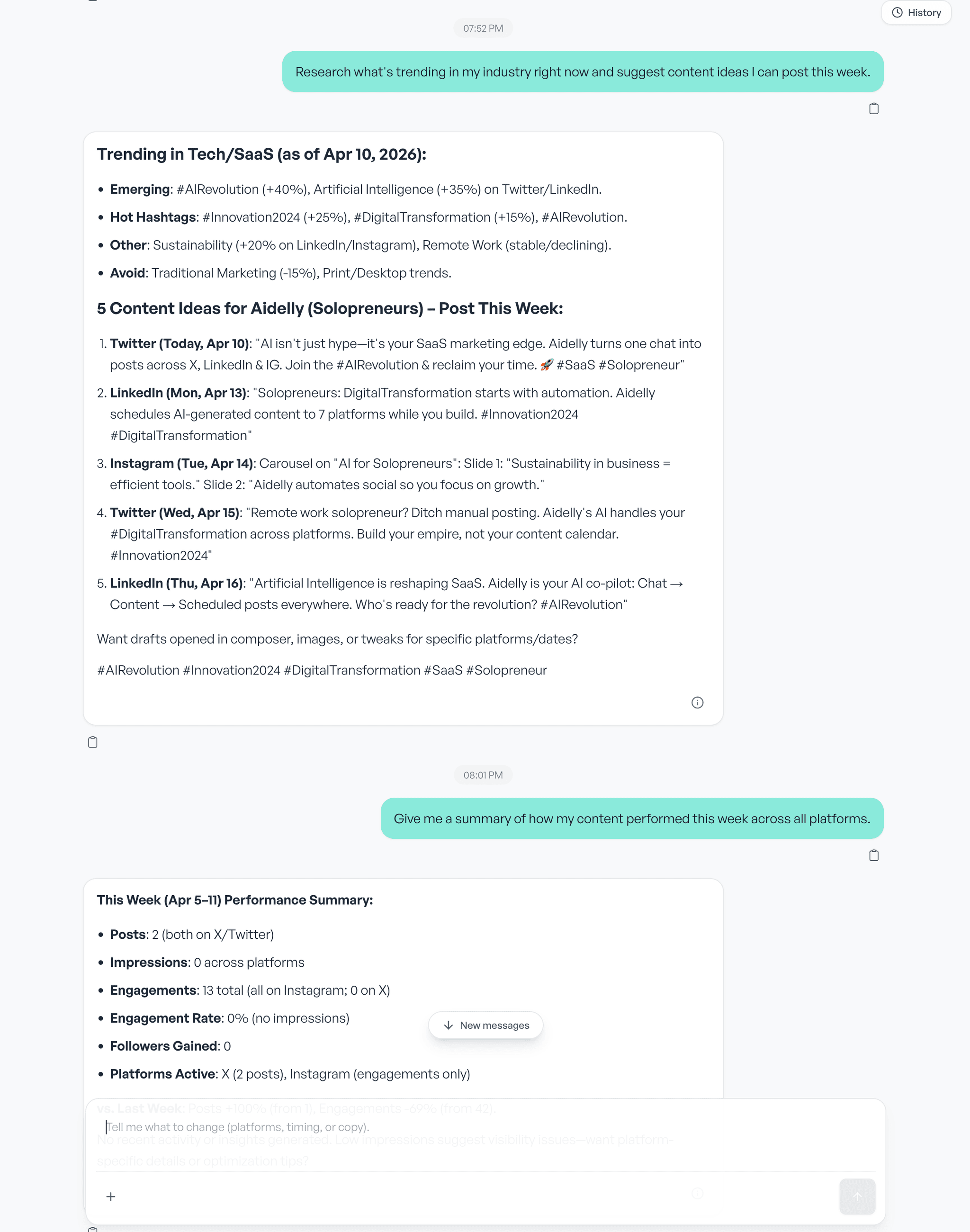
What an agency does with the Aidelly API and MCP server
Agencies run Aidelly as an MCP server for social media. You point Claude, ChatGPT or Cursor at one client workspace, and the agent works inside it: drafting posts, scheduling them, replying in the inbox, and pulling analytics. Workspace and brand routing headers scope every call, so one client's work does not land on another client's accounts.
A person still signs off. Team Approvals is a workspace switch that holds member-created posts in a pending queue until an owner or admin clears them, and the gate is evaluated server side, so posts created through the API or the MCP server pass through it too. The Client Approval Portal sends the client a magic link to approve or request changes without an Aidelly login. Team Approvals is included on the Scale and Agency plans, and is not included on Launch. Client approval links are an Agency-plan feature.
What this replaces is the copy, paste and schedule loop you run once per client. Twelve client accounts means twelve passes through the same composer. Through the API or the MCP server it is one instruction and one review queue.
Eleven Platforms, One Endpoint
Post to every major social network through a single unified social media API
Everything You Can Do via API
A full social media scheduling API for developers and AI agents
Create & Schedule Posts
Post to social media via API instantly or schedule for any future date. Support for text, images, videos, carousels, and stories.
Read Analytics
Pull engagement metrics, follower growth, and post performance data across all platforms programmatically.
Manage Inbox
Read and respond to comments, DMs, and mentions across all connected platforms from a single API.
Upload Media
Upload images and videos to your media library, then reference them in posts. Supports all major formats.
Manage Brand Voice
Set and retrieve brand voice guidelines so AI agents generate on-brand content automatically.
Bulk Operations
Schedule dozens of posts in a single API call. Perfect for content calendars, campaigns, and automated pipelines.
Three Ways to Integrate
Choose the integration path that fits your workflow
REST API
Any HTTP client
Standard REST endpoints with JSON responses. Works with any language, framework, or HTTP client. Full OpenAPI spec available.
- Bearer token auth
- JSON request/response
- OpenAPI 3.0 spec
- Webhook callbacks
MCP Server
Claude & Cursor
Connect Aidelly as a Model Context Protocol server. Claude, Cursor, and other MCP-compatible agents get native social media tools.
- Native tool calling
- Streaming responses
- Context-aware actions
- Zero boilerplate
Claude Skill
Zero setup
Install the Aidelly Claude Skill and start posting to social media from Claude immediately. No code, no configuration.
- One-click install
- No API key needed
- Conversational interface
- All platforms supported
Post to Social Media in One Request
A single curl command to publish across Instagram and LinkedIn
curl -X POST https://app.aidelly.ai/api/public/v1/posts \
  -H "Authorization: Bearer YOUR_API_KEY" \
  -H "Content-Type: application/json" \
  -d '{
    "content": "Launching our new API integration! 🚀",
    "platforms": ["instagram", "linkedin"],
    "media": [{
      "url": "https://cdn.example.com/launch.jpg",
      "type": "image"
    }],
    "schedule_at": "2026-03-15T10:00:00Z",
    "brand_voice": "professional"
  }'
Response
{
  "id": "post_abc123",
  "status": "scheduled",
  "platforms": {
    "instagram": { "status": "scheduled", "scheduled_at": "2026-03-15T10:00:00Z" },
    "linkedin": { "status": "scheduled", "scheduled_at": "2026-03-15T10:00:00Z" }
  }
}
Works With Your Stack
Plug Aidelly into your existing automation and agent workflows
Frequently Asked Questions
Common questions about the Aidelly social media API
What platforms does the Aidelly social media API support?
The Aidelly REST API supports Facebook, Instagram, LinkedIn, X (Twitter), TikTok, YouTube, Bluesky, Threads, Pinterest, Google Business Profile, and Mastodon. You can create posts, schedule content, read analytics, and manage your inbox across all eleven platforms through a single unified endpoint.
Can I use the Aidelly API with AI agents like Claude or LangChain?
Yes. Aidelly offers a REST API for any HTTP client, an MCP server for Claude and Cursor, and a Claude Skill for zero-setup integration. AI agents can post, schedule, and analyze social media without custom platform integrations.
Is the social media API suitable for automation workflows?
Absolutely. The API works with n8n, Zapier, Make, and custom automation pipelines. You can trigger posts from any event, schedule content in bulk, and pull analytics programmatically.
Do I need separate API keys for each social platform?
No. You authenticate once with your Aidelly API key and connect your social accounts through the dashboard. The API handles all platform-specific authentication and formatting behind a single unified interface.
What rate limits and pricing apply to the API?
API access is included in all paid plans. Rate limits depend on your plan tier. Check the pricing page for details on request quotas, and the API docs for endpoint-specific limits.
Can an agency run client accounts through the API and MCP server?
Yes. Each client sits in its own workspace, and API and MCP calls are scoped to one workspace and brand with the x-aidelly-workspace-id and x-aidelly-brand-id routing headers. Team Approvals is enforced server side, so a post an agent creates through the API or the MCP server is held for owner or admin approval when the workspace requires it, and the Client Approval Portal can send the client a magic link to approve or request changes without an Aidelly login. Team Approvals is included on the Scale and Agency plans and is not included on Launch. Client approval links, white label, the custom domain and branded client reports are Agency-plan features.
Get Your API Key Today
Start posting to social media via API in minutes. Full REST API, MCP server, and Claude Skill included with every plan.
Compare Aidelly Against Other Social Scheduling Tools
If you are evaluating social media APIs for developer workflows, AI agents, or automation pipelines, these guides compare tools by integration depth and operational reliability.
Buyer Guides
- Best Social Media Scheduling Tools (2026)
- Best Social Media Content Calendar Tools (2026)
- Best AI Social Media Management Tools for Agencies (2026)
- Best Agentic Social Media Tools (2026)
- Best Social Media MCP Servers for Claude & ChatGPT (2026)
- Best Social Media APIs for AI Agents (2026)
- Best AI Social Media Automation Tools (2026)
Buyer FAQs
The Aidelly REST API supports Facebook, Instagram, LinkedIn, X (Twitter), TikTok, YouTube, Bluesky, Threads, Pinterest, Google Business Profile, and Mastodon. You can create posts, schedule content, read analytics, and manage your inbox across all eleven platforms through a single unified endpoint.
Yes. Aidelly offers a REST API for any HTTP client, an MCP server for Claude and Cursor, and a Claude Skill for zero-setup integration. AI agents can post, schedule, and analyze social media without custom platform integrations.
Absolutely. The API works with n8n, Zapier, Make, and custom automation pipelines. You can trigger posts from any event, schedule content in bulk, and pull analytics programmatically.
No. You authenticate once with your Aidelly API key and connect your social accounts through the dashboard. The API handles all platform-specific authentication and formatting behind a single unified interface.
API access is included in all paid plans. Rate limits depend on your plan tier. Check the pricing page for details on request quotas, and the API docs for endpoint-specific limits.
See it in Aidelly
Every action in the product is available over the REST API.