Social Media AutomationSet Rules Once, Run Forever
Queues, auto-post, destination presets, campaigns, and more. Set it up once and Aidelly keeps your content moving.
How It Works
Pick a type, set your rules, and let Aidelly run
Pick an Automation
Choose queues, auto-post, destination presets, campaigns, or another type that fits your workflow.
Set Your Rules
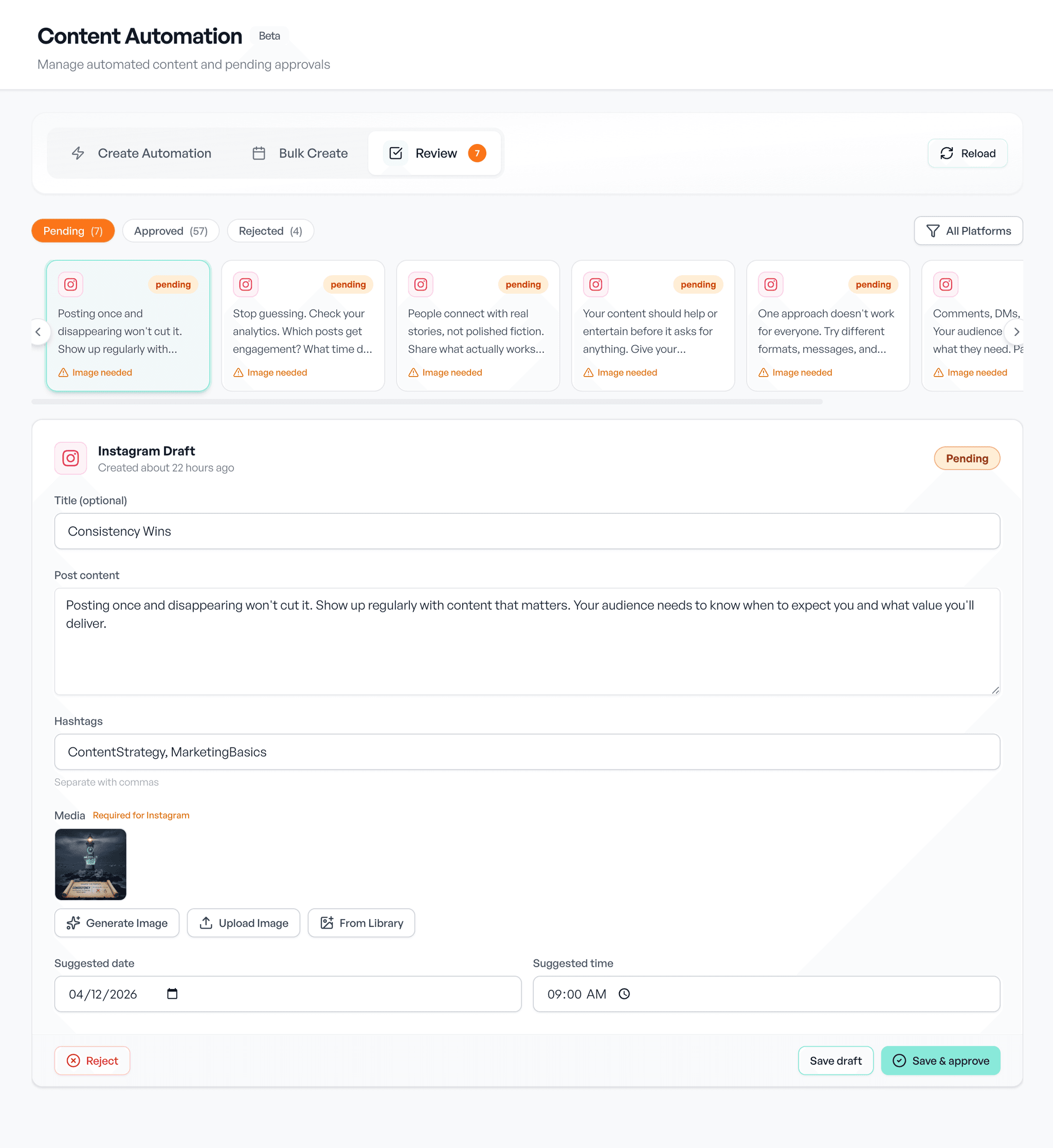
Define sources, slots, destinations, or schedules. Turn on approvals if you want a review step first.
Aidelly Runs It
New content syndicates, queues drip, routes fan out, and posts land on your calendar automatically.
What You Can Automate
Every automation type in one place
Auto-Post
New blog posts, podcasts, newsletters, or YouTube videos become social posts.
Learn moreAutomation Queues
Drop posts into weekly time slots. Aidelly drips them out on schedule.
Learn moreDestination Presets
Save your channel mix. Load it in the composer and publish to all at once.
Learn moreCampaigns
Group related posts under one theme with shared settings.
Learn moreAuto-Recycle
Schedule reposts and reshares when you compose a post.
Learn moreE-commerce
Turn Shopify, WooCommerce, Etsy, or Wix products into posts.
Learn moreBulk Fill
Upload a CSV and schedule dozens of posts at once.
Learn moreAI Content Generation
Aidelly drafts posts on your schedule using your brand voice.
Team Approvals
Every draft goes through your queue before it goes live.
Learn moreKeyword Auto-DMs
Comment your keyword, get a DM with your link, great for lead capture.
Learn moreWhy Automate Your Social Media?
Reclaim your time while maintaining a consistent presence
Reclaim Hours Every Week
Stop writing every post from scratch. Automation generates drafts and schedules them so you only spend time reviewing.
Never Miss a Posting Day
Automations run even when you are busy, sick, or on vacation. Your social presence stays consistent no matter what.
Stay On-Brand Automatically
Every generated post uses your brand voice, topics, and style guidelines. Consistent messaging without the manual effort.
Scale Without Hiring
Handle more platforms and more content without adding headcount. One person can manage like a team.
Example Workflows
Common automation setups our users run
Blog to Social
Connect your RSS feed with auto-post. New articles get AI captions per platform and land in your approval queue.
Evergreen Queue
Build a queue with Mon/Wed/Fri slots. Drop posts in and turn on recycle so the queue never runs dry.
One Publish, Many Accounts
Create a preset targeting your main LinkedIn + every client workspace. Load it in the composer and every publish goes to all at once.
Product Launch Campaign
Create a campaign with shared channels, queue, and route. Every post in the launch inherits the same settings.
Automation for Every Business
From solopreneurs to agencies with dozens of clients
Small Business Owners
Set up once and let it run. Your social media stays active while you focus on running your business.
Learn moreContent Creators
Maintain a consistent posting schedule without burning out. Focus on creating, not scheduling.
Learn moreMarketing Teams
Build approval workflows that keep everyone aligned. Scale content production across multiple brands.
Learn moreWorks Great With
Features that make automation even more powerful
Auto-Post
RSS, podcasts, newsletters, YouTube
Queues
Weekly slots with drip and recycle
Destination Presets
Save your channel mix and reuse it
Campaigns
Theme groups with shared defaults
Auto-Recycle
Repost and reshare on a schedule
E-commerce
Products to posts in one click
Bulk Fill
Schedule from a CSV
Calendar
See every automated post
Ready to Put Social on Autopilot?
Queues, auto-post, routes, and more. Start your trial with $0 due today.
Compare Aidelly Against Other Social Scheduling Tools
These resources help teams compare social media automation workflows with a focus on guardrails, approvals, and reliability.
Buyer Guides
Buyer FAQs
Prioritize workflow reliability, approvals, notifications, and clear control over what publishes automatically. Good automation should reduce repetitive work without increasing brand or compliance risk.
Yes for most teams. Approval steps reduce publishing risk and keep brand voice consistent, especially when AI is involved in draft generation or repurposing.
Test a real recurring workflow end-to-end: trigger, draft generation, review, scheduling, and final publish. Evaluate how often humans need to intervene and how clear failure states are.
See it in Aidelly
Rules that run the repetitive part so you only handle the exceptions.