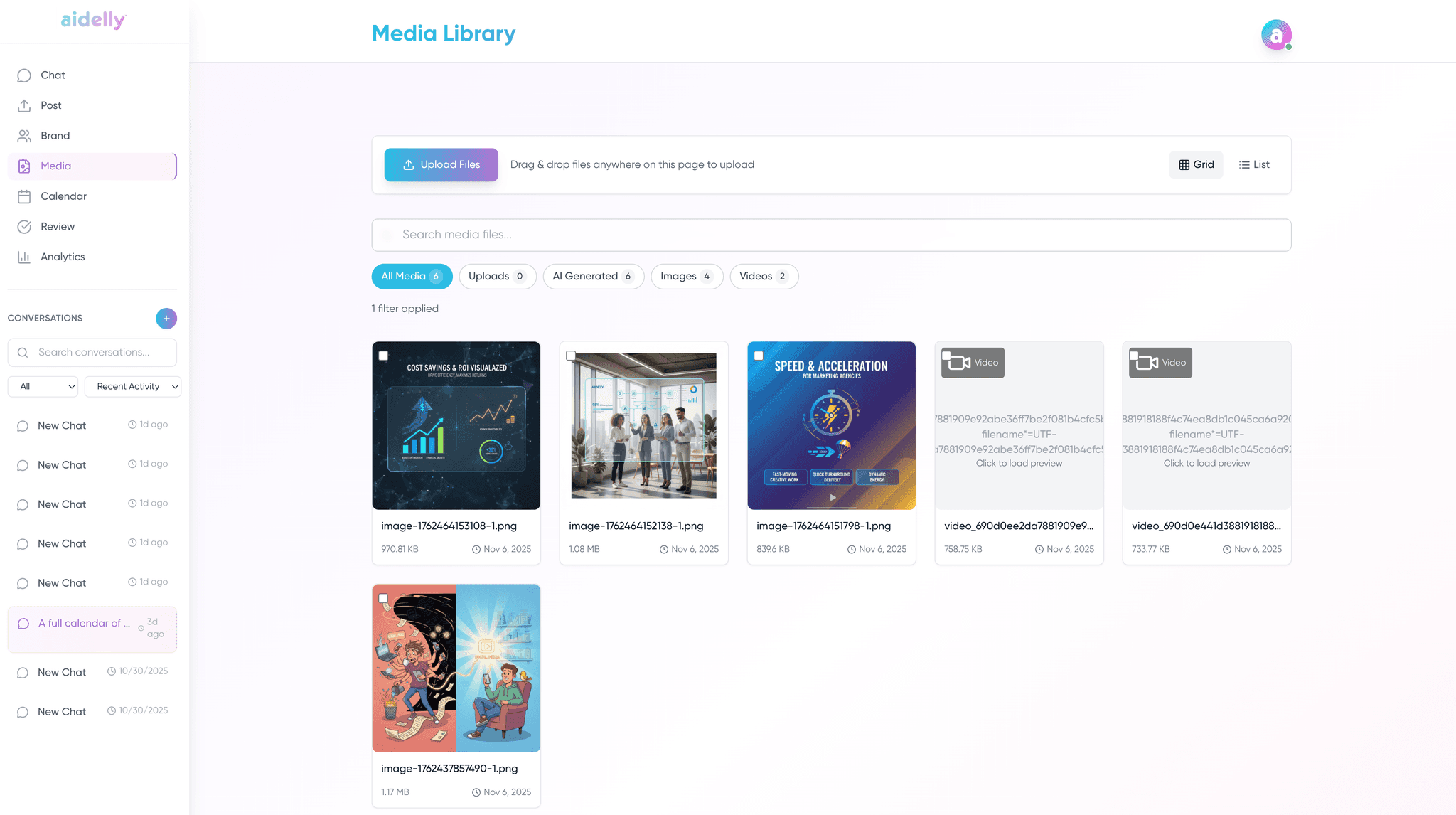
All Your MediaIn One Place
Upload images, videos, and documents to your media library. Search, filter, and attach them to posts across all your platforms.
Store Every Type of Media
One library for all your social media assets
Images
JPG, PNG, WebP, GIF
Videos
MP4, MOV, WebM
Documents
PDF, TXT, Markdown
AI Generated
Images created with AI
Simple, Practical Media Management
Upload, find, and use your media without the hassle
Drag & Drop Upload
Drag files directly into the library or use the upload button. Upload multiple files at once.
Search & Filter
Search by file name and filter by media type (images, videos, documents) or source (uploaded, AI-generated).
Grid & List Views
Browse your media as a visual grid of thumbnails or switch to a detailed list view with file info.
Media Preview
Click any file to view it full-size with details like file name, dimensions, size, and upload date.
Sort & Organize
Sort media by date, name, or file size. Keep your library organized with ascending or descending order.
AI Image Generation
Generate images with AI directly inside Aidelly. Created images are automatically saved to your library.
Upload Once, Use Everywhere
A simple workflow from upload to published post
Upload Your Media
Drag and drop files into the library, or use the upload button. Images, videos, and documents are all supported.
Find What You Need
Search by file name or filter by type. Grid view lets you quickly scan thumbnails to find the right asset.
Attach to Posts
When creating a post, pick media from your library with one click. No re-uploading or searching your device.
Media Library for Every Business
Keep your visual assets organized and ready to use
Small Business Owners
Keep all your product photos, logos, and marketing materials organized and accessible when creating posts.
Learn moreContent Creators
Store thumbnails, graphics, and b-roll. Build a library of reusable assets over time.
Learn moreMarketing Teams
Centralize brand assets in one workspace. Everyone on the team can access the same media when creating content.
Learn moreWorks Great With
Features that work with your media library
Ready to Organize Your Media?
Upload, organize, and use your media from one place. Start your trial with $0 due today.
See it in Aidelly
Every asset you have used, searchable and reusable across workspaces.