Plan Your ContentWith a Visual Calendar
See your entire posting schedule at a glance. Month, week, and year views give you full control over your content calendar across all 7 platforms.
Everything You Need to Plan Content
A powerful calendar built for social media managers
Visual Content Calendar
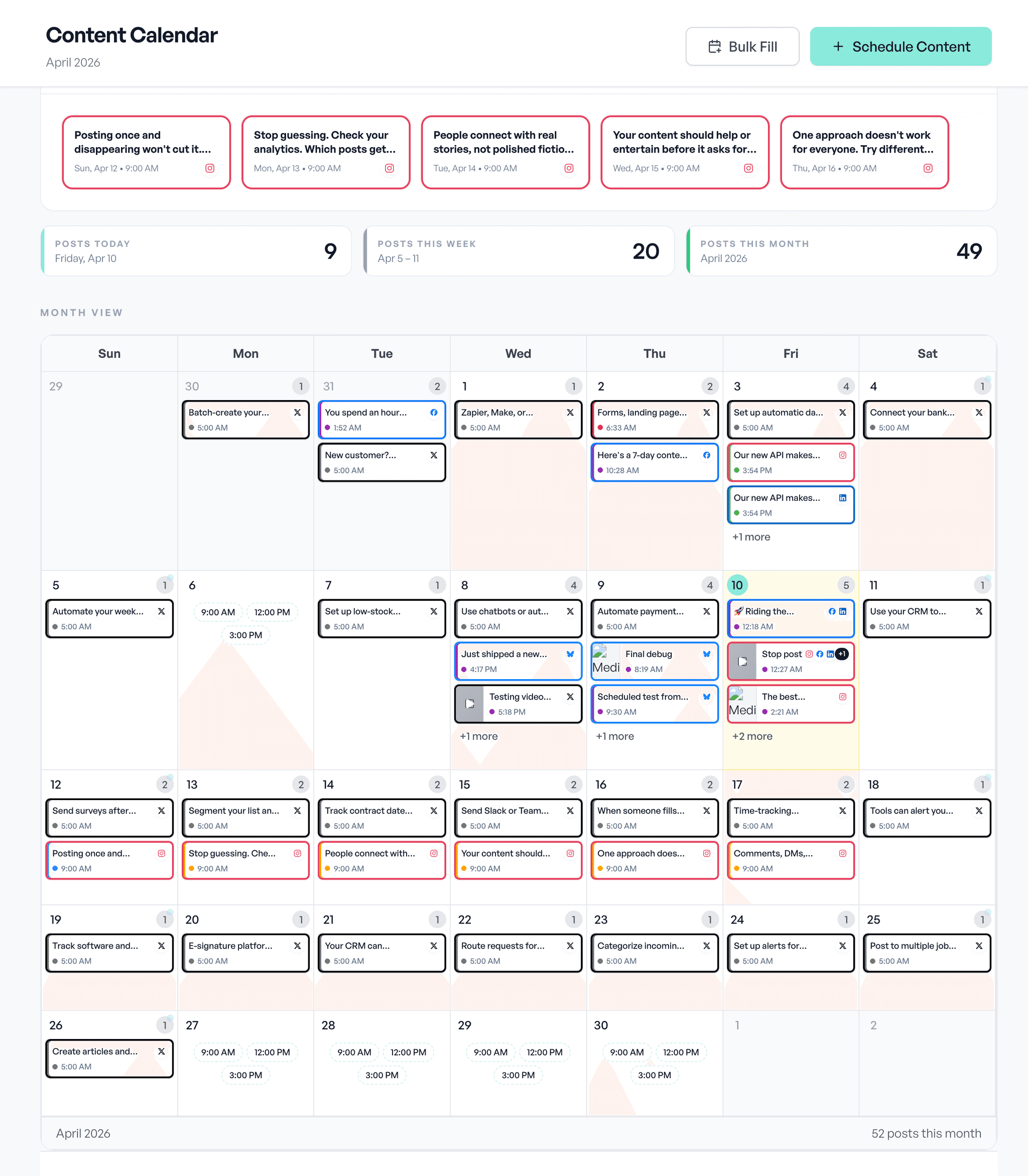
See all your scheduled and published posts on a clean calendar. Month, week, and year views let you plan at any level.
Quick Scheduling
Click any date to schedule a new post. Edit, reschedule, or cancel existing posts directly from the calendar.
Post Status Tracking
See which posts are scheduled, published, or failed at a glance. Color-coded status indicators keep you informed.
AI Bulk Fill
Fill gaps in your calendar with AI-generated content. Generate 7, 14, or 30 days of posts and review before publishing.
Platform Filtering
Filter your calendar by platform to see only the posts for Facebook, Instagram, X, or any other channel.
Timezone Support
Schedule posts in your local timezone. Aidelly handles the conversion so your content goes live at the right time.
Plan Your Month in Minutes
A streamlined workflow from idea to scheduled post
Create or Import Content
Generate content with AI, write your own, or import from drafts. Add images and media from your library.
Schedule on Calendar
Pick a date and time for your post, or let automation fill your calendar. Set your preferred posting times per platform.
Auto-Publish
Your posts go live automatically at the scheduled time. No need to be online or remember to post.
Multiple Views, One Calendar
Switch between views to plan at any level of detail
Month View
See your entire month at a glance. Spot content gaps and plan your posting schedule strategically.
Week View
Detailed weekly planning with posts organized by day. Great for managing your upcoming schedule.
Year View
Bird’s-eye view of your entire year. See posting patterns and plan long-term content strategy.
Perfect for Every Content Strategy
From simple schedules to complex campaigns
Small Business Owners
Plan your social media for the entire month in one sitting. Never scramble for content ideas again.
Learn moreContent Creators
Maintain a consistent posting schedule across all platforms. Focus on creating, not scheduling.
Learn moreMarketing Teams
Coordinate campaigns across multiple team members and platforms. Keep everyone aligned on the content strategy.
Learn moreWorks Great With
Explore features that make calendar planning even easier
Ready to Plan Smarter?
Plan and schedule your social media content visually. Start your trial with $0 due today.
Compare Aidelly Against Other Social Scheduling Tools
Use these buyer guides and comparisons if you are evaluating content calendar and scheduling tools for a real team workflow, not just a feature checklist.
Buyer Guides
Buyer FAQs
A strong content calendar tool should help your team plan campaigns, coordinate approvals, reschedule quickly, and move posts into publishing without manual copy-paste. Visibility, collaboration, and workflow speed matter more than visual design alone.
Not always. Many teams reduce errors and approval delays by using a tool that connects planning and scheduling in one workflow. Separate tools can work, but they usually increase handoffs.
Run a real monthly planning workflow in each tool: create drafts, assign owners, request approvals, reschedule, and publish. That test usually reveals fit faster than feature checklists.
See it in Aidelly
A month at a glance, drag to reschedule, per-platform in one view.