Comparison • Updated 2026-07-14

Aidelly vs Sprout Social
Sprout Social is the analytics and social CRM gold standard: $99 per seat monthly ($79 billed annually) at Essentials, rising to $199 Standard and $299 Professional, with Forrester-verified ROI claims, ViralPost AI timing, and deep reporting. It prices itself out of most SMB consideration. Aidelly is not a direct Sprout competitor; if a prospect evaluates both, they usually have fundamentally different budgets and needs. Sprout for enterprise analytics depth; Aidelly for agentic automation at accessible pricing.
Aidelly vs Sprout Social at a glance
| Feature | Aidelly | Sprout Social |
|---|---|---|
| Pricing | ||
| Free / trial tier | 7-day free trial with 500 AI Credits, all 11 platforms, MCP / CLI / API access, and $0 due today after card verification. | No free plan; 30-day trial. |
| Entry paid tier | Launch plan: 2 workspaces, unlimited posts (X rate-limited), Unified Inbox, AI image generation, basic analytics, BYOK keys. | Essentials $79 per seat/mo billed annually ($99 monthly), 5 profiles. |
| Mid tier (teams) | Scale plan: 8 workspaces, up to 8 team members, advanced analytics, hashtag analytics, draft discussions, warning rules, viral trends, 1 Creator Clone + 1 Competitor Spy slot. | Standard $199 and Professional $299 per seat/mo, unlimited profiles from Professional. |
| Agency / top tier | Agency plan: unlimited workspaces, unlimited members, white-label + custom domain, agency-wide watermarks, dedicated onboarding, paid add-ons (X Unlimited, extra workspaces, AI credit packs). | Advanced $399 per seat/mo; Enterprise custom. Priced per seat throughout. |
| Key differences | ||
| Typical buyer profile | SMBs, agencies, automation-first operators | Mid-market and enterprise teams with large analytics budgets |
| Analytics depth | Performance analytics: enough to see what works, not a dedicated BI suite | Industry-leading reporting, sentiment analysis, ViralPost AI timing |
| Agentic workflow | Native MCP + chat-first AI agent for drafting and scheduling | Traditional suite; verify current AI agent integrations |
| Pricing model | Flat workspace plans (Launch / Scale / Agency) | Per-seat pricing that scales quickly with headcount |
| AI agent surface (MCP / CLI / API) | Native MCP server + first-party CLI + OpenAPI 3 REST API + n8n / Make / Zapier nodes. Claude / ChatGPT / Cursor can drive Aidelly directly. | Verify whether Sprout Social exposes MCP, a first-party CLI, and AI-agent-ready integrations or only a REST API. |
| Inbox & community management | Unified inbox across 8 platforms with AI replies, spam auto-hide, sentiment chips, purchase-intent flag, smart-draft mode, competitor-link block, IG DM email capture. | Verify Sprout Social's inbox scope: which platforms, AI replies, filtering, sentiment, and intent detection. |
| Collaboration depth | Draft discussions with @mentions + emoji reactions, post version history, member approval workflow, workspace activity log, shareable read-only client calendar links. | Verify Sprout Social's collaboration scope: discussions, approvals, audit log, version history, and client-view sharing. |
| Agency & white-label | Agency plan: white-label custom domain (clients see your brand), logo/colors, branded client reports, agency-wide watermarks, unlimited workspaces, workspace admin role, per-workspace AI credits, audit log, white-glove onboarding add-on. | Not listed. |
| Keyword DM automation | Native Instagram/Facebook keyword-triggered DMs for lead capture, giveaways, and funnels, no Zapier required | Most schedulers lack native keyword DM; verify whether third-party automation is required |
| Competitive intelligence | Built-in Competitor Spy, Creator Clone, and Viral Trends for tracking rivals, creators, and niche trends | Typically needs separate social listening or research tools |
| AI content & media creation | AI drafting, an AI image editor with templates and carousels, and one-to-many repurposing built in | Varies by plan; often limited or sold as an add-on |
| Platform coverage (2026) | 11 commercial-mainstream platforms, including Bluesky, Threads, Mastodon, and Google Business Profile | Verify current platform support on the vendor site |
Comparable tiers, mapped side-by-side. Competitor pricing was read from each vendor's own pricing page on 2026-08-12. Vendor pricing can change at any time, so confirm current pricing on each vendor's official pricing page before deciding.
Aidelly is often best for
SMBs and agencies that need agentic workflows, keyword DMs, and competitor spy without enterprise per-seat pricing.
Sprout Social may be best for
Mid-market and enterprise teams with six-figure social budgets who need best-in-class analytics, sentiment, and social CRM.
Built for agencies: white-label under your brand
Aidelly's Agency plan lets you resell social operations as your own product: white-label custom domain, your logo and colors, branded client reports, agency-wide watermarks, and unlimited client workspaces, plus agentic drafting, keyword DMs, and competitor spy.
Explore white-label for agenciesWhere Aidelly differs from Sprout Social
Sprout Social is what large marketing orgs buy when reporting is the product: stakeholder dashboards, sentiment, social CRM, and proof-of-ROI narratives. It is excellent at that job and expensive by design.
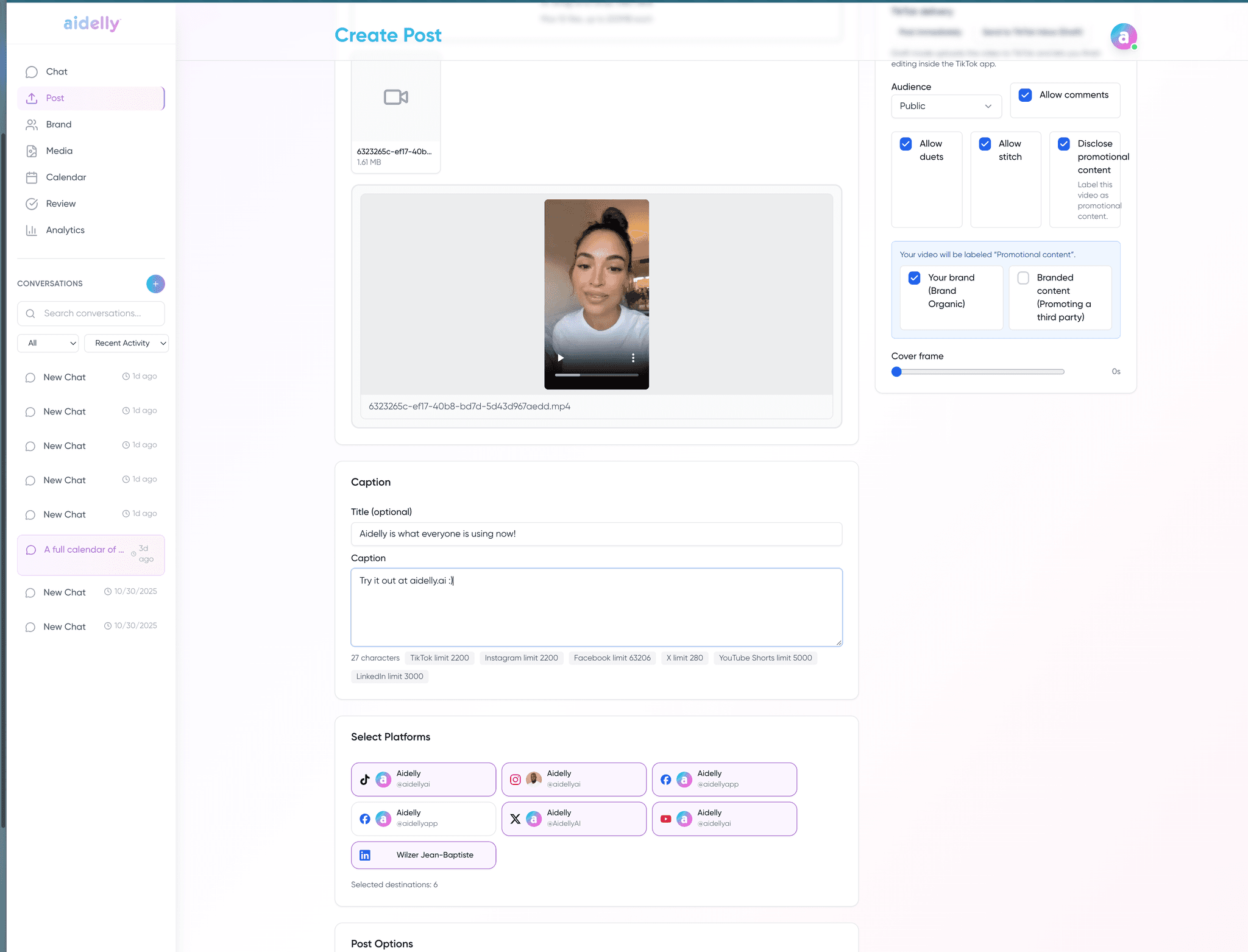
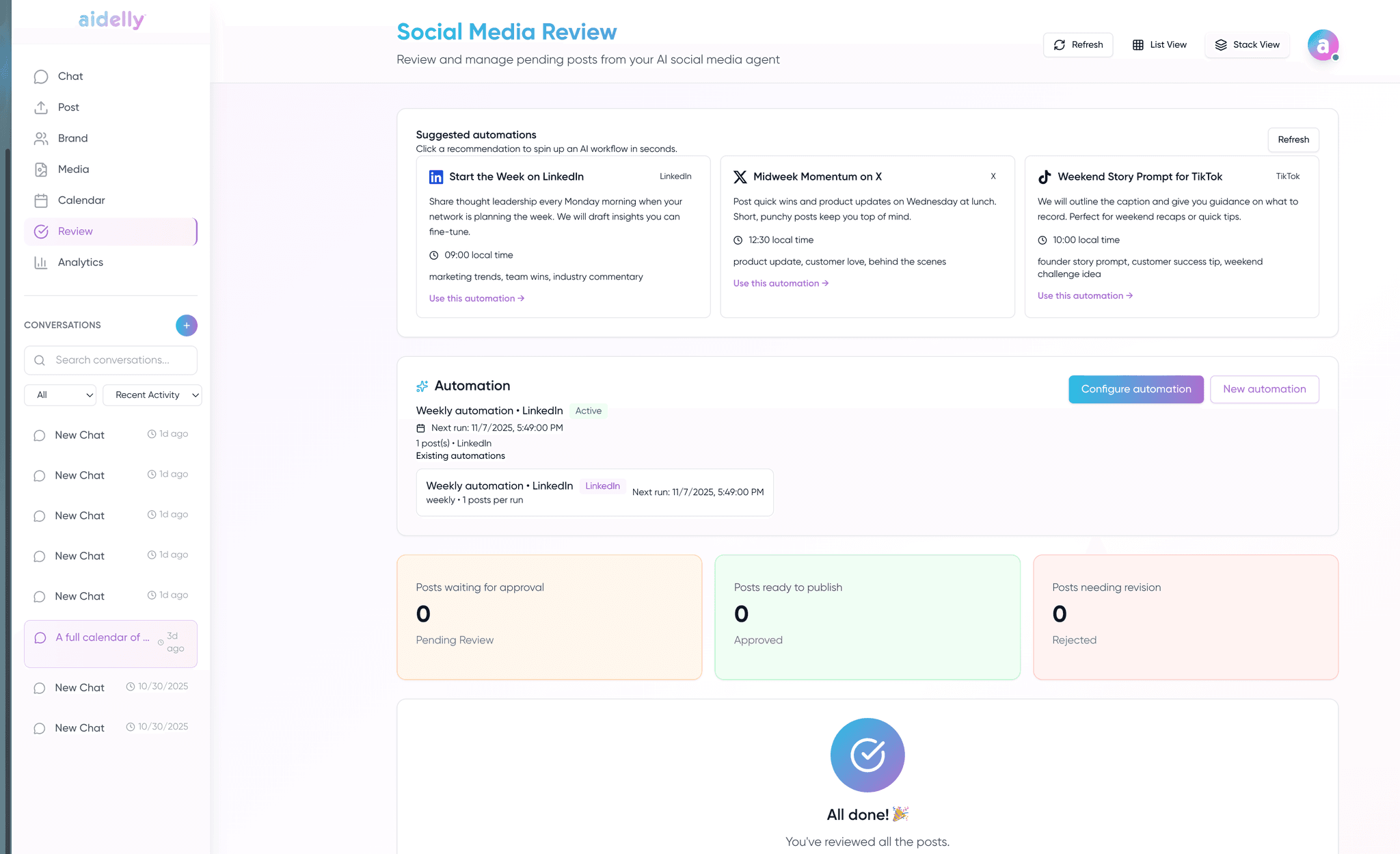
Aidelly targets a different buyer: teams that need to ship content and capture leads, not build quarterly analytics decks. Agentic drafting, keyword DM automations, competitor spy, and MCP access come standard. If Sprout is in your evaluation, ask whether you are buying analytics or buying automation, rarely both at SMB prices.
Decision checklist
- Confirm budget reality: Sprout starts at $99/user/month and the analytics depth most buyers want sits on the $199 and $299 tiers.
- If deep sentiment analysis and ViralPost-style timing are mandatory, Sprout may still be required.
- Compare keyword DM and MCP agent workflows, not Sprout’s strength.
- Be honest about analytics: Aidelly is “good enough” reporting, not Sprout-grade.
Methodology and verification notes
This comparison is written for buyers evaluating scheduling and content operations fit. Verify current pricing, plan availability, and feature details directly on vendor pages.
This page is designed as a workflow-fit comparison, not a substitute for vendor pricing or contract review.
Source links
Comparison FAQs
Check sproutsocial.com for current numbers. Sprout prices per seat at a mid-market and enterprise level, so a team of five costs five times a team of one before you add client profiles. Aidelly is flat-priced with unlimited client workspaces on the top plan and no per-seat multiplier. That difference compounds fastest for agencies, where headcount and client count both grow.
Sprout has no free tier, and neither do we, only a 7-day full-product trial. If a permanent free plan is the actual requirement, Buffer and Metricool are the honest recommendations. If what you want is Sprout-style capability without per-seat pricing, that is the comparison worth running during a trial.
Sprout is best-in-class on analytics, sentiment, and social CRM, and it is built for teams with six-figure social budgets. Aidelly is built for SMBs and agencies that need agentic workflows, keyword DM capture, and competitor tracking without enterprise per-seat pricing. The structural difference is agent operation: our full workflow is exposed over a public API and an official MCP server, so an AI assistant can run it end to end.
There is no automated migration. Expect to export scheduled content, re-queue it, and reconnect profiles, roughly one to two hours. Clients authorise their own accounts through a link, so you are not collecting credentials. Historical analytics do not transfer, which is worth knowing if you report on long trends, so export anything you need before you cancel.
When you are mid-market or enterprise with the budget for it and you need best-in-class analytics, sentiment analysis, or social CRM. Those are genuinely stronger in Sprout and we will not pretend otherwise. Aidelly fits when you want agentic workflows and agency delivery features and can accept lighter analytics.
Agencies comparing Aidelly vs Sprout Social? Run it under your brand.
Aidelly's Agency plan is built for resellers: white-label custom domain, branded client experience, unlimited workspaces, agency-wide watermarks, plus agentic drafting, keyword DMs, and competitor spy. Start a 7-day trial and run one real client campaign before you commit.
Related comparisons
Put every client account on autopilot, with your hand on the approve button.
Connect your platforms, invite your team, and let the agent draft week one.
$0 due today · cancel any time before the trial ends