How to Set Up a Content Approval System That Clients Approve in Under 24 Hours
Client approval shouldn't be the reason your content calendar falls apart. But for most agencies and marketing teams, it is. Posts sit in someone's inbox for three days. A client replies with a vague 'can we change the vibe?' comment on the wrong version. The scheduler stays empty while the team waits. It doesn't have to work this way. A well-built content approval system turns a chaotic back-and-forth into a clean, predictable process — one where clients review in context, approve on their phones, and posts go live without anyone manually copying them into a scheduler. This guide walks through ten steps to build a 24-hour approval workflow that actually holds. Whether you're running a boutique social media agency or managing content for a growing brand, these steps will help you stop chasing approvals and start shipping content on time.

Wilzer Jean-Baptiste
10 min read
Client approval is the part of the content calendar that nobody wants to talk about. You spend hours drafting posts, matching visuals, writing captions for four different platforms, and then everything stops. The content sits in someone's inbox. The client is traveling. The stakeholder needs to loop in legal. By the time you get a yes, the publish window has passed and you're scrambling to fill the gap.
This isn't a content problem. It's a process problem. And the fix isn't a better caption or a faster writer. It's a system that makes approving content so easy and so clearly structured that clients do it in under 24 hours, every time.
What follows is a 10-step framework for building that system. It covers how to map your approval chain, how to use auto-scheduling so approved posts publish without manual work, and how to keep the whole thing running on autopilot without anyone chasing anyone down.
Build the Foundation Before You Touch Any Tool
Most agencies grab a tool first and figure out the process later. That's backwards. A 24-hour approval system only works if you know exactly who does what before a single draft gets written. Get the structure right first, and the tool just runs it.
1. Map the Approval Chain Before You Pick a Tool
Before you set up anything, draw the chain on paper. Who writes the post? Who does an internal review? Who gives the final yes? For a small agency, that might be three people. For a larger brand, it could be five, with a legal team somewhere in the middle.
The reason this matters: posts stall when nobody knows whose turn it is. A draft sits in a shared folder because the account manager thought the client was reviewing it, and the client thought the account manager was still editing it. That's not a tool problem. That's a process problem.
Write out every role by name, not job title. "Sarah creates, Marcus does internal review, the client's marketing director gives final sign-off." Now you have a chain. Every post moves through it in order, and nobody can skip a step or claim they didn't know it was their turn. Once this is documented, picking a tool becomes easy because you know exactly what handoffs it needs to support.
2. Build the Workflow Around the Content Calendar
Here's something most teams get wrong. They build an approval process and then try to attach a content calendar to it. Flip it. The calendar is the thing clients care about. They want to see what's going live on Tuesday, not review a Google Doc with five captions and no context.
When a client sees a post inside a calendar view, with the publish date, the platform, the caption, and the visual all in one place, they approve faster. There's no mental work required to imagine where it fits. They can see it. Aidelly's visual content calendar does exactly this: drafts show up in context, matched to their scheduled date and platform, so reviewers aren't guessing what they're looking at.
Build your review sessions around the calendar view. Send clients a link to the week's content as it appears in the schedule. That single change cuts the "wait, which post is this for?" questions significantly.
3. Set One Deadline and One Communication Channel
Scattered approvals are slow approvals. When a client gets a caption in an email, a visual in a Slack DM, and a revision request in a text message, nothing gets approved quickly because nothing lives in one place.
Pick one channel for all approval communication and stick to it. One tool, one link, one inbox. Then set a 24-hour SLA and tell every client about it during onboarding. "We send content for review on Monday. We need approval by Tuesday at noon so we can schedule the week." That's it. No negotiation, no exceptions.
The 24-hour window works because it's short enough to feel urgent but long enough to be reasonable. Most clients can find 10 minutes in a day to review content. What they can't do is track five different threads across three platforms and remember which version they approved. One channel removes that problem entirely.
Automate the Parts That Slow You Down
Once the process is mapped, the next job is removing every manual step that doesn't need a human. Auto-scheduling, pre-loaded brand assets, and mobile-friendly links each shave hours off the approval cycle without anyone noticing they're gone.
4. Use Auto-Scheduling with Approval Gates
This is where most agencies leave time on the table. A client approves a post at 9pm on a Tuesday, and nothing happens until someone on the team logs in Wednesday morning, copies the caption, uploads the image, and manually schedules it. That's 20 minutes of work per post, multiplied by every client and every week.
Auto-scheduling with approval gates fixes this. The moment a client clicks approve, the post moves into the queue and schedules itself for the planned publish time. No copy-pasting. No manual uploads. No one has to babysit the scheduler. Aidelly's approval workflow does this natively: drafts sit behind a review gate, and once the gate opens, they publish automatically. The team only touches a post if something gets rejected.
This also means your content calendar stays accurate in real time. Approved posts are confirmed. Pending posts are flagged. The whole team sees the same picture without anyone sending status update emails.
5. Pre-Load Brand Voice and Assets
Every revision round that happens because a caption sounds off-brand or a logo is the wrong version is a round that didn't need to happen. Pre-loading brand guidelines and approved assets into your scheduling tool cuts these rounds before they start.
When AI drafts a post using stored brand voice guidelines, the tone is already right. The client isn't reading something that sounds like it was written for a different company. When the visual uses an asset from the approved media library, nobody's hunting through Dropbox folders for the correct logo file.
Aidelly's brand voice and asset management stores all of this in one place. Guidelines, tone examples, approved visuals, and logo files all live in the platform. Every draft pulls from them automatically. Clients spend less time correcting tone and more time approving content, which is exactly where you want their attention.
6. Send Mobile-Friendly Approval Links
Think about when your clients review content. It's usually not at a desk. It's on a phone, between meetings, waiting for coffee, or sitting in a car. If your approval process requires them to download a PDF, open a desktop tool, or log into a platform they've never used before, they'll put it off.
A mobile-friendly approval link changes this. The client taps the link, sees the post exactly as it will look on Instagram or LinkedIn, reads the caption, and hits approve or leaves a comment. The whole thing takes two minutes on a phone. No app download, no login friction, no file to open.
When you make approving easy, clients do it faster. That's not a complicated insight, but it's one most agencies ignore when they're building their process. Test your approval link on your own phone before you send it to a client. If it's slow or hard to read, fix it before it goes out.
Keep the System Running Without Manual Effort
A 24-hour approval window only stays real if you have systems that enforce it. Reminders, dashboards, batching, and onboarding documentation each play a role in keeping the process tight after the initial setup.
7. Track Where Approvals Stall
You can't fix a bottleneck you can't see. If you're managing five clients and each has content in review, you need a single view that shows you what's pending, what's approved, and what's been sitting untouched for 20 hours.
A dashboard that surfaces this information lets you act before a post misses its window. You spot that one client hasn't reviewed anything in two days. You notice that a specific type of content, say video captions, gets rejected more than static posts. You see that approvals from one client always come in at the last hour while another approves within 30 minutes.
That data is useful. It tells you where to focus your training, where to adjust your process, and which clients might need a different communication approach. Without visibility into the approval pipeline, you're managing by memory and gut feeling. That doesn't scale past a handful of accounts, and it definitely doesn't hold up when you're trying to enforce a 24-hour SLA across the board.
8. Automate Reminders and Escalations
The 24-hour window only works if clients know the clock is running. A well-timed reminder does more than a follow-up email ever could, and it doesn't require anyone on your team to write it.
Set an automatic nudge at hour 18. Something simple: "Hey, you have three posts waiting for your review. The deadline is in 6 hours." Then set an escalation at hour 22. This one goes to a secondary contact, maybe the client's operations manager or a different stakeholder, with a note that approval is needed to keep the publishing schedule on track.
Most clients will approve before the hour-18 reminder even arrives. But the ones who don't will respond to the nudge. And the escalation at hour 22 almost always gets a response because nobody wants to be the reason content didn't go live. Automating these messages means your team never has to manually chase an approval again. The system does it, every time, without anyone having to remember to send a follow-up.
9. Batch Approvals by Week or Campaign
Sending content for approval one post at a time is exhausting for everyone. The client gets a notification on Monday for one post, another on Wednesday for a different post, and a third on Friday for something else entirely. By the end of the week, they've reviewed three posts across six different messages and they're frustrated.
Batching solves this. Prepare the full week's content, or a complete campaign, and send it for review in one session. The client opens one link, reviews seven posts in sequence, approves or comments on each, and closes the tab. Done. One session, one notification, one mental context switch instead of seven.
This also makes your content calendar easier to manage. When approvals come in batches, you can schedule the full week at once. There's no drip of individual approvals trickling in across different days. The week is either approved or it's not, and you know exactly where you stand. Clients also tend to leave better feedback in batch sessions because they can see how the posts relate to each other.
10. Document the Process and Share It During Onboarding
Clients approve faster when they know what to expect. If they've never worked with an agency before, or if they've only worked with agencies that had no clear process, they don't know that approvals have a deadline. They don't know that one communication channel is the right one. They don't know that a 24-hour window exists.
Write the process down once. One page. Cover what content gets sent for review, when it arrives, how to approve or leave feedback, what happens after approval, and what the deadline is. Share this document during onboarding, before the first piece of content ever goes out for review. Walk the client through it on a call if you can.
When clients understand the system, they work inside it. They don't text you a caption change at 11pm because they know the right channel. They don't sit on a review for three days because they know there's a deadline. The document doesn't need to be long or formal. A one-page PDF or a short Loom video works. It just needs to exist and get shared before the first content batch goes out.
A 24-hour content approval system isn't about pressuring clients. It's about building a process so clear and so easy to use that approving content becomes the path of least resistance. Map the chain, batch the reviews, automate the reminders, and pre-load the brand assets, and you'll spend less time chasing and more time shipping. The agencies that build this well don't just move faster. They build client trust because clients always know what's coming and when.
Social media management gets a lot easier when your drafting, reviewing, scheduling, and analytics all live in one place. When AI handles the content creation and agentic workflows handle the publishing, the approval step becomes the only human gate in an otherwise automated pipeline. That's a good place to be.
If you're ready to stop managing approvals by hand and start running a content calendar that moves on its own, Aidelly was built for exactly that.
Client approvals do not have to be the slowest part of your week. With the right system, you cut the back-and-forth, protect your brand voice, and publish on time without chasing anyone down. Aidelly's agentic workflows handle social media end-to-end, from AI drafting to approval gates to scheduling and performance analysis, so your team spends less time managing the process and more time getting results. See how it works at aidelly.ai.
Compare Social Scheduling Tools
Evaluating software for your content workflow? Use our buyer guides and comparisons to compare scheduling, approvals, analytics, and AI workflow fit.
Share this article
Related Articles
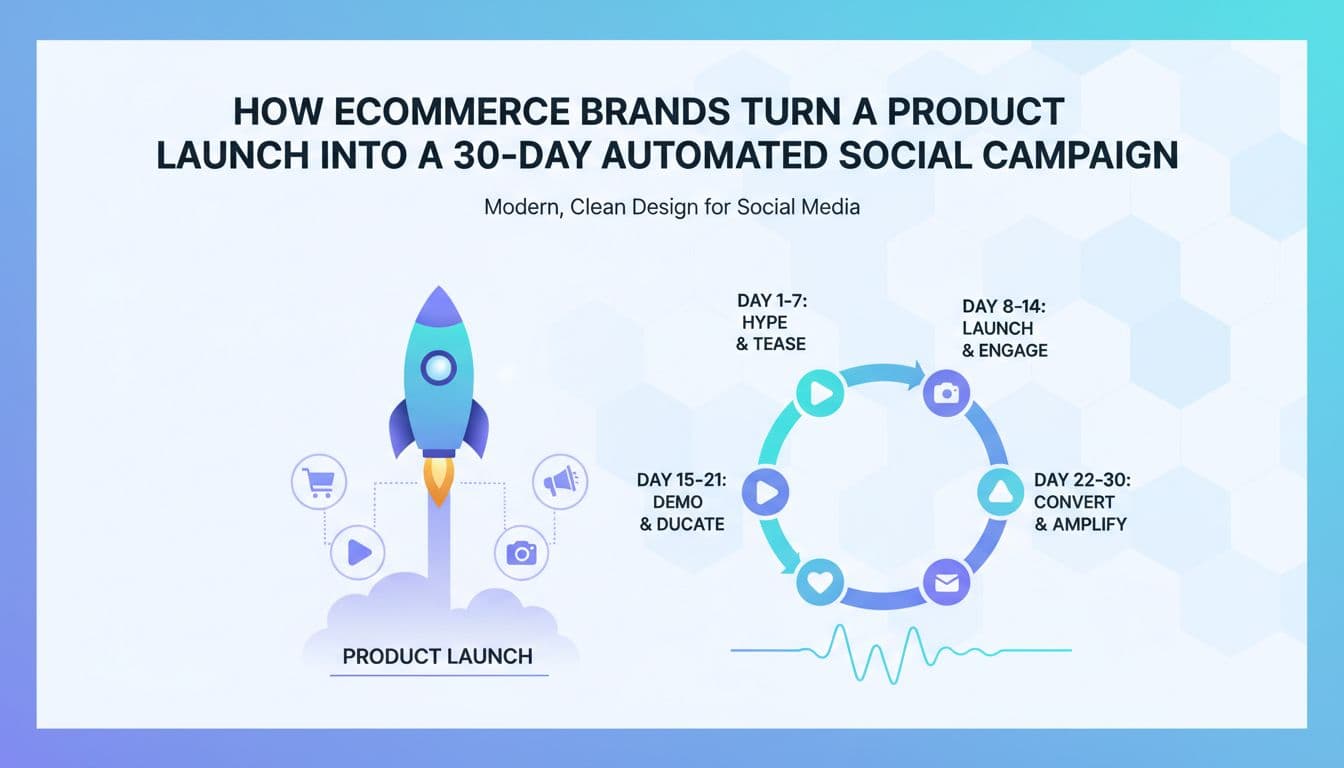
How Ecommerce Brands Turn a Product Launch Into a 30-Day Automated Social Campaign
Most ecommerce product launches follow the same painful pattern. The team spends weeks on the product itself, then scrambles in the final days to throw together social posts. They publish a few things on launch day, maybe follow up once or twice, and then the momentum dies. Sales flatten. The algorithm stops showing your content. And three weeks later, you're wondering why the launch didn't perform. The problem isn't the product. It's the social strategy, or the lack of one that runs itself. Agentic AI workflows change this completely. Instead of manually creating, scheduling, and analyzing posts across Instagram, TikTok, Facebook, and LinkedIn for 30 days straight, AI agents handle the entire campaign arc while you focus on the business. Here's exactly how ecommerce brands build a repeatable, automated launch system that works the same way every time.
Sep 6, 2026
Read more
How to Build a Seasonal Campaign Calendar for an Ecommerce Brand Using AI Agents
Most ecommerce brands build their seasonal campaign calendar the same way every year. Someone opens a spreadsheet, copies last year's dates, and starts filling in post ideas two weeks before the holiday. Then the team scrambles, approvals get rushed, and half the content goes live after demand has already peaked. It's a cycle that costs real revenue. AI agents change this entirely. Instead of reacting to the calendar, your marketing runs ahead of it. This guide walks through how to build a living, revenue-driven seasonal campaign calendar using agentic AI workflows, from analyzing last year's performance data to publishing platform-optimized posts to adjusting creative in real time based on what's actually working. If you run a DTC brand, manage an online store, or lead a marketing team for a product-based business, this is the system you need going into 2026.
Sep 12, 2026
Read more
Pinterest Scheduling for Ecommerce: How to Automate Product Pins That Actually Drive Traffic
Most ecommerce brands treat Pinterest like an afterthought. They post a few product photos, forget about it for two weeks, then wonder why they're not seeing traffic. Here's what they're missing: Pinterest drives 3x more traffic to ecommerce sites than other social platforms combined. But that only happens when you show up consistently, with optimized pins, at the right times. The brands quietly winning on Pinterest aren't manually scheduling one pin at a time. They're using agentic AI workflows to generate optimized product pins for their entire catalog, schedule them months in advance, and let the algorithm do the rest. This guide breaks down exactly how to build that system, what makes a product pin actually perform, and how forward-thinking ecommerce teams are automating the whole thing end-to-end.
Aug 28, 2026
Read moreReady to never miss a post again?
Tell Aidelly what to post. It drafts, schedules, and publishes across 9 platforms while you focus on your business.