Creators
How to Build a Content Repurposing Pipeline That Publishes One Video Across 8 Platforms Automatically
You film one video. Maybe it's a 10-minute YouTube tutorial, a product demo, or a behind-the-scenes walkthrough. Then you spend the next three hours manually cutting clips, rewriting captions, adjusting aspect ratios, and scheduling posts one platform at a time. By the time you're done, the momentum is gone and you're too burned out to film the next one. There's a better way. One video can fuel your entire content calendar across Instagram, TikTok, LinkedIn, YouTube Shorts, Facebook, and X without you touching each post individually. The key isn't just repurposing — it's building an autonomous pipeline that does the adapting, scheduling, and analyzing for you. This guide breaks down exactly how to set that up, what platform-specific optimization actually looks like, and why AI agents are the missing piece most creators overlook.

By Wilzer Jean-Baptiste
Published 11 min read
You film one video. Maybe it's a 10-minute YouTube tutorial, a product walkthrough, or a raw behind-the-scenes clip. Then you spend the next three hours manually cutting it down, rewriting captions for each platform, adjusting aspect ratios, and scheduling posts one by one. By the time you're done, you're too burned out to film the next one.
That's the wrong way to repurpose content. Not because repurposing is a bad idea — it's one of the highest-leverage moves in content marketing. But because doing it manually turns a time-saver into a second job.
The right approach is building an autonomous pipeline. One that takes your source video, adapts it for each platform's format and audience, schedules it at the right time, and tracks performance across every channel — without you managing each step. Here's how to build it.
The Math Behind Multi-Platform Video Repurposing
One Video, Eight Distinct Posts
Most creators think repurposing means posting the same video everywhere. That's not repurposing — that's copy-pasting, and it performs poorly on every platform.
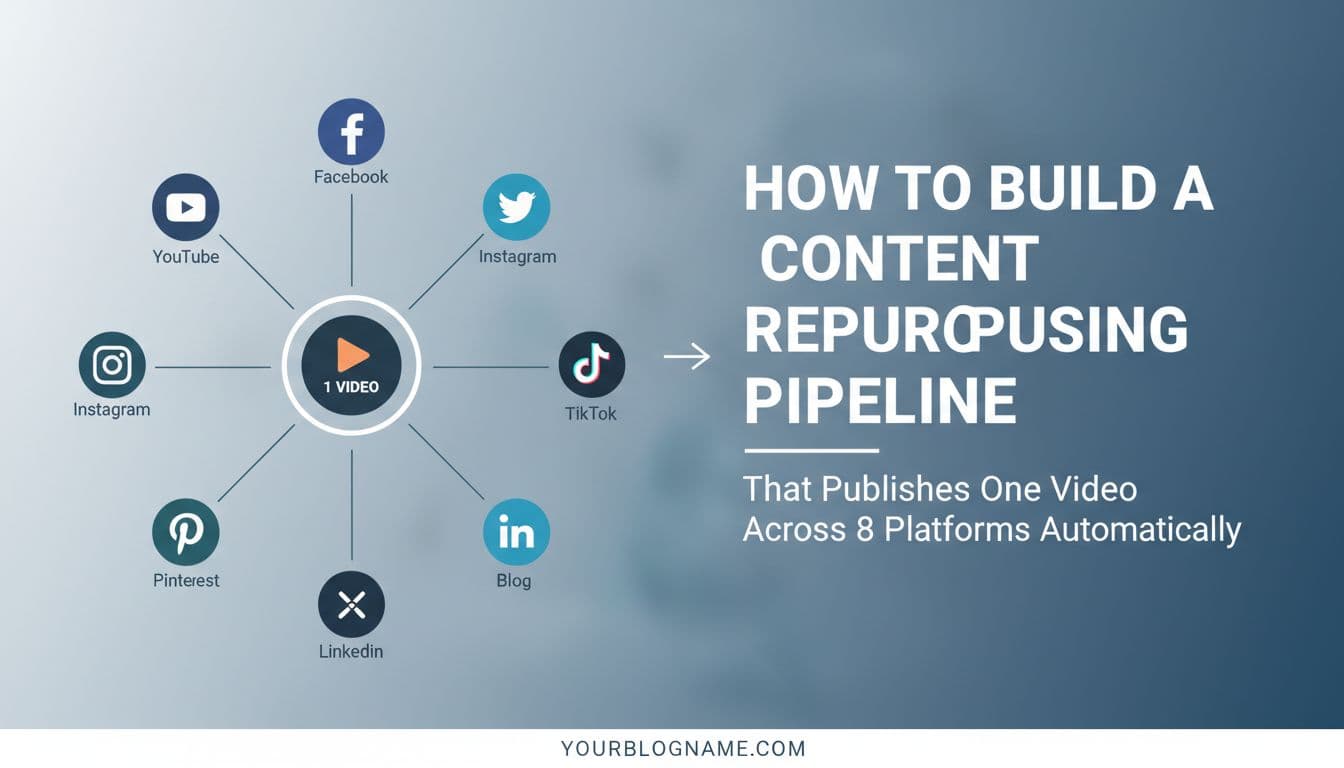
Real repurposing means one source video generates eight or more platform-specific posts, each adapted for the format, algorithm, and audience behavior of that channel. A 10-minute YouTube video becomes a YouTube Short (under 60 seconds), an Instagram Reel (15 to 30 seconds with vertical framing), a TikTok (with a native hook in the first two seconds), a LinkedIn video post (professional framing, no trending audio), a Facebook video (optimized for autoplay with burned-in captions), an X clip (punchy, under 45 seconds), a Pinterest idea pin, and a blog embed with a transcript. That's eight posts from one recording session.
The format changes. The hook changes. The caption changes. The aspect ratio changes. But the core idea and the footage stay the same, which is what makes this so efficient when you automate it properly. You're not creating new ideas eight times — you're expressing one idea in eight different formats that each platform's algorithm and audience actually respond to. That distinction matters a lot when you're thinking about where your time goes.
The Time Math Actually Works in Your Favor
Repurposing saves 70 to 80 percent of content creation time compared to producing unique videos for each platform — but only if you automate the workflow. That last part matters more than most people realize.
If you manually edit each version, rewrite every caption, and schedule posts one at a time, you're not saving time. You're just redistributing it into a different kind of tedious work. The 70 to 80 percent savings only shows up when the adaptation and distribution steps are handled by an automated system. Think about it this way: filming and editing one strong source video might take three hours. Manually producing eight platform-specific versions from scratch would take 15 to 20 hours. An automated repurposing pipeline brings that post-production distribution time down to under an hour, sometimes under 30 minutes, because the system handles the repetitive steps. You stay focused on filming and strategy. The pipeline handles the rest.
Why Creators Leave This Time on the Table
The reason most creators don't build this pipeline isn't laziness. It's that the tooling used to be fragmented. You needed a video editor for cuts, a separate tool for captions, another for scheduling, and then you had to manually log into each platform. Each step required a context switch, and the friction added up fast.
In 2026, that's no longer the case. AI-powered platforms can handle the entire distribution workflow from a single source file, which is what makes autonomous repurposing pipelines actually viable for solo creators and small teams. The barrier isn't technical anymore — it's knowing how to set the pipeline up correctly so it runs without you babysitting every step.
Platform-Specific Optimization Is Where the Real Work Happens
Format and Aspect Ratio Are Just the Starting Point
Platform-specific optimization matters more than volume. Posting more often on more platforms means nothing if the content isn't formatted for how each algorithm and audience actually behaves. A 9:16 vertical video needs different cuts, different text overlays, and a different hook structure on TikTok versus a 1:1 square format on Instagram Reels — even though both are short-form vertical video platforms.
On TikTok, the hook needs to land in the first one to two seconds. Viewers scroll fast and the algorithm rewards watch time and replays. That means your opening frame needs to create a pattern interrupt — a bold statement, a surprising visual, or a direct question. Text overlays should be minimal and placed in the safe zone away from the UI. Trending audio matters, but only when it fits naturally.
On Instagram Reels, the algorithm weights saves and shares heavily. The hook can be slightly slower, and the visual quality expectation is higher. Captions tend to be more polished. The 1:1 square format works better for feed posts if you're also cross-posting to the grid. These aren't minor differences — they affect whether the algorithm pushes your content or buries it. Getting this right is the difference between a post that reaches 500 people and one that reaches 50,000.
LinkedIn and YouTube Need a Different Strategy Entirely
LinkedIn video rewards professional context and longer watch time. A 60 to 90 second clip that leads with a business insight or a hard-won lesson performs well. The hook is less about shock value and more about relevance — your audience is scrolling during work hours and wants content that helps them think differently about their industry or do their job better. Burned-in captions are critical here because most LinkedIn video plays without sound.
YouTube Shorts, on the other hand, sit inside an algorithm that already knows your channel's audience. The best-performing Shorts tease a longer video or deliver a complete micro-lesson in under 60 seconds. The thumbnail matters less than on long-form YouTube, but the first frame still needs to pull people in. Each platform has its own logic, and a good repurposing pipeline accounts for all of it without requiring you to manually configure each post from scratch.
Captions, Hooks, and CTAs Need Platform-Specific Rewrites
The caption that works on LinkedIn will feel stiff and corporate on TikTok. The casual, lowercase hook that performs on TikTok will look unprofessional on LinkedIn. This is where a lot of repurposing workflows fall apart — creators adapt the video format but copy-paste the same caption everywhere.
A real pipeline rewrites the caption for each platform's tone and character limits. Instagram allows up to 2,200 characters but buries everything after the first line. X caps you at 280 characters. LinkedIn rewards longer, story-driven captions. TikTok captions are mostly ignored — the hook is in the video itself. Your pipeline needs to account for these differences, either through AI-generated platform-specific copy or through a templated system that adapts the core message to each channel's format. Aidelly's AI-powered content drafting handles exactly this — it generates platform-optimized captions with brand voice awareness so every post sounds like you, not a generic AI output.
How AI Agents Run the Pipeline Without You
From Clip Detection to Scheduling — Fully Autonomous
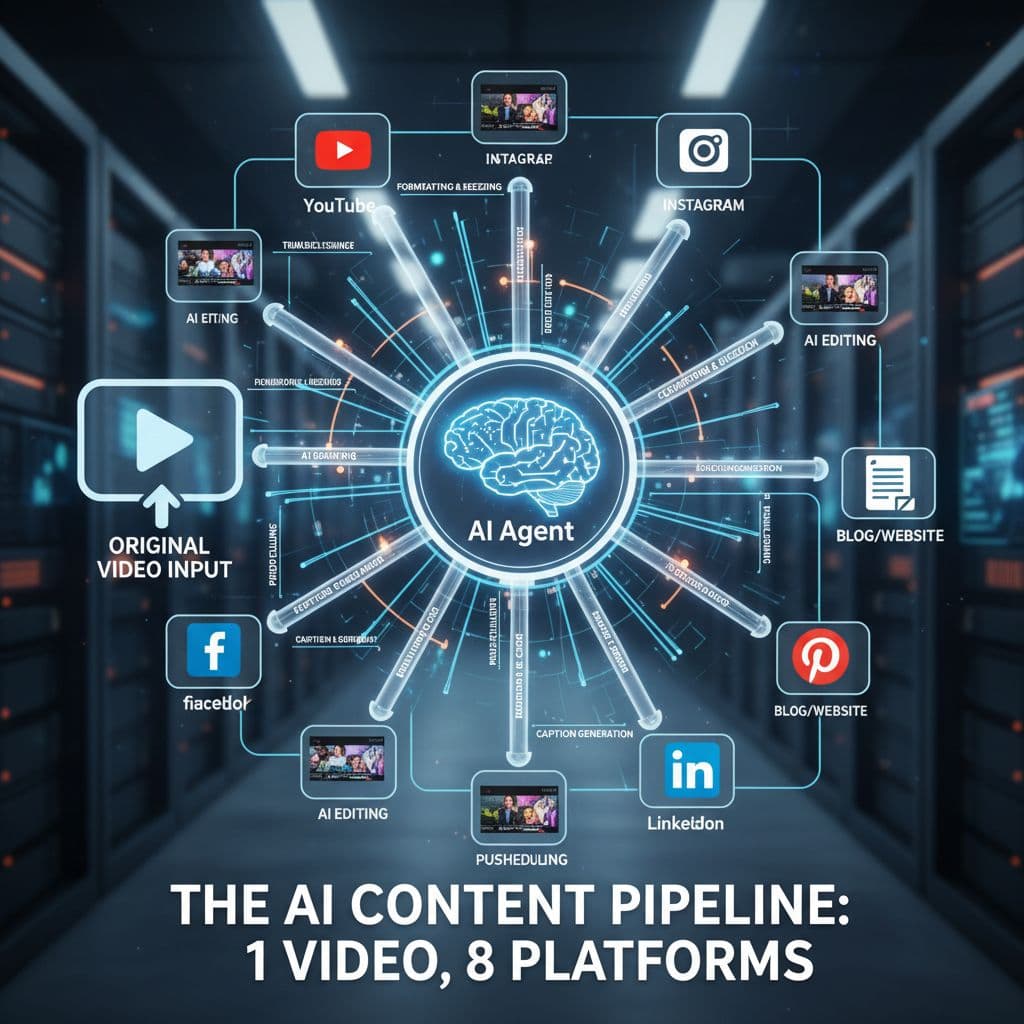
AI agents can handle the entire repurposing pipeline autonomously — from detecting which clips work best on which platforms to scheduling posts at optimal times to analyzing cross-platform performance after the fact. This is what separates a modern content workflow from the manual process most creators are still using in 2026.
Here's what an autonomous pipeline looks like in practice. You upload your source video. An AI agent analyzes the footage and identifies the highest-engagement moments — the sections with the clearest delivery, the most quotable lines, or the strongest visual hooks. It clips those moments into platform-appropriate lengths: under 60 seconds for Shorts, 15 to 30 seconds for Reels, 45 seconds for X, and so on. It generates platform-specific captions based on your brand voice. It selects optimal posting times based on your audience's historical engagement data. And it schedules everything across all eight platforms without you touching a single post.
The whole process runs in the background while you're filming your next video or doing literally anything else. That's not an exaggeration — it's what agentic workflows are designed to do. The agent doesn't need you to approve each micro-decision. It executes the strategy you set up once, consistently, across every piece of content you produce.
Performance Analysis Closes the Loop
The pipeline doesn't stop at publishing. AI agents track how each version of your video performs across every platform — watch time, engagement rate, saves, shares, click-throughs — and feed that data back into the next repurposing cycle. If your TikTok clips consistently outperform when they open with a question rather than a statement, the system learns that and adjusts future clip selection and hook generation accordingly. If your LinkedIn videos get more engagement when posted Tuesday morning versus Friday afternoon, the scheduling agent updates your posting windows automatically.
This feedback loop is what makes an autonomous pipeline get smarter over time. You're not just saving time on distribution — you're building a system that continuously improves your content strategy based on real performance data, not guesswork. That compounding effect is where the real long-term value shows up.
Aidelly's Agentic Workflows in Practice
Aidelly's agentic workflows are built specifically for this kind of end-to-end automation. The platform connects to Instagram, TikTok, LinkedIn, YouTube, Facebook, and X through a unified system, so your AI agents can publish across all six channels from a single workflow. The AI Chat Workspace lets you guide the content creation process conversationally — you describe the video, the key message, and the target audience, and the system generates platform-optimized drafts for each channel.
The Visual Content Calendar shows you exactly when each version is scheduled to go live, and the cross-platform analytics dashboard pulls performance data from every channel into one view. For teams, the approval workflow adds a review gate before anything publishes, so you get the speed of automation without losing editorial control. It's the full pipeline in one place.
Why Most Repurposing Workflows Fail (And How to Fix Yours)
The Manual Bottleneck Is the Real Problem
Most teams fail at content repurposing because they do it manually. They manually edit each version of the video, manually write captions for each platform, and manually schedule each post one at a time. What started as a strategy to save time turns into a bottleneck that takes longer than just creating new content from scratch. This is the core failure mode, and it's more common than you'd think.
The problem isn't the repurposing concept — it's the execution. When you manually handle each step, you introduce decision fatigue, inconsistency, and delays. You forget to post on one platform. You use the wrong aspect ratio for another. You copy-paste the same caption everywhere because you're tired of rewriting it. The content goes out late or not at all, and the strategy quietly dies.
Automation removes this friction entirely. When the pipeline runs itself, there's nothing to forget and no decisions to make at the distribution stage. You make the creative decisions once — what to film, what the core message is, what your brand voice sounds like — and the system handles everything downstream. The manual steps that were killing your momentum simply disappear from your workflow.
Build the Pipeline Once, Run It Forever
The upfront investment in building an autonomous repurposing pipeline pays off fast. You spend a few hours setting up your brand voice guidelines, defining your platform-specific formatting rules, connecting your social accounts, and configuring your posting schedule. After that, the pipeline runs on every new video you produce. The marginal cost of distributing each new video across eight platforms drops to near zero because the system handles it.
For solopreneurs and small teams, this is a real competitive advantage. You can produce content at a volume that would normally require a full content team — without hiring anyone. For agencies managing multiple client accounts, it means you can scale to more clients without adding headcount, because the distribution work that used to require hours per client per week is now automated. The pipeline doesn't get tired, doesn't forget steps, and doesn't need a project manager to keep it on track.
What to Do When the Pipeline Surfaces a Problem
Autonomous pipelines aren't set-it-and-forget-it forever. You still need to review performance data periodically and adjust your strategy when something isn't working. If a platform's algorithm changes — and they all do, constantly — your clip length or hook style might need updating. If your audience on LinkedIn starts engaging more with video than text, you might want to increase your posting frequency there.
The pipeline handles execution, but you still own the strategy. The good news is that with cross-platform analytics consolidated in one place, you can spot these patterns quickly and make adjustments without digging through five different native analytics tools. The system does the data collection. You do the thinking. That's the right division of labor between you and your AI agents.
Building a repurposing pipeline that works comes down to three things: adapting your content for each platform's specific format and audience behavior, automating the distribution workflow so it runs without manual intervention, and using performance data to continuously improve both the content and the timing. When all three pieces are in place, one video genuinely does the work of eight. The real win isn't the repurposing itself — it's getting your content in front of more people without spending more time creating it. The right tools make that possible at any scale, whether you're a solo creator posting twice a week or an agency managing dozens of client accounts. If you're ready to stop manually scheduling every post and start running an autonomous content pipeline, Aidelly is built exactly for that.
The pipeline only works if you remove the manual work. That's where AI agents come in. Instead of spending hours editing, captioning, and scheduling each version yourself, agentic workflows handle the entire process autonomously—from detecting which clips perform best on each platform to publishing at optimal times to tracking results across all eight channels. One video becomes eight posts. Eight posts become real reach. Start building your autonomous repurposing pipeline at aidelly.ai.
Compare social scheduling tools
Evaluating software for your content workflow? Use our buyer guides and comparisons to compare scheduling, approvals, analytics, and AI workflow fit.