Creators
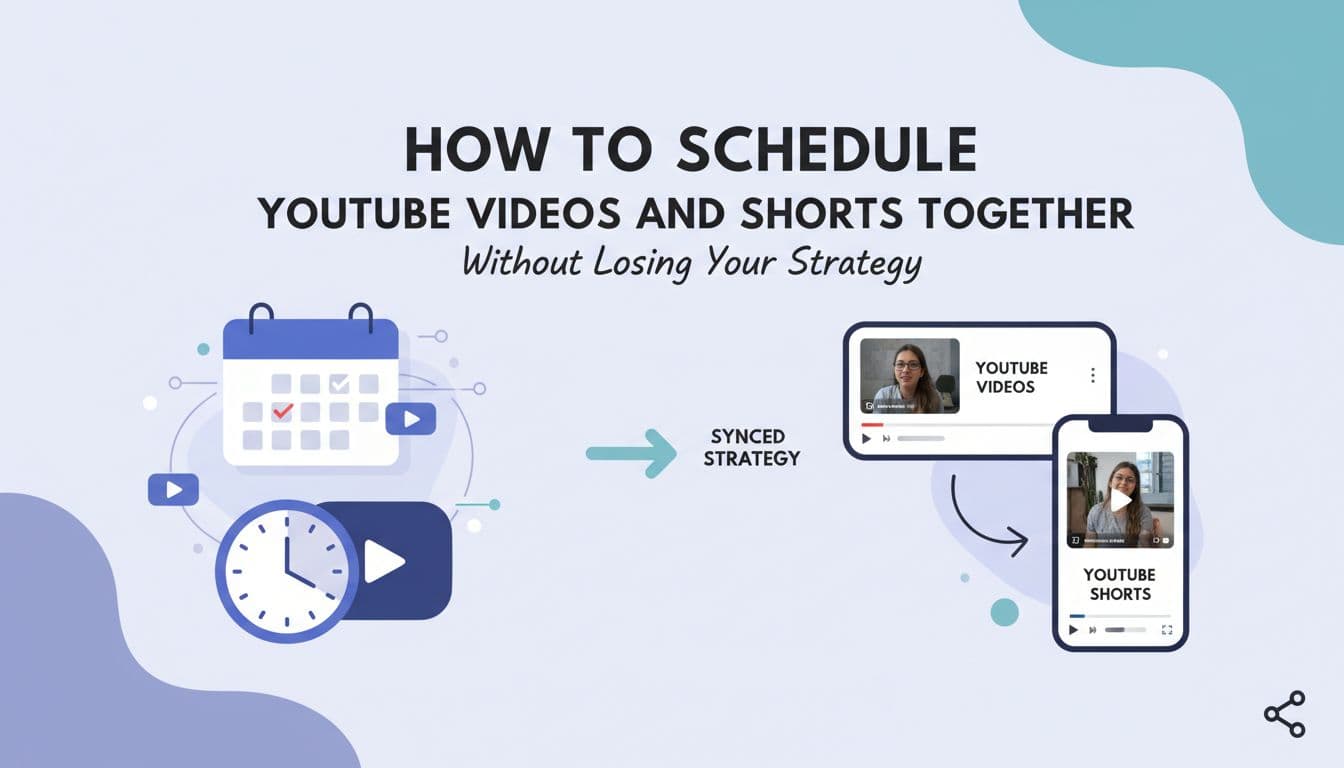
How to Schedule YouTube Videos and Shorts Together Without Losing Your Strategy
Most YouTube creators run two separate content tracks on the same channel and wonder why neither one is working as well as it should. Long-form videos get planned in one tool. Shorts get posted whenever there is a spare moment. The result is a channel that feels scattered, not strategic. The fix is not working harder. It is treating Shorts and long-form as two speeds of the same strategy and scheduling them together so you can actually see how they connect. This article breaks down why the two formats serve completely different goals, how to map your posting frequency without burning out, and how AI-powered scheduling tools can now handle the metadata, gap-flagging, and performance analysis that used to eat hours every week. If you manage a YouTube channel in 2026 and you are still scheduling Shorts and long-form separately, this is for you.

By Wilzer Jean-Baptiste
Published 11 min read
You film a Short on your phone, drop it into YouTube Studio, and move on. Later that week you upload a 14-minute tutorial you spent two days editing. Both live on the same channel. Both feel like YouTube content. But they are doing completely different things for completely different reasons, and if you are scheduling them separately without any strategic connection between them, you are leaving real growth on the table.
Most creators running a YouTube channel in 2026 know they should be posting both Shorts and long-form videos. What they do not always know is how to coordinate the two formats so they work together instead of just coexisting. The problem is not a lack of ideas. It is a lack of a unified system that can hold both formats, show you how they relate, and help you execute without losing the thread.
This article breaks down how to build a YouTube content strategy that treats Shorts and long-form as two speeds of the same engine, and how to schedule them together so the strategy actually survives contact with a real week.
Two Formats, Two Jobs, One Channel
Shorts and Long-Form Are Not the Same Content Type
A lot of creators treat Shorts like mini versions of their long-form videos. Same topic, shorter runtime, done. But YouTube's algorithm does not see them that way, and neither does your audience.
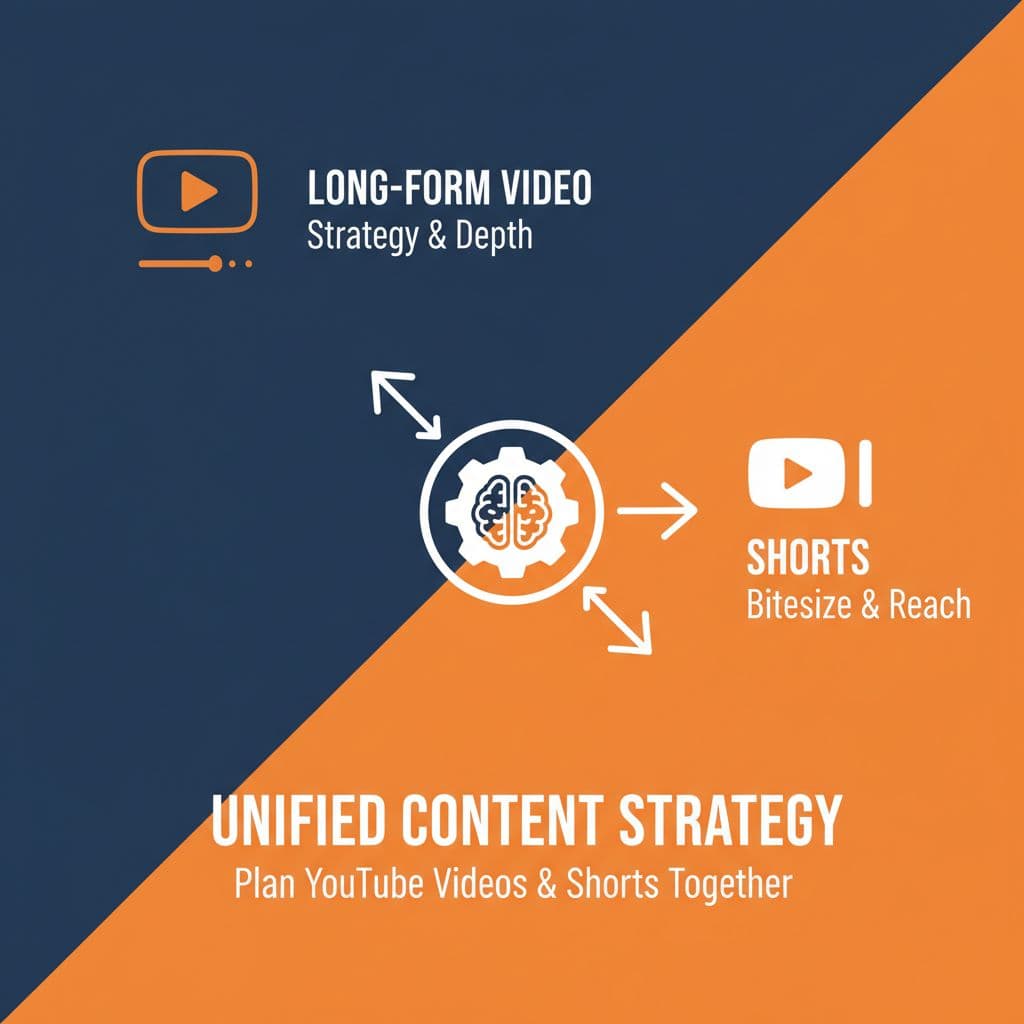
Shorts and long-form videos serve completely different jobs on your channel. Shorts live in the discovery layer. They show up in the Shorts feed to people who have never heard of you. They drive subscriber growth, introduce your face and voice to new viewers, and signal to YouTube that your channel is active and worth surfacing. The metric that matters most here is not watch time. It is swipes, replays, and follows.
Long-form videos do something else entirely. They build watch time, which is one of the biggest factors in ad revenue and channel authority. A viewer who watches a 15-minute tutorial all the way through is telling YouTube something very different than a viewer who replays a 45-second Short three times. Both signals matter. But they feed different parts of the algorithm.
So when you treat them as one content type, posting a Short on Tuesday and a long-form on Thursday with no strategic connection between them, you are not running a channel strategy. You are just posting. A working strategy maps each format to a specific goal. Shorts get new eyes on your channel. Long-form keeps those viewers around and earns revenue. When you plan with that distinction in mind, every piece of content has a reason to exist beyond filling a slot on the calendar.
This also changes how you measure success. A Short that gets 80,000 views but converts zero subscribers is not the same win as a Short that gets 20,000 views and drives 400 people to your channel page. Knowing what each format is supposed to do helps you read the numbers honestly.
The Algorithm Rewards Intentional Format Use
YouTube has gotten much better at understanding context. In 2026, the platform can tell whether a Short was filmed as a standalone piece or clipped from a longer video, and it distributes them accordingly. Channels that use both formats consistently and strategically tend to see compounding growth because they are feeding two different recommendation systems at once.
If you only post long-form, you are invisible in the Shorts feed. If you only post Shorts, you are missing the watch time that builds channel authority and unlocks better monetization. The creators who grow fastest are the ones using both formats with intention, not just filling both queues.
What a Goal-Mapped Strategy Actually Looks Like
Here is a concrete example. Say you run a channel about personal finance. Your long-form content might be deep-dive tutorials: how to build a budget from scratch, how to open a Roth IRA, how to negotiate a salary. These go out once a week. Your Shorts, on the other hand, cover quick wins: one tip to cut your grocery bill, the one number you need to know before investing, a 30-second breakdown of compound interest. Those go out three to five times a week.
Each Short has a job: get the viewer curious enough to find your channel and watch the full video. Each long-form video has a job: deliver the depth that turns a casual viewer into a subscriber who comes back. When you plan with that map in mind, the content decisions get easier and the results get more predictable.
The Execution Gap Is Where Strategy Dies
Why Planning Is Not the Problem
Most creators who struggle with YouTube consistency are not bad at planning. They can sketch out a content calendar on a Sunday afternoon. The problem shows up on Wednesday when the Short they meant to post is sitting in a Google Drive folder, the long-form video is still being edited, and there is no single place to see what is supposed to go live and when.
This is the execution gap. It is the distance between the strategy you planned and the content that actually gets published. And it is almost always caused by fragmentation: long-form planned in Notion, Shorts tracked in a spreadsheet, publishing done natively through YouTube Studio, and analytics checked in a separate tab. None of these tools talk to each other. So you end up making judgment calls in the moment instead of executing a plan.
The fix is not a better spreadsheet. It is a single visual content calendar that holds both formats in one place so you can see your entire publishing pipeline at a glance. When you can see that your long-form video drops on Friday and a teaser Short should go out on Wednesday, you stop losing those connections in the shuffle. The plan stays intact from the moment you make it to the moment the content goes live.
The Hidden Cost of Fragmented Tools
Switching between tools is not just annoying. It is expensive in ways that are hard to measure. Every time you move from your video editor to your notes app to your scheduler to YouTube Studio, you lose context. You forget which Short was supposed to tease which video. You miss the window to post a timely clip. You publish a long-form video without any Shorts support that week because the connection between the two formats lived in your head and not in a shared system.
Small teams feel this even more. When one person handles editing and another handles publishing, fragmented tools mean fragmented communication. A unified calendar removes that friction. Everyone sees the same pipeline, the same status, the same schedule.
What a Unified Calendar Changes
When Shorts and long-form videos live in the same content calendar, you start seeing relationships you could not see before. You notice that you have three long-form videos scheduled in one week and nothing the week after. You catch that a Short went live the same day as a long-form video, splitting your own audience's attention. You can move things around before they go live instead of diagnosing problems after the fact.
Aidelly's visual content calendar is built for exactly this. You can see every piece of scheduled content across YouTube and every other platform you are on, all in one view. Drag, reschedule, and spot gaps without opening a separate tool. For creators managing both Shorts and long-form, that single view is not a nice-to-have. It is the difference between running a strategy and reacting to one.
Shorts and Long-Form Should Be Planned Together, Not Separately
The Content Loop That Feeds Both Algorithms
Here is something most creators figure out too late: Shorts and long-form videos work better when they are planned in relation to each other. A Short that teases a full tutorial creates a bridge. The viewer watches the Short in the Shorts feed, gets curious, finds the long-form video, and watches 12 minutes of it. YouTube sees that behavior and decides your channel is worth recommending more. You just fed two algorithms with one piece of content.
The same thing works in reverse. You film a 20-minute video on how to set up a home studio. You pull a 55-second clip where you show the one mic placement mistake everyone makes. That clip goes out as a Short three days before the full video drops. Now the Short is doing discovery work, and the long-form video has a warm audience waiting for it when it publishes. That is a content loop, and it compounds over time.
But you can only build those loops intentionally if you are scheduling both formats together. When your Shorts live in one tool and your long-form lives in another, you never see the timing relationships. You post a Short on a Monday and the related long-form on a Friday and have no idea if the Short drove any traffic to it. Scheduling them together lets you time the relationship and measure it.
How to Build a Short Around a Long-Form Video
There are two main ways to create a Short that connects to a long-form video. The first is the teaser: a 30 to 60-second clip that previews the most interesting moment in the full video. This works best when the long-form video answers a specific question or solves a specific problem. The Short raises the question. The long-form answers it.
The second approach is the extracted insight: a standalone clip pulled from the full video that delivers one complete idea. This Short works on its own but also links back to the full video in the description or comments. Viewers who want more know where to go. Both formats benefit, and you get two pieces of content from one filming session.
Timing the Relationship Between Formats
The timing of your Short relative to your long-form video matters more than most creators realize. Posting a teaser Short two to three days before the long-form video drops gives the algorithm time to distribute it and gives viewers time to build anticipation. Posting it the same day splits attention and reduces the compounding effect.
When you schedule both formats in the same calendar, you can see this timing at a glance and adjust before anything goes live. That visibility is what separates a reactive posting schedule from an actual content strategy. You are not guessing. You are seeing the whole picture and making deliberate choices about timing, sequencing, and spacing.
Frequency, Metadata, and the AI Layer That Ties It Together
Posting Frequency Is Different for Each Format
Shorts can go out three to five times per week without fatiguing your audience. They are short, they live in a separate feed, and the algorithm rewards consistency. Long-form videos are a different story. Most channels perform best posting once or twice a week for long-form. More than that and production quality starts to slip, or you run out of ideas that deserve a full video treatment.
Without a scheduler that handles both formats, you end up making one of two mistakes. You treat them as equals and post long-form too often, burning through your best ideas and exhausting your production capacity. Or you focus on Shorts and let long-form fall behind, which hurts watch time and ad revenue. Both hurt channel growth, just in different ways and on different timelines.
The right cadence for most channels in 2026 looks something like this: four Shorts per week and one long-form video per week, with at least two of those Shorts connected to the long-form content. That rhythm keeps the discovery engine running while giving long-form videos the support they need to perform. But that cadence only works if you can see it all in one place and plan it in advance rather than guessing week to week.
What AI Can Actually Do for Your YouTube Workflow
In 2026, AI scheduling tools do a lot more than pick a publish time. The best ones generate platform-optimized titles, descriptions, and tags for each format based on your content and your channel's brand voice. Writing a good YouTube description used to take 20 minutes. A good one for a Short is different from a good one for a long-form video because the search intent is different, the keyword density is different, and the call to action is different. AI handles that distinction automatically.
Beyond metadata, AI tools can flag when your content calendar has gaps. If you have nothing scheduled for a five-day stretch, the tool surfaces that before it becomes a problem. And the analytics layer is where things get useful: you can see which Shorts are converting to long-form views, which long-form videos are spawning your best-performing Shorts, and which posting times are driving the most watch time. That data lets you refine your strategy based on what is working, not what you assume is working.
Aidelly's AI-powered content drafting and cross-platform analytics handle exactly this. You can generate a Short description and a long-form description from the same content brief, see how both pieces perform in one dashboard, and use that data to make smarter decisions about what to create next. The AI Chat Workspace walks you through the whole process without switching tabs or tools.
Turning Analytics Into a Better Strategy
The creators who grow fastest on YouTube are not the ones who post the most. They are the ones who learn the fastest. And learning requires data you can actually read. When your Shorts analytics and your long-form analytics live in different places, you can not see the connections between them. You can not tell if the Short you posted on Tuesday drove 400 people to the long-form video you posted on Friday. You can not tell if a certain topic performs better as a Short or as a full video.
A unified analytics dashboard changes that. When you can see both formats side by side, patterns emerge. You start to see which Shorts have the highest conversion rate to long-form views. You see which long-form videos generate the most Short clip ideas. You stop guessing about what your audience wants and start building toward what the data shows. That is the difference between a content calendar and a content strategy worth keeping.
Shorts and long-form videos are not two separate channels that happen to share a URL. They are two parts of the same machine, and they only work well when you treat them that way. Map each format to a goal, plan them in relation to each other, match your posting frequency to what each format actually needs, and use the data to get sharper over time.
The right tools make all of this much easier. A unified visual calendar, AI-generated metadata for each format, and cross-platform analytics that show you how your content is performing together are no longer premium features. They are the baseline for running a serious YouTube channel in 2026. When your scheduler can see both formats at once and your AI can handle the metadata and gap-flagging, you spend less time managing the calendar and more time making content worth watching.
If you are ready to stop juggling separate tools and start running your YouTube strategy from one place, Aidelly is built for exactly that workflow.
Managing two content formats, two posting cadences, and two sets of metadata is a lot to hold in your head. Aidelly's agentic workflows handle the heavy lifting for you, from drafting optimized titles and descriptions for each format to scheduling both Shorts and long-form on one calendar and tracking how they perform together. If you're ready to stop managing your YouTube strategy across three different tools, visit aidelly.ai and see how it works.
Compare social scheduling tools
Evaluating software for your content workflow? Use our buyer guides and comparisons to compare scheduling, approvals, analytics, and AI workflow fit.