Developers
How to Trigger Social Media Posts From External Events Using a REST API
Most social media automation stops at scheduling. You pick a time, write a post, hit publish. But the real opportunity is connecting your social channels to the things that actually happen in your business — a new order, a published blog post, a CRM deal closing, a product going back in stock. When those events automatically become published content across Instagram, LinkedIn, X, and TikTok, you stop manually translating business activity into social posts. This guide is for developers, technical founders, and marketing ops teams who want to build that pipeline. We'll cover webhooks vs. API calls, how to structure a reliable event-driven workflow, platform-specific content formatting, error handling, auto-scheduling, brand voice enforcement, and how AI agents can now run the entire flow without human handoffs. By the end, you'll have a clear architecture for turning any real-world event into published social content.

By Wilzer Jean-Baptiste
Published 13 min read
Your Shopify store just hit 1,000 orders. Your latest blog post went live. A deal in HubSpot moved to Closed Won. These are moments worth sharing. But by the time someone on your team notices, drafts a post, gets it approved, and publishes it, the moment is gone. The alternative is building a system where the event itself triggers the post. No manual steps. No delay. Just a real-world thing happening and social content going out because of it. That's event-driven social publishing, and it's one of the most underused patterns in marketing operations. This guide walks through exactly how to build it, from the first webhook to a fully automated pipeline that formats, schedules, and publishes platform-specific content without anyone touching a keyboard.
The Two Ways External Events Trigger Social Posts
Webhooks vs. API Calls: What's the Difference and When to Use Each
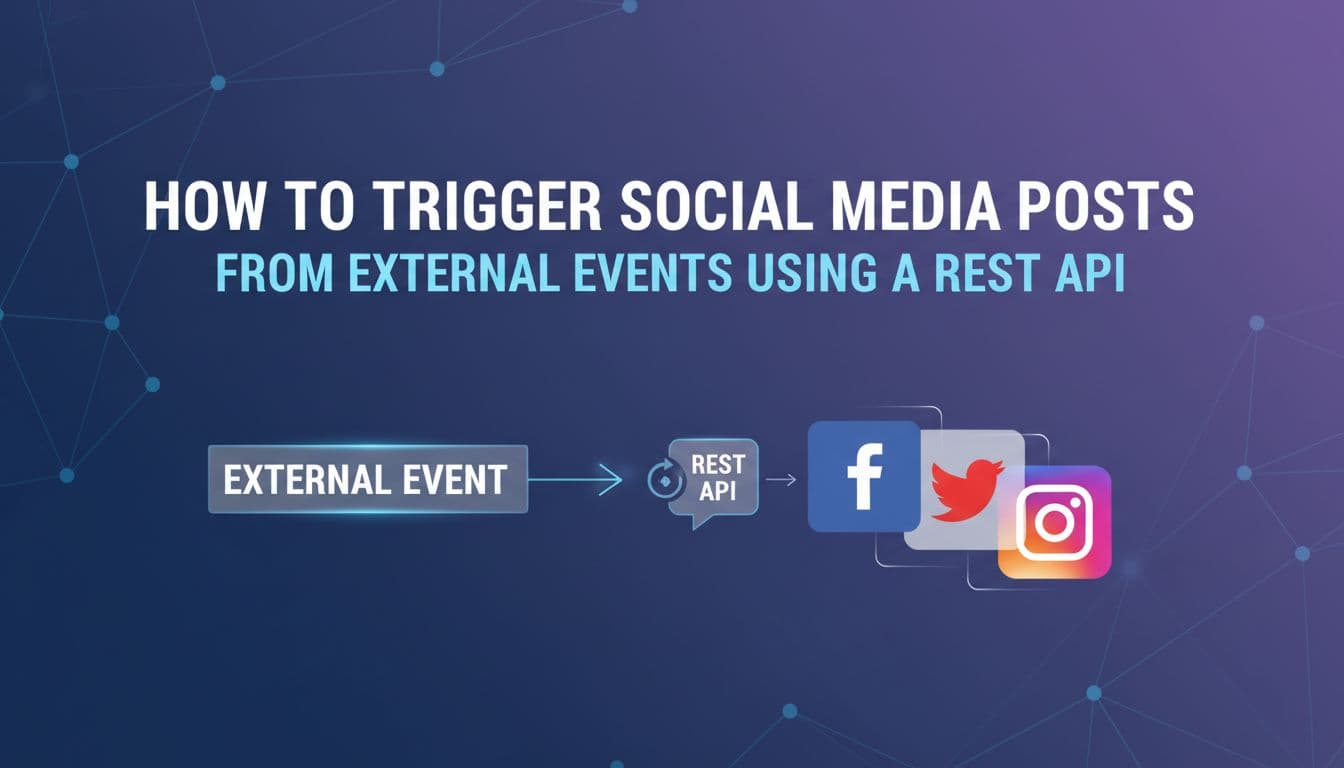
Webhooks and API endpoints are the two main mechanisms for connecting external events to social media publishing, and they work in opposite directions.
A webhook is a push. When something happens in a third-party system, that system sends an HTTP POST request to a URL you control. You don't ask for the data. It arrives. Shopify fires a webhook when an order is placed. HubSpot fires one when a contact's lifecycle stage changes. WordPress fires one when a post is published. Your server receives that payload, parses it, and decides what to do next, which might be drafting and scheduling a social post.
An API call is a pull or a push you initiate. Your own code or an AI agent makes the request on demand. You might poll a sports data API every five minutes to check for score updates, then push a post to Aidelly's REST API when a game ends. Or you might trigger a post programmatically from a button click inside your own app. The key difference is control. Webhooks are reactive. API calls are deliberate. Most robust event-driven workflows use both. Webhooks handle the real-time triggers from external systems. Direct API calls handle the publishing step, where your handler sends the formatted post to Aidelly's unified endpoint, which takes care of distributing it to the right platforms.
For most teams, the setup looks like this: a webhook listener endpoint on your server, a small handler function that parses the incoming payload, and an outbound API call to your publishing layer. That's the skeleton of the whole system.
Real-World Triggers Worth Automating
The range of events you can wire to social publishing is wider than most people realize. E-commerce triggers are the most obvious: a new order, a product restock, a flash sale going live, or a milestone like 500 five-star reviews. Each of these is a natural moment to post. New blog posts are another easy win. When your CMS publishes a post, a webhook can fire immediately and send a teaser to LinkedIn or a quote card to Instagram before you've even refreshed your browser.
CRM status changes are underused. When a deal closes in Salesforce or HubSpot, that's a client win worth announcing, at least in a general way. Calendar events work well for coaches and service businesses. When a new workshop gets added to your booking system, a post can go out automatically. Stock price moves matter for finance brands. Sports scores drive real-time engagement for sports media accounts. Weather alerts are valuable for outdoor gear, travel, and local businesses. Form submissions, like a new podcast guest signing up or a user completing an onboarding survey, can trigger personalized announcement posts. The pattern is the same across all of them: something happens, data arrives, a post gets made.
The Three-Part Architecture Every Event-Driven Workflow Needs
A reliable event-driven social publishing workflow has exactly three parts, and skipping any one of them breaks the whole thing.
The first part is the trigger source. This is whatever system fires the event. It could be Shopify, a Google Calendar integration, a custom database listener, or a cron job hitting a third-party data API. The trigger source is responsible for sending clean, structured data when something happens. If your trigger source sends inconsistent payloads or fires duplicate events, everything downstream breaks. Validate your incoming data early.
The second part is the handler. This is the logic layer that receives the trigger, parses the payload, decides what kind of post to create, formats the content for each platform, and prepares the API call. The handler is where most of the intelligence lives. It maps event types to content templates, pulls brand assets, applies voice guidelines, and decides which platforms should receive the post. A new product launch might route to Instagram, LinkedIn, and X with different copy for each. A flash sale might only go to Instagram and TikTok. The handler makes those decisions.
The third part is the publisher. This is the outbound API call that sends the formatted post to your publishing layer. With Aidelly's REST API, one endpoint handles all platforms. You send the post object with platform-specific fields populated, and Aidelly routes it correctly, applies scheduling, and queues it in the content calendar. The publisher doesn't need to know anything about the original event. It just receives a well-formed post and executes.
Formatting, Scheduling, and Keeping Posts On-Brand
Map Every Event to Platform-Specific Content
One of the biggest mistakes in event-driven social publishing is treating all platforms the same. A single post body gets sent everywhere and it lands flat on every channel. Platform-specific formatting isn't optional. It's what separates automated content that performs from automated content that gets ignored.
Think about a new product launch. On Instagram, the right format is a short Reel script with a hook in the first two seconds, a visual demonstration in the middle, and a CTA at the end. The caption is punchy, uses line breaks, and has a tight set of relevant hashtags. On LinkedIn, the same launch becomes a 150 to 200 word post that leads with a business insight, explains the problem the product solves, and ends with a question to drive comments. On X, it's a thread. The first post is the hook. The second post is the key feature. The third post is the price and link. Each platform has its own grammar, and your handler needs to know that grammar.
This means your event-to-content mapping should include platform as a variable, not an afterthought. When a trigger fires, your handler should ask: what platforms should receive this? What format works best on each one? What's the character limit? Does this platform support carousels, video, or links in the post body? Build those rules into your handler logic and store them as templates you can update without redeploying code. Aidelly's AI-powered content drafting handles a lot of this automatically when you route posts through its API, generating platform-optimized copy from a single event payload while keeping your brand voice intact.
Auto-Scheduling Beats Instant Posting Almost Every Time
When an event fires at 2:47 AM and your handler is working correctly, you have a choice. Publish immediately or schedule for the best time. Almost always, scheduling wins.
Instant posting feels satisfying from an engineering perspective. The event happened, the post went out, the pipeline worked. But a post about your new product launch that goes live at 3 AM on a Tuesday reaches almost nobody. The same post scheduled for 9 AM on Wednesday, when your LinkedIn audience is most active, gets ten times the reach. Auto-scheduling is not a nice-to-have. It's a core part of a well-designed event-driven workflow.
The right approach is to have your triggered posts land in a content calendar first, not go straight to publish. From there, your scheduling layer picks the optimal time based on platform, audience, and historical performance data. Aidelly handles this automatically. When you send a post through the API, you can either set an explicit publish time or let Aidelly's auto-scheduling pick the best slot based on your audience's engagement patterns. Triggered posts slot into your existing content calendar alongside manually created content, so you always have visibility into what's going out and when. This also prevents the awkward situation where three events fire in the same hour and you flood your feed with back-to-back posts.
Brand Voice and Asset Management for Automated Posts
Automated posts have a reputation for sounding robotic. That reputation is earned when teams skip brand voice and asset management. When your handler generates copy on the fly without guardrails, you get posts that technically describe the event but sound nothing like your brand. That's worse than not posting at all.
The fix is storing your brand guidelines, tone of voice rules, approved caption templates, hashtag sets, and media assets in a central place that your handler and publishing layer can access at runtime. When a trigger fires, your handler doesn't generate copy from scratch. It pulls a template that already sounds like you, fills in the event-specific details, and applies the right hashtags and assets for that content type. Aidelly's Brand Voice and Asset Management system does exactly this. You store your guidelines, approved media, and caption patterns once. Every triggered post, whether it comes from a Shopify webhook or a custom AI agent, pulls from those stored assets and stays on-brand without manual review. For teams running high-volume automation, this is the difference between a feed that builds trust and one that erodes it.
Error Handling and AI Agents Running the Full Pipeline
Build Error Handling In From Day One
Event-driven workflows fail in predictable ways, and most of them are avoidable if you plan for them before you ship.
Rate limits are the first thing to handle. Every social platform has limits on how many API calls you can make per hour or per day. If a high-volume event fires hundreds of triggers in a short window, like a viral product going back in stock, your publisher will hit those limits fast. Build a queue with a rate limiter that spaces out outbound API calls. Don't fire them all at once.
Failed authentication tokens are the second common failure. OAuth tokens expire. If your handler tries to publish with an expired token, the post fails silently unless you have logging in place. Set up token refresh logic and alert on auth failures immediately. Don't wait to discover this when you're checking why posts stopped going out three days ago.
Rejected media is a real problem. Platforms have strict requirements for image dimensions, file size, aspect ratio, and format. A webhook might fire with a product image that's the wrong size for Instagram. Your handler needs to validate media before sending it to the publisher, or at minimum catch the rejection and retry with a fallback asset.
Duplicate triggers are sneaky. Some webhook providers fire the same event more than once. If your handler doesn't deduplicate by event ID, you'll publish the same post twice. Store the last N event IDs you've processed and check against them before handling a new payload. Build a dead-letter queue for posts that fail after retries. Log everything. You want a full audit trail of what fired, what got created, and what went out.
AI Agents Can Run the Entire Flow Without Human Handoffs
Everything described so far assumes a human wrote the handler logic, set the templates, and defined the routing rules. That's still the most common setup. But in 2026, AI agents can own the entire pipeline from event to published post, and they're doing it well.
An AI agent connected to your event sources can listen for triggers, decide whether a given event is worth posting about, draft platform-optimized copy using your brand voice, pick the right creative asset from your media library, route the post to the correct platforms, schedule it for the best time, and report back on performance after it goes live. No human touches the keyboard at any point in that chain.
Aidelly supports this through its MCP Server, which lets you connect AI assistants like Claude or ChatGPT directly to your social media publishing pipeline via the Model Context Protocol. An agent running in your infrastructure can call Aidelly's REST API to create posts, check the content calendar, pull analytics, and manage brand assets programmatically. This isn't a future capability. Teams are running agentic social media workflows today where an AI agent monitors their Shopify store, drafts posts for new product launches, schedules them across five platforms, and sends a Slack summary of what went out and how it performed. The human's job shifts from executing the workflow to reviewing the results and adjusting the rules.
When to Add Approval Gates to Automated Workflows
Full automation isn't always the right call. Some content categories carry enough risk that a human should review before anything goes live, even in an otherwise automated pipeline.
Approval gates make sense for posts about sensitive topics, anything mentioning specific people or partners, content that involves pricing or legal claims, and posts going to audiences where a mistake would be costly to fix. The good news is you can add approval gates to an event-driven workflow without breaking the automation. Instead of sending the post directly to publish, your handler sends it to a review queue. A team member gets a notification, reviews the draft, and approves or edits it. Once approved, it goes into the content calendar and publishes at the scheduled time.
Aidelly's Approval Workflows handle this natively. Posts created through the API can be routed to a review step before they're scheduled. This gives agencies and larger marketing teams a safety net without requiring anyone to manually create the post from scratch. The automation does the drafting and formatting. The human does the final check. For most content types, you'll find that 80 to 90 percent of triggered posts can go straight to schedule. The approval gate catches the edge cases that matter.
Event-driven social publishing is one of those systems that feels complex to set up and then runs quietly in the background for months, doing work that used to take hours every week. The core architecture is straightforward: a trigger source fires an event, a handler formats platform-specific content, and a publisher routes it to the right channels at the right time. Add error handling, auto-scheduling, brand voice management, and approval gates where needed, and you have a pipeline that's both reliable and on-brand. The tools to build this exist right now, and a unified REST API like Aidelly's means you don't have to stitch together five different platform integrations to make it work. If you're ready to stop manually translating business events into social posts and start building a system that does it for you, the next step is connecting your first trigger.
External events should not sit in a queue while your team scrambles for copy and a time slot. With agentic workflows, Aidelly turns those events into drafted, scheduled, platform-ready posts and tracks how they perform, so your social media runs itself from trigger to insight. See how it works at aidelly.ai.
Compare social scheduling tools
Evaluating software for your content workflow? Use our buyer guides and comparisons to compare scheduling, approvals, analytics, and AI workflow fit.