Comparison • Updated 2026-10-15 • Prices checked 2026-10-15

Aidelly vs Loomly
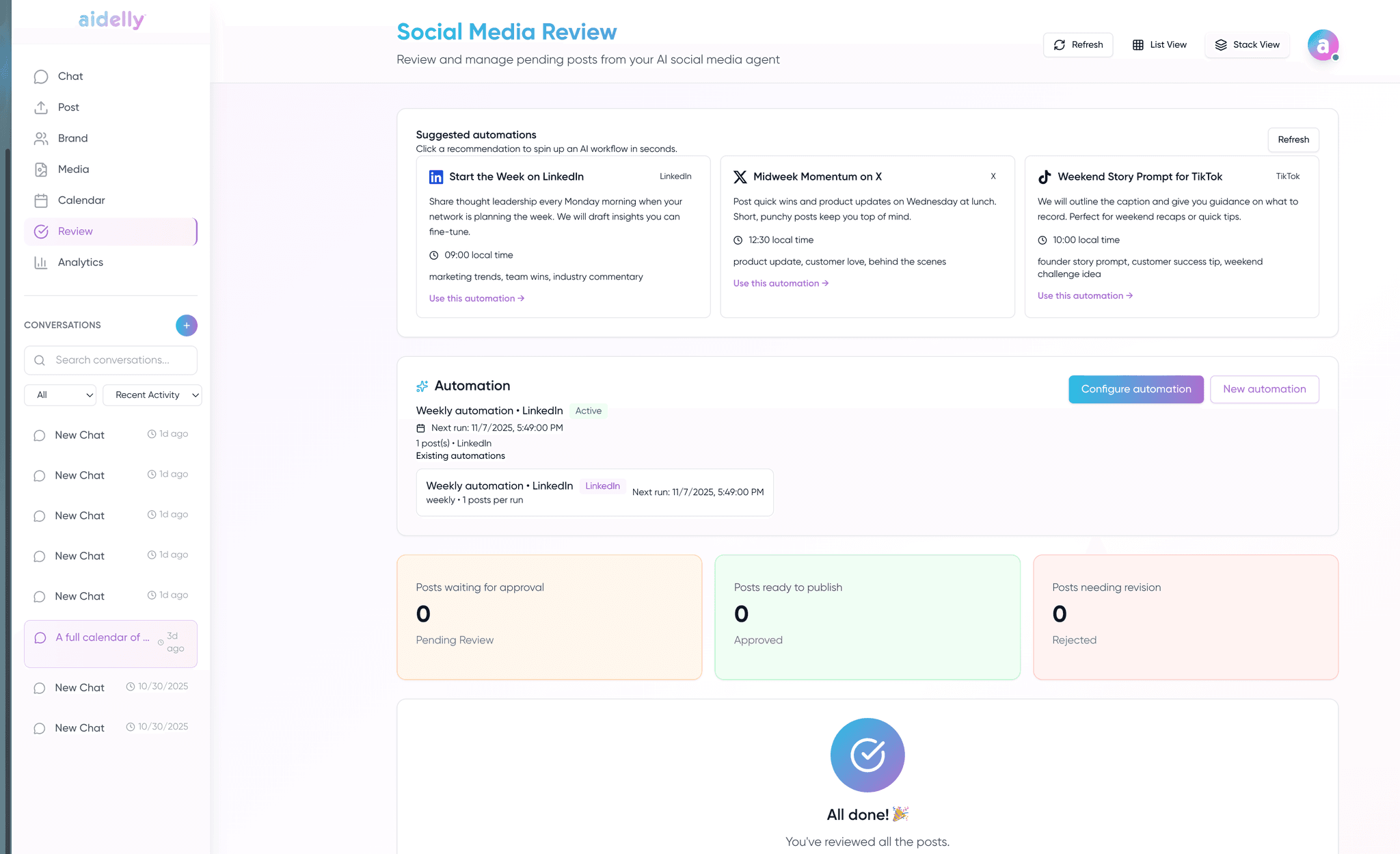
Loomly has a clean approval workflow and strong collaboration UX with daily post inspiration. It lacks keyword DM automation and a unified inbox depth comparable to Aidelly. Aidelly covers approvals as part of a much broader automation platform. Loomly wins for teams that purely want structured content review; Aidelly wins for teams that also want agent control, keyword DMs, and competitor intelligence.
Aidelly vs Loomly at a glance
| Feature | Aidelly | Loomly |
|---|---|---|
| Pricing | ||
| Free plan or trial | 7-day trial for $0.00 on every plan. | Free Plan: 1 user, 3 social accounts, 5 posts a month. Free trial, no credit card required.Source: loomly.zendesk.com/hc, checked 2026-10-15; loomly.com/pricing, checked 2026-10-15 |
| Pricing basis | Per plan, with team members on Scale (Up to 8) and Agency (Unlimited). One AI Credits pool covers text, image, and vision, and Aidelly bills overage pay-as-you-go at $0.01 / credit. | By social accounts and usersSource: loomly.zendesk.com/hc, checked 2026-10-15 |
| Entry price | Launch $29/mo billed annually ($39/mo billed monthly): 2 workspaces, unlimited posts (X rate-limited), Unified Inbox, AI image generation, basic analytics, BYOK keys. | $49/month, billed yearlySource: loomly.com/pricing, checked 2026-10-15 |
| Top price | Agency $279/mo billed annually ($349/mo billed monthly): unlimited workspaces, unlimited members, white-label + custom domain, agency-wide watermarks, dedicated onboarding, paid add-ons (X Unlimited, extra workspaces, AI credit packs). | $249/month Beyond, billed yearly; Enterprise customSource: loomly.com/pricing, checked 2026-10-15 |
| Key differences | ||
| AI approach | Agentic, chat and MCP create complete posts end to end | Daily post inspiration prompts; manual creation workflow |
| Keyword DM automation | Built-in keyword-triggered DMs | Not a Loomly core feature |
| Approval workflows | Approvals integrated with AI-generated drafts | Multi-level customizable approval and sign-off, a Loomly strength |
| Inbox depth | Unified inbox with AI replies, sentiment, keyword DMs | Verify current inbox scope on Loomly site |
| AI agent surface (MCP / CLI / API) | Native MCP server + first-party CLI + OpenAPI 3 REST API + n8n / Make / Zapier nodes. Claude / ChatGPT / Cursor can drive Aidelly directly. | Verify whether Loomly exposes MCP, a first-party CLI, and AI-agent-ready integrations or only a REST API. |
| Inbox & community management | Unified inbox across 8 platforms with AI replies, spam auto-hide, sentiment chips, purchase-intent flag, smart-draft mode, competitor-link block, IG DM email capture. | Verify Loomly's inbox scope: which platforms, AI replies, filtering, sentiment, and intent detection. |
| Collaboration depth | Draft discussions with @mentions + emoji reactions, post version history, member approval workflow, workspace activity log, shareable read-only client calendar links. | Verify Loomly's collaboration scope: discussions, approvals, audit log, version history, and client-view sharing. |
| Agency & white-label | Agency plan: white-label custom domain (clients see your brand), logo/colors, branded client reports, agency-wide watermarks, unlimited workspaces, workspace admin role, per-workspace AI credits, audit log, white-glove onboarding add-on. | Custom Branding on BeyondSource: loomly.zendesk.com/hc, checked 2026-10-15 |
| Competitive intelligence | Built-in Competitor Spy, Creator Clone, and Viral Trends for tracking rivals, creators, and niche trends | Typically needs separate social listening or research tools |
| AI content & media creation | AI drafting, an AI image editor with templates and carousels, and one-to-many repurposing built in | Varies by plan; often limited or sold as an add-on |
| Platform coverage (2026) | 11 commercial-mainstream platforms, including Bluesky, Threads, Mastodon, and Google Business Profile | Verify current platform support on the vendor site |
Comparable tiers, mapped side-by-side. Loomly pricing was read from Loomly's own pages on 2026-10-15, and each price links to the page it came from. Vendor pricing can change at any time, so confirm current pricing on Loomly's official pricing page before deciding.
Aidelly is often best for
Teams that want AI agents (chat + MCP) to create content, not just inspire it, plus keyword DMs and competitor spy.
Loomly may be best for
Teams that value Loomly’s approval UX, media library, and daily inspiration prompts over agentic automation.
Built for agencies: white-label under your brand
Aidelly's Agency plan lets you resell social operations as your own product: white-label custom domain, your logo and colors, branded client reports, agency-wide watermarks, and unlimited client workspaces, plus agentic drafting, keyword DMs, and competitor spy.
Explore white-label for agenciesWhere Aidelly differs from Loomly
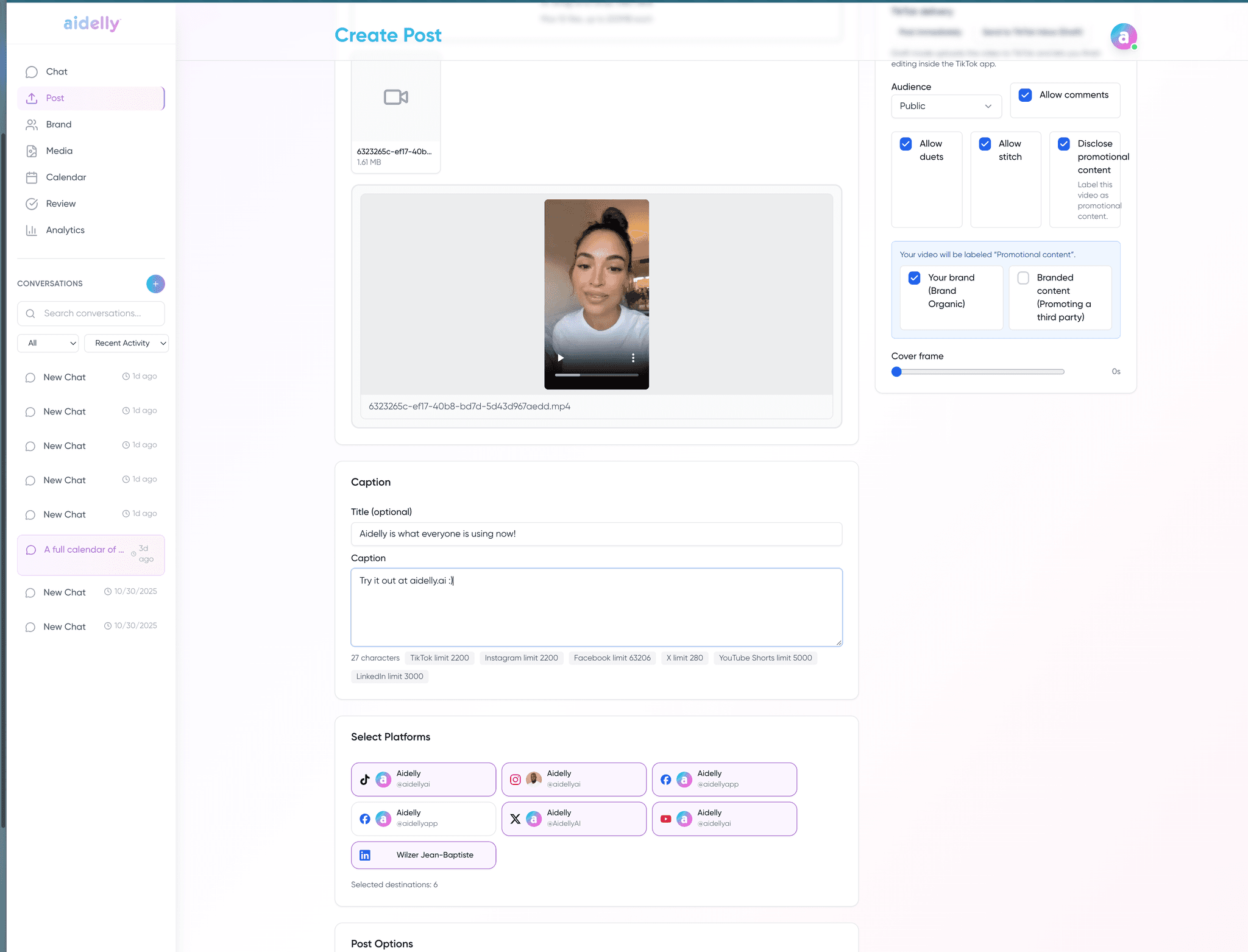
Aidelly is built chat-first. You describe what you want (a campaign idea, a repurposed article, a thirty-day calendar), and an AI agent drafts, schedules, and follows up across every platform you connect. Most scheduling tools, including Loomly, are publishing-first: you bring the content, the tool helps you queue and analyze it. If your bottleneck is drafting rather than scheduling, the workflow gap is significant.
For agencies, Aidelly is designed to run client work under your brand, not Aidelly's. The Agency plan includes white-label custom domain (clients log into your URL), your logo and colors across the product, branded client reports, agency-wide watermarks on published images, unlimited client workspaces, workspace admin roles, and per-workspace AI credit allocation. Most schedulers, including Loomly, either skip white-label, charge per-seat premiums that eat agency margins, or treat branding as a top-tier afterthought.
Aidelly also exposes the same actions through an MCP server, CLI, REST API, and chat-tool surface, so Claude, ChatGPT, Cursor, n8n, Make, and Zapier can drive client workflows the same way your team does in the dashboard. Keyword DM automation and Competitor Spy are included. Verify each capability against your agency's actual delivery model before deciding.
Decision checklist
- Compare inspiration prompts (Loomly) vs. full AI drafting (Aidelly).
- Test keyword DM automation if comment triggers drive your leads.
- Check unified inbox and AI reply needs across platforms.
- Verify MCP / API requirements for agent-driven workflows.
Methodology and verification notes
This comparison focuses on content creation and scheduling workflow differences. Verify features and pricing on each vendor site.
This page is designed as a workflow-fit comparison, not a substitute for vendor pricing or contract review.
Source links
Comparison FAQs
Loomly's current prices are in the pricing rows of the comparison table above, each linked to the page it was read from and the date it was checked. Vendor pricing changes faster than any comparison page can track it, so confirm on loomly.com before you buy. What is worth comparing is the *shape* of the pricing. Most tools in this category charge per seat, per social account, or per client workspace, so the bill grows as your team or client list grows. Aidelly is flat-priced, and the top plan includes unlimited client workspaces, which is what changes the maths for agencies past roughly ten clients. Model your own cost at three times your current client count before committing to any annual plan, ours included.
Aidelly runs a 7-day free trial of the full product and does not offer a permanent free plan. Check loomly.com for whether Loomly currently offers one, because free tiers in this category appear and disappear regularly. If a permanent free plan is non-negotiable, Buffer and Metricool both have one today. Our trial is the full product rather than a feature-limited sandbox, so you can connect real accounts and publish a full week before deciding.
Loomly is strongest for teams that value Loomly’s approval UX, media library, and daily inspiration prompts over agentic automation. Aidelly is built for teams that want AI agents (chat + MCP) to create content, not just inspire it, plus keyword DMs and competitor spy. The structural difference is that Aidelly is agent-operated: the same actions you take in the dashboard are exposed over a public API and an official MCP server, so an AI assistant can draft, schedule, route approvals, and pull analytics across all 11 networks without a human clicking through.
Moving from Loomly is manual. There is no one-click import. In practice switching means exporting your scheduled posts and re-queueing them, which is one to two hours of calendar admin for most teams. Your posting schedule does not need to pause while you do it. Reconnecting client accounts is the part teams brace for and it is the easy part: clients authorise their own profiles through a link, so you never collect or store anyone's password. Run both tools in parallel for a week before cancelling Loomly.
When your requirements are the ones it was built for: teams that value Loomly’s approval UX, media library, and daily inspiration prompts over agentic automation. We would rather you pick the tool that fits than churn in month two. Aidelly earns its place when you need teams that want AI agents (chat + MCP) to create content, not just inspire it, plus keyword DMs and competitor spy.
Agencies comparing Aidelly vs Loomly? Run it under your brand.
Aidelly's Agency plan is built for resellers: white-label custom domain, branded client experience, unlimited workspaces, agency-wide watermarks, plus agentic drafting, keyword DMs, and competitor spy. Start a 7-day trial and run one real client campaign before you commit.
Related comparisons
Put every client account on autopilot, with your hand on the approve button.
Connect your platforms, invite your team, and let the agent draft week one.
$0 due today · cancel any time before the trial ends