Developers
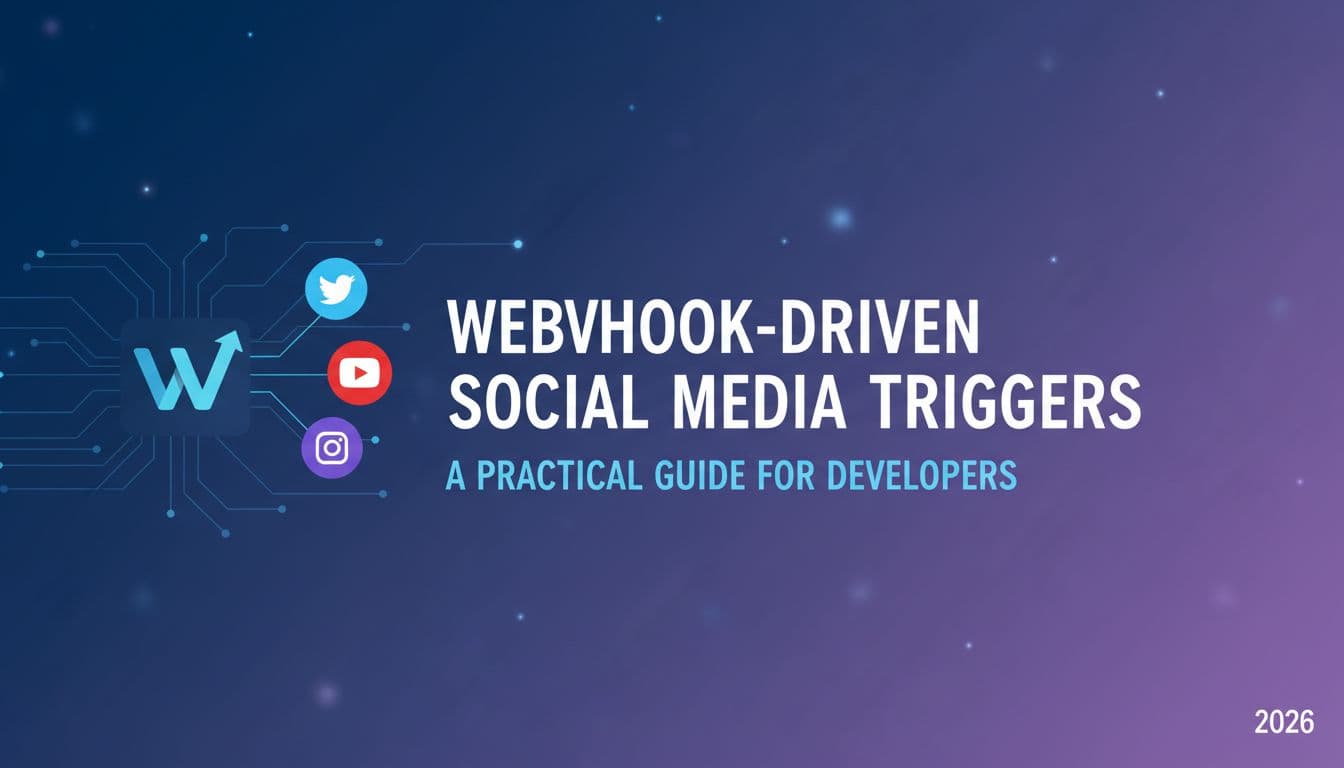
Webhook-Driven Social Media Triggers: A Practical Guide for Developers in 2026
Most webhook guides treat social media as an afterthought. This one does not. If you are building event-driven pipelines in 2026, the output of those pipelines should be published content, not just database rows. This guide covers the architecture, the security checklist, and the specific implementation patterns that connect real-world events to autonomous social publishing. You will learn how webhook triggers replace polling loops, which use cases actually matter in production, how agentic AI workflows handle everything downstream of your trigger, and what it takes to lock down your endpoints before you ship. Whether you are wiring a Shopify order event to an Instagram post or connecting a CMS publish hook to a LinkedIn update, this guide gives you the mental model and the practical steps to build it right.

By Wilzer Jean-Baptiste
Published 14 min read
Most developers build webhook pipelines that end with a database write or a Slack notification. In 2026, that is leaving a lot on the table. The same event-driven architecture that powers your real-time data pipelines can drive your entire social media publishing operation, autonomously, at scale, without a marketing manager queuing up posts in a dashboard. This guide is for developers who want to build that. Not a conceptual overview of webhooks. A practical implementation guide for connecting real-world events to agentic social publishing workflows that run end-to-end without human intervention.
The Old Model Is Costing You API Calls
Here is the thing about polling: it works until it does not. You set up a loop that asks an API every 30 seconds if anything changed. Most of the time, nothing has. You burn rate limit budget, add latency, and your infrastructure does a lot of work to learn that nothing happened. Webhooks flip that entirely. Instead of your app asking, the platform tells you. The moment something changes, you get a POST request with exactly what you need to know.
For social media automation, this shift matters more than most developers realize. Publishing is time-sensitive. A product ships, a blog goes live, a video crosses a milestone. If your pipeline is polling, you might catch that event 45 seconds late. If you are webhook-driven, you catch it in milliseconds. In 2026, that gap is the difference between content that lands in context and content that feels stale before it posts.
Why Polling Breaks Down at Scale
Polling feels fine when you have one integration. It falls apart when you have ten. Every new data source you add means more API calls, more rate limit pressure, and more infrastructure to maintain. A mid-size e-commerce brand running integrations across Shopify, a CMS, YouTube, and an internal analytics tool can easily burn through API quotas just checking for updates. That leaves fewer calls for the actual publishing work.
Webhooks eliminate that overhead. You only process events when they happen, which means your infrastructure scales with activity, not with the passage of time. There is also a reliability problem with polling. If your interval is 60 seconds and an event fires at second one, you wait 59 seconds to act on it. For a flash sale announcement or a product launch post, that delay is not acceptable. Webhooks give you sub-second event delivery when implemented correctly, and that changes what you can build.
The Polling-to-Webhook Mental Model Shift
Think of polling as a store employee who walks to the stockroom every five minutes to check if a delivery arrived. Think of webhooks as a doorbell. The delivery shows up, the bell rings, and the employee responds immediately. The employee does not change. The process does not change. You just removed 47 unnecessary trips to the stockroom.
For developers building social media automation, this mental model matters because it changes how you architect the whole pipeline. With polling, your app is the driver. With webhooks, your app is the listener. You define what you do when an event arrives, not how often you check for one. That is a cleaner separation of concerns, and it makes your automation easier to test, debug, and extend over time.
How Webhooks Connect to API Rate Limits in Practice
Most social media platforms cap API calls per hour or per day. Instagram, LinkedIn, TikTok, and X all have rate limits that can surprise you in production. When you poll for events, those calls count against your limit even when they return nothing useful. When you switch to webhooks for inbound events, you free up that budget for outbound publishing calls. You get more posts out with the same API access tier.
For agencies managing dozens of brand accounts, this is not a minor optimization. It is the difference between a pipeline that works and one that throttles out at 2 PM on a Tuesday. Webhooks flip the traditional polling model: instead of your app asking 'anything new?' every few seconds, the platform tells you the moment something happens. For social media automation, this means you can trigger content publishing, approval flows, or analytics updates in real time without burning API rate limits. That is the foundation everything else in this guide builds on.
The Use Cases That Actually Matter in 2026
Not every webhook use case is worth building. Some are clever demos. Others are production patterns that brands actually need. In 2026, the most practical webhook use cases for social media developers include: publishing a post the moment an e-commerce order ships, triggering a LinkedIn update when a blog goes live via CMS webhook, firing a TikTok draft when a YouTube video reaches a view threshold, and kicking off approval workflows when a scheduled post enters a review queue. These are not hypotheticals. They are the integrations that marketing and DevOps teams are actively asking for right now.
E-Commerce Order Events to Social Posts
Shopify, WooCommerce, and most major e-commerce platforms support order webhooks. When an order ships, a fulfillment/create or order.fulfilled event fires. Your listener catches it, pulls the product name and relevant metadata, and hands that off to an AI agent that drafts a platform-optimized post. On Instagram, that might be a product shot with a short caption. On X, it might be a quick update with a tracking link.
The post goes out while the customer is still excited about their order, not 48 hours later when a human finally gets around to drafting something. This pattern works especially well for limited-edition drops or pre-orders. When the first batch ships, your social channels update automatically. You do not need a marketing manager to monitor Shopify and manually trigger a campaign. The event does it.
CMS Publish Hooks to LinkedIn and Beyond
Most content teams publish blogs through a CMS like WordPress, Contentful, or Sanity. Every one of those platforms can fire a webhook when a post goes live. Wire that webhook to your social pipeline and you have automatic LinkedIn distribution the moment a new article publishes. No Zapier. No manual copy-paste. No delay while someone remembers to share it.
The LinkedIn use case is valuable because blog content and LinkedIn audiences overlap heavily. A technical post about a new API feature, a thought leadership piece, a case study. These all have natural LinkedIn audiences, and the engagement window is short. Getting the post out within seconds of publication means you catch readers while the content is fresh. You can also fan that same CMS event out to X and Facebook with different copy, all from one inbound webhook and one API call.
YouTube Milestone Triggers for Cross-Platform Content
YouTube's Data API supports threshold-based monitoring, and you can build a lightweight polling layer just for view counts without burning your main rate limit budget. When a video crosses 10,000 views, or 50,000, or whatever threshold matters to your brand, that event fires into your pipeline. Your agent drafts a TikTok or Instagram Reel teaser pulling from the video's title, description, and top comments. It schedules that draft for peak engagement time and routes it to a human reviewer if your approval workflow requires one.
This is a real pattern for creator brands and media companies. A video that goes semi-viral on YouTube is a content opportunity on every other platform. Catching that moment programmatically, instead of waiting for someone to notice the view count, is the kind of automation that compounds over time. The approval workflow trigger use case fits here too: when a scheduled post enters a review queue, a webhook can notify the right reviewer instantly instead of relying on them to check a dashboard.
Agentic Workflows: What Happens After the Trigger Fires
Wiring the webhook is the easy part. What happens next is where most pipelines either shine or fall apart. In 2026, the best social media automation is not scheduled. It is triggered, and then handled by an AI agent that knows your brand, your platforms, and your audience well enough to take it from event to published post without a human in the loop.
Agentic social media workflows built on webhook triggers can run end-to-end without human input. An AI agent receives a webhook event, generates platform-optimized content using brand voice context, schedules it at the best time, and routes it through an approval gate. The developer's job is to wire the trigger, not babysit the process. That framing matters because it changes how you think about your role in the system. You are building the infrastructure. The agent is doing the work.
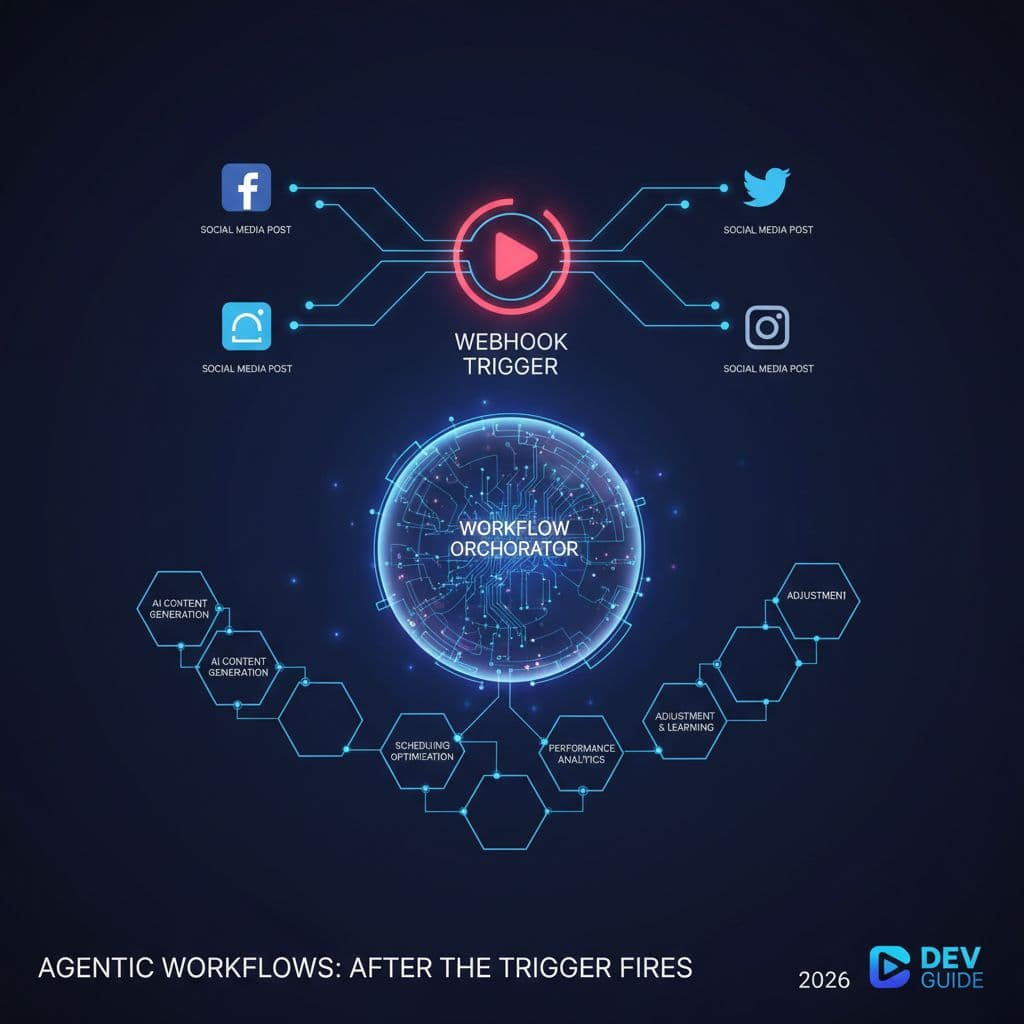
What an Agentic Pipeline Looks Like End-to-End
Start with an inbound webhook. A Shopify order ships. Your endpoint receives the POST, validates the signature, and extracts the payload. That payload goes into an agent context along with your brand voice guidelines, your stored media assets, and the target platform list. The agent drafts a caption for Instagram, a shorter version for X, and a more detailed update for Facebook. It checks your historical engagement data to pick the best posting time for each platform. It packages everything into a scheduled job and, if your workflow requires it, routes the drafts to a reviewer before anything goes live.
From webhook receipt to scheduled drafts, that whole process can run in under two seconds. No human touched it. No one had to open a dashboard. The event happened in the real world, the agent responded, and the content pipeline moved forward on its own. That is what agentic publishing actually looks like in production.
Brand Voice as Agent Context
The part that makes agentic publishing actually work is brand voice context. An agent that generates content without brand guidelines will produce generic copy. An agent that has your tone, your vocabulary, your audience, and your platform preferences baked into its context will produce content that sounds like you wrote it. That is not magic. It is just good prompt engineering combined with stored brand assets.
Aidelly's agentic workflows handle this at the infrastructure level. Brand voice guidelines and media assets are stored centrally, and every agent call pulls from that context automatically. You do not have to pass brand instructions in every API call. The agent already knows them. That matters a lot when you are running dozens of webhook-triggered events per day across multiple brands or client accounts. It also means onboarding a new brand is a one-time setup, not a recurring configuration task.
Approval Gates in Agentic Workflows
Full autonomy is not always the goal. Some brands want a human to review AI-generated content before it publishes. That is a reasonable requirement, and it does not break the agentic model. It just adds a gate. The agent generates and schedules the draft, then routes it to a reviewer via Slack, email, or a dashboard notification. The reviewer approves or edits. The post goes live. The agent handled 90% of the work. The human handled the 10% that requires judgment.
Building this gate into your webhook pipeline means defining a status field in your publishing job. Drafts that require review get a pending_approval status. Drafts approved for autonomous publishing get a scheduled status. Your pipeline checks that field before firing the publish call. Simple logic, but it gives you the control you need without rebuilding the whole workflow from scratch. Aidelly's approval workflow feature handles this routing natively, so you do not have to build the notification and review layer yourself.
Security: The Step Most Developers Skip
Security is the most skipped step in webhook implementations. It is also the one that causes the most production incidents. A webhook endpoint that does not validate incoming requests is an open door. Anyone who knows your URL can send a fake payload and trigger a publish event. That is not a theoretical risk. It is a real attack vector, and it has caused real brand damage for companies that shipped fast and secured later.
Developers must validate webhook signatures (HMAC-SHA256 is standard), use HTTPS endpoints only, implement idempotency keys to handle duplicate deliveries, and set up dead-letter queues for failed events. Skipping any of these creates real production risk. The good news is that none of these are hard to implement. They just require discipline to do before you ship, not after something breaks.
Signature Validation with HMAC-SHA256
Every major platform that sends webhooks, Shopify, Stripe, GitHub, and most CMS platforms, signs the payload with a shared secret using HMAC-SHA256. The signature comes in a request header, usually something like X-Signature-256 or X-Hub-Signature-256. Your endpoint computes the expected signature using your stored secret and the raw request body, then compares it to the header value using a constant-time comparison function. If they match, the request is legitimate. If they do not, return a 401 and log the attempt.
The critical detail here is using the raw request body for the HMAC computation, not a parsed version. If you parse the JSON first and then serialize it back, you can get byte-order differences that break the signature check. Read the raw bytes, compute the HMAC, then parse. Always use a constant-time comparison like hmac.compare_digest() in Python or crypto.timingSafeEqual() in Node. Timing attacks on naive string comparison are a real exploit path.
Idempotency Keys and Duplicate Delivery
Webhook platforms guarantee at-least-once delivery, not exactly-once. That means your endpoint will occasionally receive the same event twice. Without idempotency handling, that means two posts go out instead of one. For a product launch announcement, that is embarrassing. For a high-volume e-commerce brand, it is a support nightmare.
The fix is straightforward. Every inbound webhook event has a unique event ID in the payload or headers. Store that ID in a database or cache with a short TTL, something like 24 hours. Before processing any event, check if that ID already exists. If it does, return a 200 and skip processing. If it does not, process the event and store the ID. This pattern handles duplicate delivery cleanly without adding significant overhead. Redis works well here because the TTL management is built in and the lookup is O(1).
Dead-Letter Queues and Retry Logic
Your endpoint will fail sometimes. A downstream service will be unavailable. A database write will time out. A third-party API will return a 503. When that happens, you need a way to retry the event without losing it. That is what dead-letter queues are for.
When your webhook handler fails to process an event after a defined number of retries, it writes the event to a dead-letter queue, a separate queue or database table for failed events. You set up a monitoring alert on that queue so your team knows when events are accumulating. You build a replay mechanism so you can reprocess failed events once the underlying issue is fixed. Without this, failed events disappear silently and you have no path to recovery. With it, you have a complete audit trail. For social media pipelines specifically, a dead-letter queue also gives you a way to review events that triggered unexpected content, which is useful for debugging agent behavior and catching edge cases before they repeat.
Webhook-driven social media automation is not a future concept. Developers are building these pipelines right now, connecting Shopify orders to Instagram posts, CMS publish events to LinkedIn updates, and YouTube milestones to TikTok drafts. The architecture is solid, the security patterns are well-understood, and the agentic layer that handles everything downstream of your trigger is mature enough to run in production without constant supervision. The missing piece for most teams is not the trigger. It is the infrastructure that takes that trigger and turns it into published, brand-consistent content across six platforms without rebuilding the wheel for each one. That is exactly what Aidelly's REST API and MCP Server are built for, giving developers a single integration point where webhook events become autonomous, multi-platform publishing workflows. If you are building event-driven pipelines and social content is part of the output, the right infrastructure makes the difference between a system that works and one you are patching every week.
You've built the trigger. Now let the agent handle the rest. Aidelly's agentic workflows pick up where your webhook fires and take it all the way through: content generation, platform optimization, scheduling, and approval routing, with no one babysitting the process. If you're building event-driven pipelines in 2026, this is the infrastructure layer that closes the loop. See what's possible at aidelly.ai.
Compare social scheduling tools
Evaluating software for your content workflow? Use our buyer guides and comparisons to compare scheduling, approvals, analytics, and AI workflow fit.