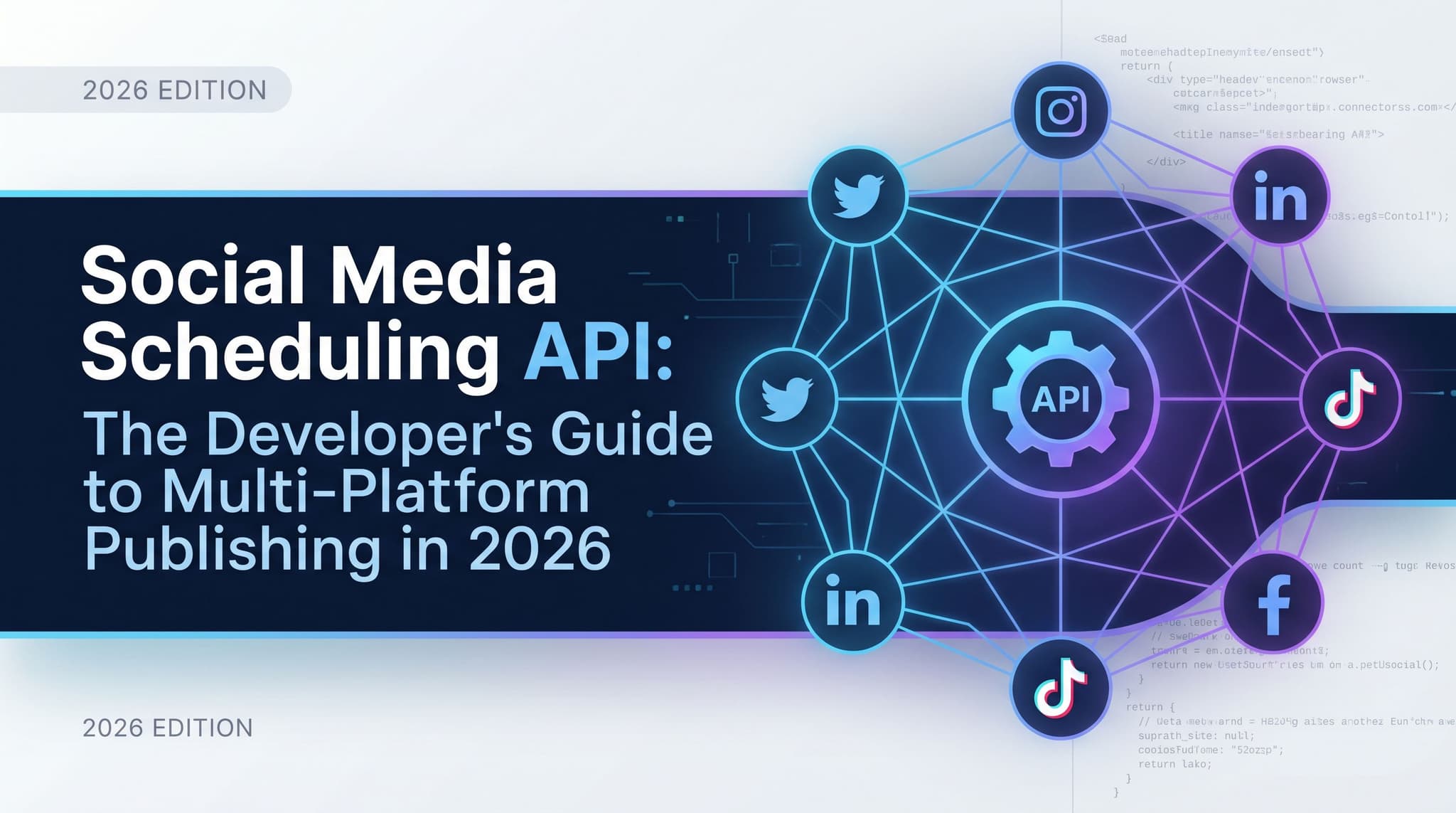
Social Media Scheduling API: The Developer's Guide to Multi-Platform Publishing in 2026
Most social media APIs in 2026 are still built like it's 2019. You authenticate against five different platforms, wrangle five different payload formats, and babysit five different rate limit systems. Then you do it again every time a platform changes something. There's a better way to think about this. The scheduling API is no longer a dumb pipe that accepts a post and returns a 200. In 2026, it's the backbone of an agentic content pipeline where AI agents do the drafting, the scheduling, the analytics pulls, and the optimization — without a human in the loop between steps. This guide walks through what that pipeline actually looks like, what API capabilities it requires, and how to tell whether a social media API was built for agent-first workflows or just had an API bolted onto a legacy product after the fact.

Wilzer Jean-Baptiste
11 min read
Most social media APIs in 2026 are still built like it's 2019. You authenticate against five platforms, wrangle five payload formats, and babysit five rate limit systems. Then you do it again every time a platform pushes a breaking change. The dirty secret of multi-platform publishing is that the actual posting is the easy part. The integration tax is what kills you. But there's a bigger shift happening underneath all of this. The primary caller of a social media API is no longer a human clicking a button in a dashboard. It's an AI agent running a loop, drafting content, picking send times, pulling performance data, and adjusting the next post based on what worked. That changes what a scheduling API needs to do, and it changes how you should evaluate one. This guide is about what that agent-first pipeline actually looks like, what API capabilities it requires, and how to tell whether a social media API was designed for this or just had endpoints bolted on after the fact.
The Problem with Social Media APIs in 2026
Here's the situation most developers hit. You're building an internal tool, an agency dashboard, or an AI-powered content product. You need to publish to Instagram, LinkedIn, TikTok, and maybe YouTube or X. So you go read the docs for each platform. Two weeks later, you've got five OAuth flows, five token refresh strategies, five different ways to attach media, and five sets of rate limit headers to parse. You haven't shipped anything yet. You've just built plumbing.
One Integration Point Instead of Five
Most social media APIs in 2026 still require developers to manage separate auth flows, rate limits, and payload formats for each platform. Instagram wants a two-step media upload before you can publish. LinkedIn has its own versioned API with different field names. TikTok's content API has its own quirks around video specs and captions. X still uses OAuth 1.0a in some endpoints. None of them agree on how to handle scheduling, error codes, or media attachments.
A unified REST API cuts that complexity to a single integration point. You authenticate once. You send one payload shape. You handle one set of errors. The API layer translates everything to each platform's native format on the way out. That's not just developer convenience. It means you ship faster, maintain less code, and don't get woken up at 2am because Instagram rotated their media upload endpoint again.
The math here is real. If each platform integration takes two to three days to build and one to two days per quarter to maintain, a five-platform setup costs you ten to fifteen days upfront and five to ten days a year in maintenance. A unified API collapses that to one integration and one maintenance surface. For a small team or a solo technical founder, that difference is the difference between shipping and not shipping.
When you evaluate a unified social media API, look for a few things: Does it support all the platforms your users need? Does it handle media uploads natively? Does it expose platform-specific fields like LinkedIn's target audience or TikTok's privacy settings, or does it flatten everything to a lowest common denominator? The best unified APIs give you one payload format with optional platform-specific overrides when you need them.
What the API Needs to Handle Beyond Publishing
Publishing is table stakes. The harder question is what else the API needs to do. In a real automated workflow, you're not just sending posts. You're pulling analytics to see what performed. You're reading back scheduled content to check the queue. You're updating or deleting drafts. You're managing multiple brand accounts under one authentication context.
An API that only handles publishing forces you to build the rest yourself or stitch together a second tool. That's the hidden cost most developers don't see until they're already three months into a build. A well-designed social media API exposes endpoints for the full content lifecycle: create, schedule, update, delete, pull analytics, and manage brands. That's the surface area you need to build anything serious on top of.
Rate Limits and Error Handling Across Platforms
Rate limits are where unified APIs earn their keep. Each platform has different limits, different reset windows, and different ways of telling you you've hit them. Instagram will return a 429. LinkedIn might return a 403 with a specific error code buried in the response body. TikTok has per-user and per-app limits that interact in non-obvious ways.
A good unified API abstracts this. It queues requests, handles retries with backoff, and surfaces a clean error model to your code. You get one consistent error format instead of five. When something fails, you know why and what to do about it, without cross-referencing three different platform status pages. That consistency is what makes the difference when you're debugging an agent that runs unattended at 3am.
What Agentic Workflows Actually Require from an API
The shift happening in 2026 is that the primary caller of a social media API is no longer a human clicking a button. It's an AI agent running a loop. That changes everything about what the API needs to do, and most APIs on the market weren't designed with this in mind.
The Agent-First API Surface
Agentic AI workflows are changing what a scheduling API needs to do. It's no longer enough to accept a post and queue it. The API now needs to support autonomous agents that can draft content, pick optimal send times, pull analytics, and adjust future posts based on performance data, all without human input between steps.
Think about what that loop actually looks like. An agent gets a content brief. It drafts three post variants using an LLM. It calls the API to check what's already scheduled for the week to avoid overlap. It pulls last week's analytics to see which post format performed best. It picks the best variant, selects a send time based on audience data, and schedules the post. Then it logs what it did so the next run can learn from it. That entire loop is API calls. Every step requires an endpoint that returns clean, machine-readable data.
The endpoints that matter for agentic workflows go beyond a simple POST to create a post. You need a GET on scheduled content so the agent can see what's in the queue. You need an analytics endpoint that returns engagement data the agent can reason about, not a PDF report. You need the ability to update a scheduled post, not just create and delete. And you need all of this to be consistent and predictable, because agents don't handle ambiguous responses well. Aidelly's REST API is built with this in mind, letting developers and AI agents create posts, schedule content, pull analytics, and manage brands programmatically across all major platforms through a single unified interface.
MCP Compatibility and the AI Assistant Connection
The Model Context Protocol is emerging as the standard way to connect AI assistants like Claude and ChatGPT to external tools. If you haven't worked with MCP yet, here's the short version: it's a protocol that lets an AI assistant call external tools and services in a structured way, with defined inputs, outputs, and error states. Think of it as a standard plug shape for AI-to-tool connections.
Developers who build on an MCP-compatible social media API can wire up any AI assistant to publish, schedule, and analyze content with minimal glue code. Instead of writing a custom function-calling wrapper for each LLM and each platform, you expose the API as an MCP server and any MCP-compatible assistant can use it. Claude can schedule a post. ChatGPT can pull analytics. A custom agent built in Cursor can manage a content calendar. The protocol handles the translation layer.
This matters because it dramatically lowers the cost of building AI-powered social media tools. Without MCP, connecting an LLM to a publishing API means writing and maintaining custom tool definitions for every model you want to support. With MCP, you write the server once and any compatible assistant works with it. Aidelly ships an MCP server for exactly this reason, so developers can connect any AI assistant to social media publishing without writing the integration layer from scratch. When you're evaluating a social media API for an agentic build, MCP compatibility is worth checking early. It's not universal yet, but it's moving fast. An API that supports MCP now will be easier to integrate with the next generation of AI assistants.
Auto-Scheduling Based on Audience Data
Auto-scheduling based on audience data is one of the highest-leverage features a publishing API can expose. When the API returns recommended send times per platform and audience segment, AI agents can use that signal to schedule posts at peak engagement windows without a human deciding when to post.
This sounds simple but the implementation details matter a lot. A naive best-time-to-post feature gives you a static table: post on Tuesday at 10am for LinkedIn. That's not useful for an agent because it doesn't account for your specific audience, your posting frequency, or what's already in your queue. A good auto-scheduling API returns dynamic recommendations based on your account's actual engagement history, broken down by platform and content type. The agent calls the endpoint, gets back a ranked list of time windows, picks the top one that doesn't conflict with an existing scheduled post, and schedules there.
The agent doesn't need to know anything about time zone math, platform-specific peak hours, or audience behavior patterns. The API handles all of that and returns a clean signal. That's the right division of labor. The agent handles content decisions. The API handles distribution intelligence. When those two things work together, you get a pipeline that consistently publishes at the right time without anyone manually checking an analytics dashboard to decide when to post. For high-volume accounts or agencies managing dozens of brands, that alone saves hours every week.
Building for Scale: Approval Gates, Multi-Brand, and What to Look for in an API
Automation at scale introduces a problem that solo developers often don't think about until they're building for an agency or a multi-brand client: you can't let AI agents publish directly to client accounts without a human review step somewhere in the pipeline. The API needs to support that.
Approval Workflow Hooks
Approval workflow hooks inside an API matter more as teams scale. Developers building multi-brand or agency tooling need endpoints that gate publishing behind a review state, so content goes through a human checkpoint before it goes live, even inside a fully automated pipeline.
Here's what that looks like in practice. An agent drafts and schedules a post, but instead of setting the status to queued, it sets it to pending review. The API returns a post ID and a review URL. A human on the team gets a notification, clicks the link, reads the post, and either approves or rejects it. If approved, the post moves to the queue and publishes at the scheduled time. If rejected, the agent gets a webhook with the rejection reason and can redraft.
Without this kind of approval gate in the API, you have two bad options. You either let agents publish without review, which is a liability for any client-facing work. Or you build the approval layer yourself on top of a publish-only API, which means managing state, notifications, and review interfaces from scratch. An API that exposes approval states as first-class resources lets you build human-in-the-loop workflows without reinventing the wheel. For agency tooling specifically, you often need different approval rules for different brands or clients. Some clients want to approve every post. Others are fine with a weekly review. An API that supports configurable approval workflows at the brand level gives you the flexibility to match each client's process without building separate systems for each one.
Multi-Brand Account Management
If you're building for agencies or managing content for multiple clients, the API's account model matters as much as its publishing capabilities. You need to create and manage multiple brand contexts under one authentication, switch between them cleanly, and keep analytics and content separated by brand.
The common failure mode here is an API that treats every connected social account as a flat list. You end up with 40 accounts and no way to group them by client or brand. Your agent has to track that mapping externally. When a client offboards, you're manually disconnecting accounts one by one. A well-designed API has a brand or workspace layer that groups accounts, stores brand voice settings, and scopes analytics to a specific client context. That structure makes multi-brand automation significantly cleaner to build and maintain.
How to Evaluate Whether an API Was Built for Agents or Bolted On
There's a real difference between an API designed for programmatic use from the start and one added to a SaaS product as an afterthought. The bolted-on version has a few tells. The endpoints mirror the UI rather than the data model. Analytics are read-only with no way to pull raw data. Scheduling works but updating a scheduled post requires deleting and recreating it. Error messages are written for humans, not machines.
An agent-first API is designed around what a program needs to do, not what a user clicks. Endpoints are consistent. Resources have clear identifiers. State transitions are explicit. Webhooks are available for async events like approval decisions or publish confirmations. The analytics endpoint returns structured data. When something fails, the error response tells you exactly what went wrong and how to fix it.
Before you commit to building on a social media API, test a few things. Create a post, update it, check the queue, pull analytics for the last seven days, and delete the post. Do all of that programmatically. See how many edge cases you hit. See how the errors read. That test run will tell you more about whether the API was built for developers than any documentation page will.
The social media API you build on in 2026 is not just a publishing tool. It's the infrastructure layer for everything your agents do: drafting, scheduling, analyzing, approving, and optimizing, all without a human in the loop between steps. Getting that infrastructure right means choosing an API that was designed for programmatic use, not retrofitted for it. Unified publishing, analytics access, MCP compatibility, auto-schedule recommendations, and approval workflow hooks are not nice-to-haves. They're the table stakes for any serious agentic content pipeline. If you're ready to build on an API that handles all of this out of the box, Aidelly is worth a close look.
If you're building a pipeline where AI agents do the publishing, you need an API that was built for that from the start, not one that added an endpoint after the fact. Aidelly's agentic workflows let AI agents handle the full cycle: drafting content, picking send times, publishing across platforms, and pulling performance data to improve the next batch. See what that looks like for your stack at aidelly.ai.
Compare Social Scheduling Tools
Evaluating software for your content workflow? Use our buyer guides and comparisons to compare scheduling, approvals, analytics, and AI workflow fit.
Share this article
Related Articles
Brand Voice on Social Media: How to Stay Consistent Across Every Platform and Post
Most brands treat brand voice consistency as a writing problem. Write a good style guide, share it with the team, and done. But that is not how it works in practice. The real problem is operational. Every platform you add, every post you publish, and every person who touches your content creates another chance for your voice to drift. A word here, a tone shift there. Over weeks, your brand starts to sound like three different people. This article breaks down what brand voice actually includes, why volume is the biggest threat to consistency, how to make your voice flex across platforms without losing its core, and why agentic AI workflows are the only way to hold your brand voice at scale. If you are about to hand off social content to a team or an AI tool, this is the article to read first.
May 5, 2026
Read more
REST API vs Native Scheduler: When to Build vs Buy Your Social Media Stack
Most build vs buy decisions treat social media tools as a simple choice: write code or buy a SaaS seat. But in 2026, that framing misses the real question. Who — or what — is doing the posting? When a human clicks publish, a native scheduler works fine. When an AI agent, a CRM trigger, or an automated pipeline needs to publish across six platforms without anyone touching a button, you need an API layer. And building that from scratch means owning auth flows, rate limits, format rules, and versioning for every platform, indefinitely. This article gives developers, technical founders, and marketing ops leads a concrete framework for making this decision based on their actual use case. We cover what raw platform APIs really cost to maintain, where native schedulers hit their ceiling, and why agentic social media workflows are making this choice more urgent than it was even two years ago.
May 7, 2026
Read more
How to Build a Multi-Platform Content Strategy With One Brand Voice
Most guides tell you to adapt your content per platform and leave you to figure out the rest. But brand voice consistency and multi-platform execution are not two separate problems. They are one. When you solve for voice, you solve for scale. This article walks through a repeatable system used by founders, marketing managers, and content teams who publish across Instagram, TikTok, LinkedIn, YouTube, Facebook, and X without losing their minds or their brand identity. You will learn how to define your voice once, build content from a single core idea, adapt the format for each platform, and use AI and automation to hold it all together. No extra headcount. No extra hours. Just a smarter system that keeps every post sounding like you, no matter who wrote it or where it lives.
May 6, 2026
Read moreReady to never miss a post again?
Tell Aidelly what to post. It drafts, schedules, and publishes across 9 platforms while you focus on your business.