Group Related Posts.Ship Them as One.
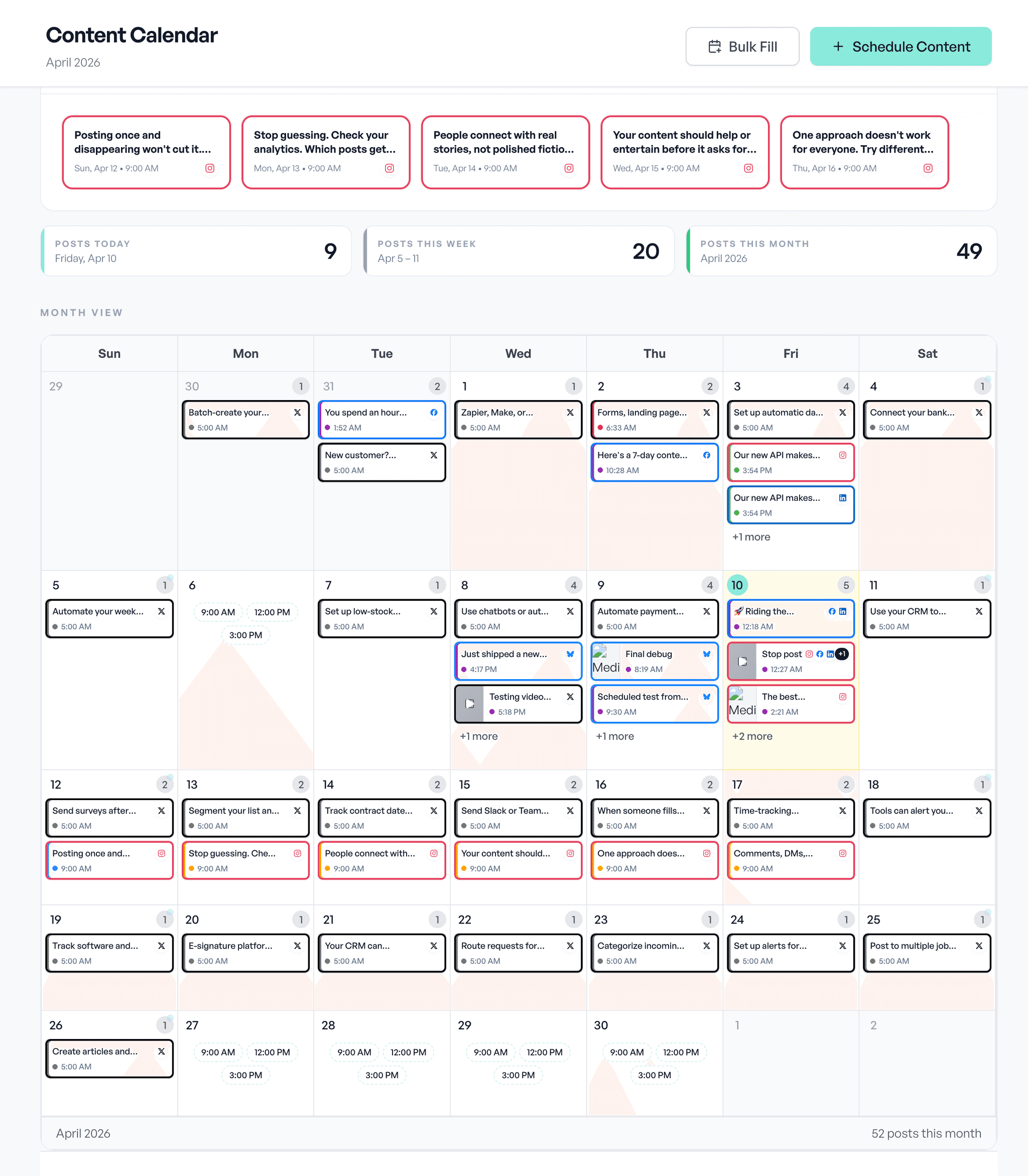
Themed post groups, product launch, holiday push, content series. Add a caption template, filter the calendar by campaign, and watch per-campaign counters tick as related work moves through the calendar.
What you get
Campaign grouping
Group related posts under one Campaign for content review, calendar filtering, and reporting.
Caption templates
Use an optional campaign caption template as a starting point while choosing publishing settings explicitly.
Calendar campaign dots
Every event card with a campaign assignment renders a mint dot for quick scanning.
Calendar + drafts filter
Filter both the calendar and the drafts list by campaign in one click.
Per-campaign counters
Scheduled / published counts update live via DB trigger, no analytics query needed.
Chip rail UI
Campaigns appear as a chip rail on /content, drag drafts onto chips to assign.
API + agent aware
/api/scheduled-posts accepts campaignId so agents can attach posts to the right reporting group.
Workspace-scoped (RLS)
Each campaign lives in one workspace, members of that workspace are the only ones who see it.
How it works
Open /content
The Content page has a campaign chip rail. Click "+ Campaign" to create one.
Add the details
Add a name, description, color, and optional caption template for related posts.
Add posts to the campaign
Drag drafts onto the chip, or pick the campaign in the composer when drafting new posts.
Publish or schedule normally
Choose channels, queues, and schedules explicitly while the campaign handles grouping and reporting.
Campaigns FAQ
What is a Campaign?
A grouping and reporting dimension for related content. Pick a theme like "Q3 product launch", add posts to it, use an optional caption template for consistency, then filter and measure the group across content and calendar views.
Can I filter the calendar by Campaign?
Yes. The calendar accepts a campaignId filter and event cards render a mint dot next to posts that belong to a campaign. The content page has a campaign chip rail that filters drafts and the calendar in one click.
Do Campaigns track their own metrics?
Yes. A metrics trigger bumps per-campaign scheduled and published counters on every status change, so each campaign has running totals visible on the campaign detail without any analytics query.
Why "Campaigns" instead of "Collections"?
Aidelly already has MediaCollection for grouping uploaded assets. We chose Campaigns to keep that surface untouched and to match how marketers actually talk about themed content groups.
Can a post belong to multiple Campaigns?
No, one campaign per post by design. If you need cross-campaign organization, use tags on the draft instead. Campaigns represent the primary reporting group for a post.
One theme. One reporting view. Many posts.
Keep related content easy to find, schedule, and measure.
See it in Aidelly
Group posts into a campaign and track it across the calendar.