The Ultimate Social Media Toolkit for One-Person Businesses: Your 2026 Survival Guide
Running a one-person business means you're already stretched thin. Add social media management to your plate, and you're looking at burnout. But here's the truth: you don't need a marketing team or a massive budget to build a powerful social media presence. This comprehensive toolkit reveals the exact automation tools, content creation platforms, and AI-powered solutions that solopreneurs are using in 2026 to manage multiple channels without losing their minds. Discover how to strategically focus your efforts, batch your content, and repurpose like a pro—all while keeping costs low and results high.

Wilzer Jean-Baptiste
19 min read
Let's be honest: social media feels like a full-time job when you're running a one-person show. Between client work, product development, customer service, and everything else demanding your attention, finding time to post consistently feels impossible. You've probably scrolled through social media advice that suggests posting three times daily on five different platforms while engaging with your entire community—and thought, "Yeah, right, when exactly am I supposed to sleep?"
The good news? You don't have to choose between building your business and maintaining a social presence. The real secret isn't working harder or finding more hours in the day. It's working smarter by using the right tools and strategies specifically designed for solopreneurs like you. In 2026, there's an incredible ecosystem of affordable, intuitive platforms that can handle the heavy lifting while you focus on what you do best: running your actual business.
This isn't generic social media advice. This is a practical survival guide built around your reality—limited time, limited budget, and unlimited ambition. We're covering the exact toolkit that successful one-person businesses are using right now to maintain consistent, professional social media presence without hiring a team or spending a fortune. Let's dive in.
Section 1: Automation and Strategic Planning—Your Foundation
The foundation of any successful one-person social media operation is automation combined with strategic focus. This isn't about being lazy; it's about being efficient. When you automate the repetitive tasks, you free up mental energy and actual hours to focus on the creative and strategic work that actually moves the needle for your business.
The key is understanding that not all platforms deserve equal attention. Many solopreneurs make the critical mistake of trying to maintain an active presence everywhere—Instagram, TikTok, LinkedIn, Twitter, Pinterest, YouTube Shorts—and end up burning out after three weeks. Instead, successful solo business owners choose 2-3 platforms where their specific audience actually hangs out, dominate those channels, and let everything else be secondary.
When you combine strategic platform selection with powerful scheduling and automation tools, something magical happens: you can plan your content in batches, schedule it weeks in advance, and show up consistently without logging in daily. This is the foundation that makes everything else possible.
1.1 Time-Saving Automation Tools and Scheduling Platforms
Scheduling platforms are the backbone of solo business social media management. Tools like Buffer, Later, and Hootsuite solve the core problem: they let you manage multiple channels from a single dashboard, which eliminates the mental burden of remembering which platform needs attention when.
Buffer is particularly popular with solopreneurs because it offers a generous free tier that lets you manage up to three social accounts with up to 10 scheduled posts. The interface is intuitive—no steep learning curve—and it integrates seamlessly with platforms like Instagram, Facebook, Twitter, LinkedIn, and Pinterest. What makes Buffer special for one-person businesses is its analytics dashboard, which shows you which posts perform best without requiring a data science degree.
Later takes a different approach, focusing heavily on visual content and Instagram optimization. If your business relies on stunning visuals—photography, design, e-commerce products—Later's visual calendar feature is game-changing. You can drag and drop images to plan your grid aesthetically, then schedule them to post at optimal times. Later also offers strong TikTok and Pinterest scheduling capabilities.
Hootsuite is the enterprise-grade option, but they've built a solid free plan and affordable paid tiers specifically for small businesses. If you need to manage more accounts or want advanced features like team collaboration (even if it's just you and a freelancer), Hootsuite scales with you. The platform's strength is its unified inbox—you can respond to comments and messages across all platforms from one place, which saves tremendous time on community management.
The real power of these tools emerges when you combine scheduling with analytics. Instead of guessing about what works, you can see exact engagement rates, click-throughs, and follower growth attributed to specific posts. This data becomes your decision-making foundation for future content.
1.2 Strategic Platform Selection—Focus Over Fragmentation
Here's where most solopreneurs go wrong: they spread themselves across every platform, posting mediocre content everywhere instead of creating excellent content on the platforms where their audience actually exists. This is exhausting and ineffective.
Strategic platform selection means doing one simple thing: research where your specific audience spends time. If you're a B2B consultant, LinkedIn should be your primary focus—that's where decision-makers and business professionals congregate. If you're a coach or creator targeting younger audiences, TikTok and Instagram are non-negotiable. If you sell products, Pinterest and Instagram Shop features might be your goldmines. E-commerce sellers often find success on TikTok Shop and Instagram, while thought leaders build authority on LinkedIn and YouTube.
The 80/20 rule applies here: 80% of your results will likely come from 2-3 platforms. Your job is identifying which platforms those are for your specific business, then dominating those channels rather than spreading yourself thin. This means creating platform-specific content that takes advantage of each platform's unique features and audience expectations, rather than posting identical content everywhere.
Once you've identified your primary platforms, the secondary platforms become your "repurposing zones." You create excellent content for your main platform, then adapt and share it elsewhere. This dramatically reduces your workload while maintaining presence across multiple channels.
1.3 Batch Content Creation and Content Calendars
Batch content creation is the secret weapon of productive solopreneurs. Instead of creating content daily (which is exhausting and inconsistent), you set aside dedicated time—say, one morning per week—and create content for the next 3-4 weeks all at once. This might sound counterintuitive, but it actually reduces stress and improves quality.
When you're in "creation mode," your brain is optimized for creative thinking. You're in flow state. You can knock out 12-16 pieces of content in a few hours because you're not context-switching between content creation, scheduling, analytics review, and client work. This batching approach also means you're less likely to miss posting days because you have a buffer of pre-created content ready to schedule.
A solid content calendar is essential here. You don't need anything fancy—a simple Google Sheets document or a free tool like Notion works perfectly. Your calendar should include: posting dates and times for each platform, content themes or topics, content type (carousel, video, educational post, promotional), and any relevant hashtags or links. Color-coding by content type or platform helps you visualize whether you have good variety and balance.
The calendar becomes your roadmap, reducing decision fatigue. Instead of wondering "what should I post today?" you simply execute the plan. This consistency is what builds audience trust and algorithmic favor across all social platforms.
Section 2: Content Creation and AI Optimization—Creating Like a Pro
The second pillar of an effective solo business social media toolkit is content creation. Here's the beautiful part: you don't need design skills, copywriting experience, or video editing expertise anymore. The tools available to solopreneurs in 2026 have democratized content creation in a way that was unimaginable five years ago.
Modern content creation tools handle the technical heavy lifting. They manage layout, design principles, and formatting so you can focus on the message. Combined with AI-powered copywriting and optimization tools, you can create professional-quality content that resonates with your audience—even if you've never taken a design class or written marketing copy.
This section of your toolkit is about efficiency with excellence. You're not settling for mediocre content; you're using technology to create content that looks and reads like it came from a team of professionals, when really it's just you and some smart tools.
2.1 Content Creation Tools Optimized for Solo Entrepreneurs
Canva has become the default design tool for solopreneurs, and for good reason. If you've never used it, here's what makes it revolutionary: it takes professional design and makes it accessible to people with zero design experience. Canva offers thousands of templates for every type of social media content—Instagram posts, LinkedIn articles, Pinterest pins, TikTok thumbnails, carousel posts, stories, and more.
The workflow is beautifully simple: choose a template, customize the colors and fonts to match your brand, swap in your own images or text, and you're done. Most posts take 5-10 minutes from start to finish. Canva's free tier is surprisingly robust—you get access to most templates and millions of stock images. The paid Canva Pro version (around $15/month) adds features like brand kit management (so your colors and fonts are automatically applied), background remover, and unlimited downloads.
Adobe Express is Canva's primary competitor and offers a similar experience with some advantages if you're already in the Adobe ecosystem. If you're a photographer or use Photoshop, integrating Express into your workflow is seamless. Adobe Express also excels at video editing and animation, which Canva handles less elegantly.
CapCut deserves special attention because video content is dominating social media in 2026. The good news? CapCut is completely free and shockingly powerful. It's designed for creating short-form video content—exactly what TikTok, Instagram Reels, and YouTube Shorts demand. The interface is intuitive, with drag-and-drop editing, built-in effects, transitions, and music. You can take raw footage and create polished, engaging videos in 20-30 minutes.
These tools solve the biggest barrier most solopreneurs face: "I don't have design or video skills." With Canva, Adobe Express, and CapCut, you absolutely don't need them. The tools handle the technical execution; you handle the creative direction and message.
2.2 AI-Powered Tools for Copywriting and Optimization
AI-powered copywriting tools have evolved dramatically and are now genuinely useful for solopreneurs. ChatGPT is the most accessible option—it's free (or $20/month for ChatGPT Plus), and most solopreneurs find it invaluable for brainstorming, outlining, and drafting copy.
Here's how smart solopreneurs use ChatGPT for social media: you describe what you want to communicate, your target audience, and the platform, then ask ChatGPT to generate options. You might prompt: "Write three different Instagram captions for a post about my new coaching program. Make them engaging, include a call-to-action, and target busy professionals aged 35-50." Within seconds, you have three solid options to choose from, adapt, or use as inspiration. This is exponentially faster than staring at a blank screen.
Jasper and Later AI are specialized tools built specifically for social media. Jasper offers templates for different content types—social media posts, blog intros, product descriptions—and generates options tailored to your brand voice. Later AI includes a caption generator that analyzes your best-performing posts and generates new captions in a similar style. These specialized tools have learned from millions of social media posts, so they understand what resonates on each platform.
For hashtag research and optimization, tools like Later AI and even ChatGPT can generate relevant hashtag combinations. The key is being specific: tell the AI your niche, target audience, and the goal of the post. Good hashtags dramatically improve discoverability, especially on Instagram and TikTok, but researching them manually is tedious. AI handles this research in seconds.
The important caveat: AI-generated copy is a starting point, not the final product. You should always review, edit, and personalize AI-generated content. Your unique voice and perspective are what make your content memorable. AI is the accelerant, not the replacement.
2.3 Analytics and Performance Tracking Without Hiring an Analyst
Most solopreneurs are intimidated by analytics. They think understanding social media metrics requires a data science background. It doesn't. You need to track three categories of metrics: engagement, reach, and conversion.
Engagement metrics tell you whether your audience is interacting with your content: likes, comments, shares, and saves. High engagement indicates your content resonates. If a post gets 200 likes but zero comments, that's different from a post with 50 likes and 20 comments—the second one created more meaningful interaction.
Reach metrics show how many people saw your content: impressions (total views) and reach (unique accounts). If your reach is declining, your content isn't resonating or the algorithm isn't favoring it. If reach is stable but engagement is dropping, your audience sees your content but doesn't find it interesting enough to interact.
Conversion metrics track actions that matter to your business: clicks to your website, email signups, product purchases, or consultations booked. This is where you measure actual ROI. A post might get incredible engagement but zero conversions—that's useful information that suggests you need different content or a clearer call-to-action.
Most platforms have built-in analytics dashboards: Instagram Insights, LinkedIn Analytics, TikTok Analytics. These are free and sufficient for most solopreneurs. You can also use tools like Buffer or Later, which aggregate analytics across platforms into one dashboard. The goal isn't obsessing over metrics daily; it's reviewing them weekly to identify patterns. What types of content perform best? What times get the most engagement? What content drives actual business results?
Create a simple tracking sheet: every week, note your top post from each platform, its engagement rate, and any other relevant metrics. After 4-6 weeks, you'll see clear patterns. Double down on what works, experiment less with what doesn't, and continuously optimize.
Section 3: Smart Systems and Outsourcing—Working Efficiently
The final pillar of your toolkit is about systems and smart delegation. Even with the best tools, you need efficient workflows and realistic decisions about what you should handle personally versus what to delegate. This isn't admitting defeat; it's strategic business thinking.
Building sustainable systems means you can maintain consistent social media presence without it consuming your life. You're creating processes that work whether you're having an amazing week or a chaotic one. You're also identifying which tasks are worth outsourcing—not because you can't do them, but because someone else can do them for less than your hourly rate, freeing you to focus on high-value activities only you can do.
The goal of this section is helping you build a social media operation that feels manageable, sustainable, and actually contributes to your business goals—rather than feeling like a burden you're forcing yourself to maintain.
3.1 Repurposing Content and Maximizing ROI
Content repurposing is how solopreneurs create the appearance of consistent posting without doubling their workload. The principle is simple: create excellent content once, then adapt and share it across multiple platforms and formats.
Here's a practical example: you write a detailed blog post about "5 mistakes coaches make when pricing their services." That's your core content asset. Now, here's how you repurpose it:
- Create a LinkedIn article version (slightly different angle, more professional tone)
- Turn it into 5 individual Instagram carousel posts (one mistake per post)
- Extract key points into a Twitter/X thread
- Create a Pinterest pin with the title and your logo
- Record a 3-5 minute video discussing the mistakes (use this for TikTok, Instagram Reels, YouTube Shorts)
- Pull out a compelling quote for a standalone Instagram post
You've now created 8-10 pieces of social media content from one original piece of content. This doesn't mean posting all of them simultaneously; you space them out over 2-3 weeks. Your audience on Instagram doesn't see your LinkedIn posts, and your Twitter followers might miss your Instagram content. Strategic repurposing keeps your content fresh in different communities while massively reducing your workload.
The key is understanding platform-specific formats. What works as a LinkedIn article doesn't work as an Instagram post. You're not just copying and pasting; you're adapting. A blog post becomes a carousel on Instagram (breaking it into visual chunks), a thread on Twitter (condensing key points), a video on TikTok (speaking the points conversationally). This adaptation is what makes repurposing effective.
Content repurposing also extends your content's lifespan. Instead of a blog post living for a few weeks before disappearing into your archives, it generates value across multiple platforms for months. This is how you maximize ROI on your content creation investment.
3.2 Community Management and Engagement Without a Team
Community management—responding to comments, answering messages, engaging with your audience—is where many solopreneurs drop the ball. They post consistently but never interact, which signals to the algorithm (and to people) that they don't care about their community.
The reality: you can't engage with every comment and message. You don't have time. But you can be strategic about it. Set a daily engagement window—say, 15 minutes in the morning and 15 minutes in the evening. During this time, you're focused solely on community interaction: responding to comments on your recent posts, answering direct messages, and engaging with content from accounts in your niche.
Prioritize strategically: respond to all direct messages within 24 hours (people reach out when they're interested, and slow responses cost you business), respond to comments on your most recent posts (this signals activity to the algorithm), and engage authentically with 5-10 accounts in your niche daily (follow their content, leave thoughtful comments, build genuine relationships).
Use scheduling tools' unified inbox features. Hootsuite and Later both let you respond to comments and messages from one dashboard, which is significantly faster than jumping between apps. You're not context-switching as much; you're in "engagement mode" for your dedicated window.
Authenticity matters here. Generic responses like "Thanks!" or "Great post!" don't build community. Thoughtful, specific responses do. When someone comments on your post, reference something specific from their comment in your response. When you engage with others' content, add meaningful commentary, not just emojis. This takes slightly more time, but it's time invested in building actual relationships that benefit your business long-term.
Also, use the "story" features (Instagram Stories, LinkedIn Stories) for real-time engagement. Stories create intimacy and frequency without requiring polished content. You can share behind-the-scenes moments, quick tips, or ask questions to encourage interaction. Stories are lower-pressure than feed posts, which makes them perfect for maintaining presence without perfectionism.
3.3 Low-Cost and Free Alternatives Plus Strategic Outsourcing
Not every tool requires a paid subscription. Smart solopreneurs combine free tools with strategic paid subscriptions, creating a powerful toolkit without breaking the budget.
Free and low-cost alternatives: Canva has a robust free tier. Later's free plan covers basic scheduling. Buffer's free tier handles three accounts. Google Sheets (free) works perfectly for content calendars. ChatGPT's free version is surprisingly capable. Linktree (free tier) is useful for directing traffic to multiple destinations from your social profiles. Most social platforms offer native analytics dashboards for free. TubeBuddy and VidIQ have free versions for YouTube optimization. You can absolutely build a functional social media operation spending $0-50/month if you're strategic.
The paid tools worth investing in depend on your specific business. If you're serious about Instagram, Later Pro ($25/month) or Buffer Pro ($15/month) are worthwhile. If LinkedIn is your primary platform, native LinkedIn analytics might be sufficient, or you could use a specialized tool like Hootsuite ($49/month for small business). If you create a lot of video content, Adobe Express or CapCut Pro might justify their cost.
When to outsource: As your business grows, certain tasks become worth delegating. Video editing is a prime candidate—you can hire a freelancer on Fiverr or Upwork for $100-300/month to edit your raw footage into polished videos. This frees you to focus on content creation and strategy. Graphic design is another option—if you're spending 5+ hours weekly on design, hiring a freelancer might cost $300-500/month but saves you 20+ hours monthly, which you could bill out at a higher rate.
Community management and engagement can be partially delegated, though this requires clear guidelines. You might hire someone to respond to frequently asked questions or moderate comments, while you handle direct messages and relationship-building. Copywriting is harder to delegate (your voice matters), but you could have someone draft captions for you to edit and refine, cutting your time investment by 40-50%.
The outsourcing decision comes down to this: is your time better spent on this task, or on activities that generate more revenue? If you're charging $100/hour for your core work and paying a freelancer $25/hour to do video editing, that math is simple. If you're just starting and every dollar matters, you do it yourself until you can justify the expense.
Build your outsourcing gradually. Start with tools and automation, then add human help as your business grows and can support the expense. Don't try to hire a social media manager when you're just starting—you don't have the budget or the clarity on what you need yet. But as you scale, strategic delegation becomes an investment in growth.
Building a sustainable social media presence as a one-person business isn't about working harder or sacrificing your sanity. It's about working smarter using the right combination of tools, systems, and strategic focus. You've learned how to leverage scheduling platforms to maintain consistency, use design and video tools to create professional content without expertise, track meaningful metrics to guide your decisions, and make smart choices about what to do yourself versus delegate.
The toolkit you've just explored—from Buffer and Canva to ChatGPT and strategic repurposing—represents the modern reality of solo business social media. These tools exist specifically because solopreneurs like you demanded solutions that fit real constraints: limited time, limited budget, and unlimited ambition. The most successful one-person business owners in 2026 aren't the ones grinding away on social media daily; they're the ones who've implemented these systems, maintained consistency through automation and batching, and built engaged communities through authentic engagement.
Your next step isn't implementing everything at once—that would defeat the purpose of efficiency. Start with one scheduling tool, one content creation platform, and a simple content calendar. Master those, then add layers. Within weeks, you'll notice the difference: more consistent posting, less daily stress, and social media that actually feels manageable alongside everything else you're juggling. The beauty of this toolkit is that it scales with you. Whether you're just starting or ready to bring on your first contractor, these systems and tools grow with your business.
Running a one-person business means you've already mastered the art of doing more with less—and your social media strategy should work just as hard for you. That's why tools like Aidelly exist: to handle the heavy lifting of creating and scheduling engaging content while keeping your brand voice consistent across all your channels, so you can focus on what actually grows your business instead of drowning in admin tasks. If you're ready to reclaim the hours you're spending on social media and finally build a sustainable content system that doesn't require you to be online 24/7, get started at aidelly.ai.Compare Social Scheduling Tools
Evaluating software for your content workflow? Use our buyer guides and comparisons to compare scheduling, approvals, analytics, and AI workflow fit.
Share this article
Related Articles
Free vs Paid Social Media Scheduling Tools in 2026: Do You Really Get What You Pay For?
The social media scheduling tool landscape in 2026 is more crowded than ever. But here's the real question: do you actually need to pay for premium software, or can free tools handle your content strategy? We break down the true cost-benefit analysis of free versus paid solutions, revealing when budget-friendly options genuinely suffice and when paid tools deliver measurable ROI that justifies the investment. This isn't just about features—it's about understanding what your specific business actually needs.
Jan 22, 2026
Read more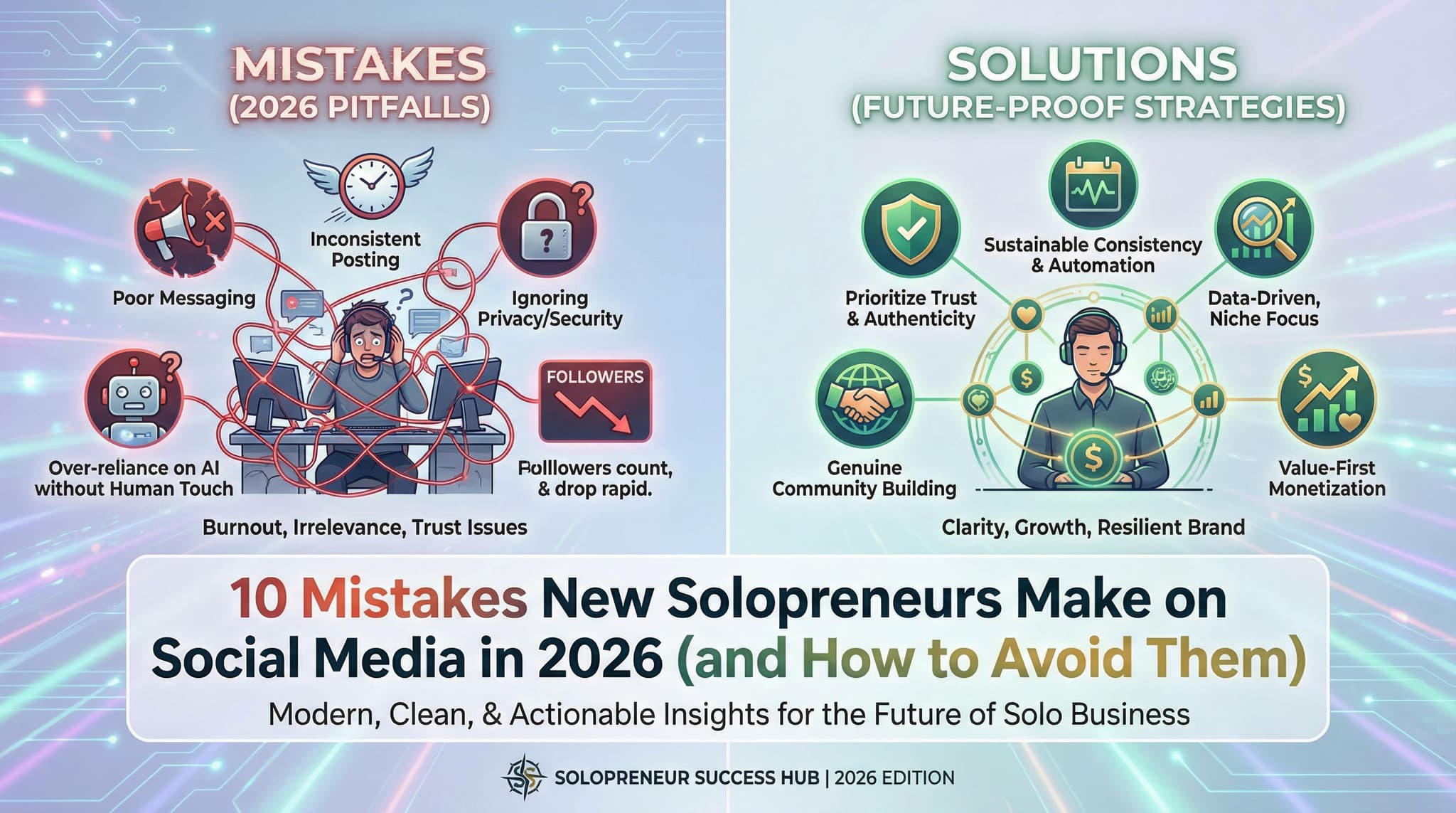
10 Mistakes New Solopreneurs Make on Social Media in 2026 (and How to Avoid Them)
You're juggling everything—client work, admin tasks, and now you're supposed to be active on social media too. As a solopreneur, you're probably making at least one of these ten social media mistakes that's quietly killing your growth. The good news? These aren't fatal errors. They're fixable, and most of them stem from the same root cause: trying to do too much with too little. This guide walks you through each mistake, explains why solopreneurs fall into these traps, and gives you practical, budget-friendly solutions that actually fit into your chaotic schedule.
Jan 21, 2026
Read moreReady to never miss a post again?
Tell Aidelly what to post. It drafts, schedules, and publishes across 9 platforms while you focus on your business.