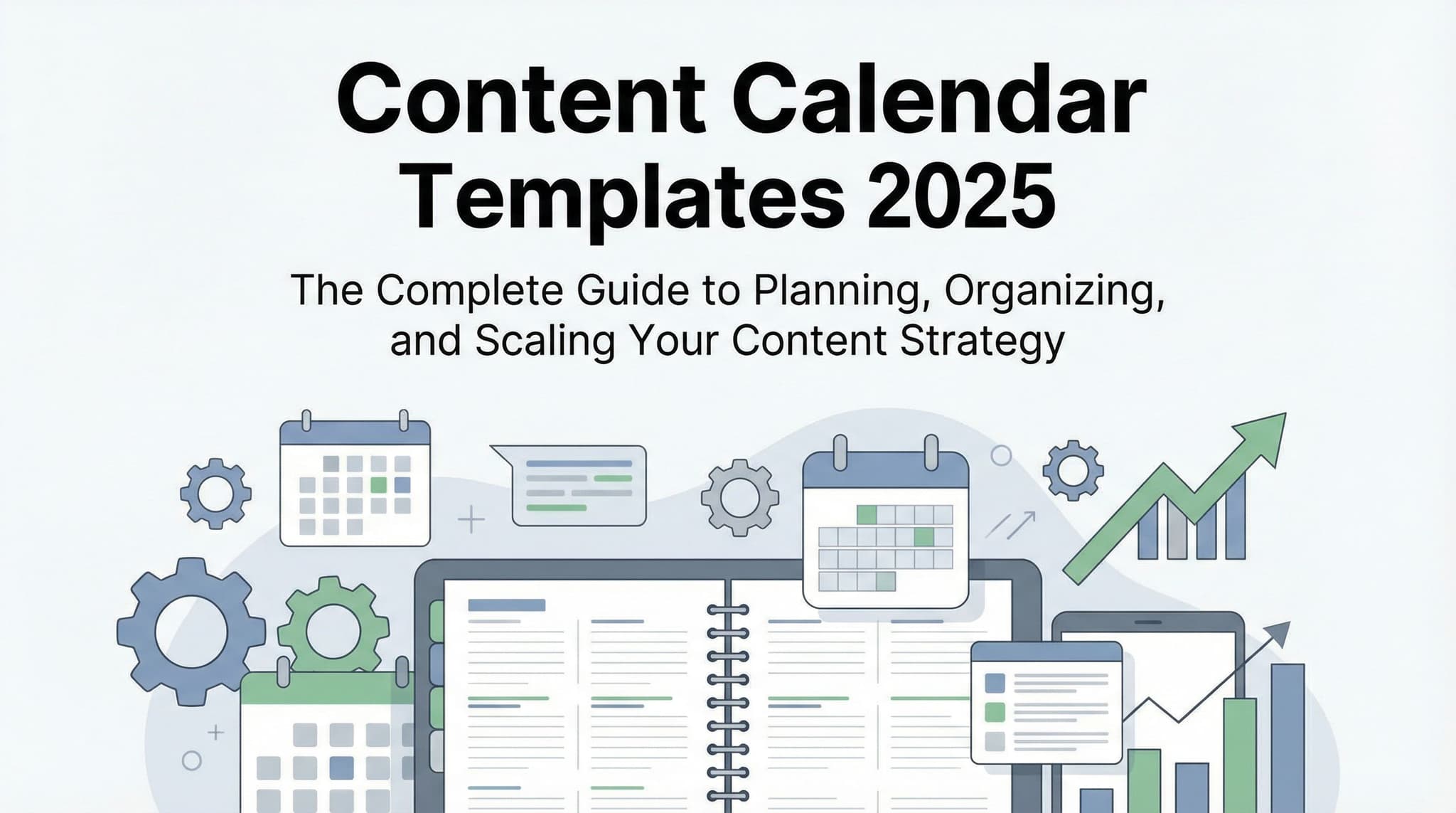
Content Calendar Templates 2025: The Complete Guide to Planning, Organizing, and Scaling Your Content Strategy
Stop scrambling to create content last-minute. A well-structured content calendar template is the difference between chaotic content production and a strategic, consistent brand presence. This comprehensive guide reveals exactly why content calendars matter, how to set one up for your specific industry, and provides real-world examples from SaaS companies, e-commerce businesses, nonprofits, and agencies. Whether you're managing a solo operation or coordinating across teams, learn the proven system that reduces stress, improves consistency, and drives measurable results. Includes downloadable templates, step-by-step setup instructions, and a cost comparison of free vs. paid tools.

Wilzer Jean-Baptiste
21 min read
It's Tuesday afternoon, and your social media manager just realized nothing is scheduled for Thursday. Your blog post deadline is tomorrow, but you still haven't decided on the topic. Meanwhile, your email campaign is sitting in draft mode because no one's sure if it conflicts with the upcoming product launch. Sound familiar?
This is what happens when content strategy exists only in everyone's head—or worse, scattered across random emails, Slack messages, and sticky notes. The chaos isn't just stressful; it's costing you consistency, audience trust, and measurable business results. But here's the good news: a simple content calendar template can transform your entire content operation from reactive firefighting to proactive strategic planning.
In this guide, we're going beyond the generic advice you'll find elsewhere. We'll show you exactly why content calendars work, how to implement one that actually fits your workflow, and provide customized templates for different industries. Whether you're a solo entrepreneur, a marketing team at a growing SaaS company, or managing content across multiple channels, you'll find actionable strategies you can implement today.
Why Content Calendars Are Your Secret Weapon: The Foundation of Consistent, Strategic Content
Before we dive into templates and tools, let's talk about the real problem most content creators face: the constant pressure to produce something, anything, right now. When you're operating without a plan, every day feels like a crisis. Content gets created reactively instead of strategically. Quality suffers. Your brand voice becomes inconsistent. And worst of all, you're constantly stressed.
A content calendar changes everything. It's not just a nice-to-have organizational tool—it's the backbone of a content strategy that actually delivers results. Think of it as the difference between taking a road trip with a map versus driving around hoping you end up somewhere good. One approach gets you where you want to go efficiently; the other wastes time, energy, and resources.
The statistics back this up. Marketers who use documented content strategies are significantly more likely to report success with their marketing efforts. They're also more likely to have aligned teams, fewer missed deadlines, and better ability to adapt to changing market conditions. The difference? They planned ahead instead of living in constant crisis mode.
1. Content Calendars Eliminate the Chaos: Planning 4-12 Weeks in Advance
Here's the thing about planning content 4-12 weeks in advance: it seems like a lot of time until you actually realize how quickly it fills up. When you're looking at your calendar with a quarter's worth of visibility, something magical happens. You stop panicking about tomorrow and start thinking strategically about trends, seasonal opportunities, and audience needs.
The 4-12 week window is intentional. Four weeks gives you enough runway to plan without being so far out that things become vague and theoretical. Twelve weeks provides the breathing room you need for long-form content, product launches, and coordinated campaigns across multiple channels. Most successful teams we've worked with land somewhere in the 8-week sweet spot—far enough ahead to be strategic, close enough to remain relevant.
When you plan this far ahead, something remarkable happens to your stress levels. That midnight panic about tomorrow's social post? Gone. The scrambling to figure out what to write about? Eliminated. Instead, you have a clear roadmap. You know what's going out when, who's responsible for it, and how it connects to your broader business goals. Your team isn't reactive; they're proactive. They're creating from a place of intention rather than desperation.
Real example: A SaaS company we worked with was publishing blog posts sporadically, usually the day before they were supposed to go live. After implementing an 8-week content calendar, they discovered they could batch-create content. They'd spend one day per month writing four to five blog posts, then schedule them throughout the next two months. Not only did quality improve dramatically, but the founder also got back fifteen to twenty hours per month of productive time. That's the power of planning ahead.
2. Templates Provide the Structure That Keeps Everything Organized
A content calendar template is essentially a system for capturing all the information you need to execute content successfully. Without it, you're relying on memory, which is notoriously unreliable when you're juggling multiple projects, platforms, and people.
The best templates track several key elements simultaneously. Publishing dates obviously matter—you need to know when something goes live. But equally important is knowing which platform it's on (Instagram vs. LinkedIn require completely different approaches), what type of content it is (blog post, video, infographic, email), and who's responsible for creating it. Performance metrics also belong in your calendar so you can track what's working and what isn't.
Think of your template as a central command center for all content operations. When a team member asks, "What are we posting about next week?" they can pull up the calendar and have the answer immediately. When you need to check if you're overloading one platform or under-utilizing another, it's visible at a glance. When you're analyzing performance, the data's already there waiting for you.
A well-designed template eliminates the most common organizational problems we see: duplicate efforts (two people creating similar content), forgotten deadlines (something falls through the cracks), inconsistent formatting (each person does it their own way), and lost information (who approved this again?).
3. Alignment with Business Goals Transforms Content from Activity to Strategy
Here's where most content calendars fail: they focus on output instead of outcomes. A team can be incredibly consistent about publishing content and still miss the mark completely if that content isn't connected to actual business objectives.
A powerful content calendar template includes sections that explicitly connect each piece of content to your broader business goals. Are you trying to increase brand awareness? Build thought leadership? Drive product sales? Generate leads for your sales team? Every content item should ladder up to at least one of these objectives. This isn't busywork; it's the difference between content that matters and content that just fills space.
The same applies to seasonal trends and audience engagement patterns. Your calendar should reflect when your audience is most active, what topics resonate with them, and when seasonal opportunities arise. An e-commerce business selling winter coats needs a completely different calendar than one selling beach gear. A nonprofit focused on mental health awareness needs to anticipate Mental Health Awareness Month. A B2B agency needs to plan around industry conferences and budget cycles.
When you build these considerations into your template from the beginning, you're not trying to shoehorn strategy into a calendar—strategy is the foundation. Your team understands why they're creating what they're creating, which leads to better content, better execution, and better results.
Building Your Content Calendar: Practical Implementation for Every Team Structure
Now that we've covered why content calendars matter, let's get into the actual mechanics of building one. This is where theory meets reality, and where most teams struggle if they don't have a clear framework to follow.
The good news is that building an effective content calendar doesn't require expensive software or complicated systems. We've seen teams succeed with everything from Google Sheets to sophisticated project management platforms. What matters isn't the tool—it's the structure and discipline of the system itself.
Let's walk through what an effective calendar actually looks like, how to organize it for maximum clarity, and how to avoid the common pitfalls that derail most teams within the first month.
4. Templates Facilitate Team Collaboration and Centralized Visibility
One of the biggest productivity killers we see in marketing teams is information fragmentation. The social media manager is working from one system, the blog writer is using another, the email marketing person has their own setup, and nobody really knows what everyone else is doing until there's a conflict or something falls through the cracks.
A centralized content calendar template solves this immediately. Suddenly, everyone has the same source of truth. The designer knows what content is coming so they can prepare assets. The email team can see what blog posts are launching so they can include them in newsletters. The social media team can see upcoming product launches so they can plan promotional content accordingly. The CEO can pull up the calendar anytime to understand what's being communicated to the market.
This centralization reduces meetings, eliminates redundant work, and surfaces conflicts before they become problems. Instead of discovering that two people are both writing about the same topic, you catch it in the planning phase. Instead of missing a deadline because the responsible person thought someone else was handling it, ownership is crystal clear.
Real example: An e-commerce company we worked with had their content scattered across five different platforms and spreadsheets. Implementing a single content calendar template reduced their planning meetings by 40% and eliminated duplicate content entirely. More importantly, they discovered they were actually creating significantly less content than they thought because so much was invisible or forgotten. With centralized visibility, they realized where they needed to increase output and where they could consolidate efforts.
The collaboration benefits extend beyond just visibility. When a team member sees the full calendar, they understand context. They see how their blog post connects to a product launch, which connects to a social media campaign. This contextual understanding leads to better quality work and more cohesive messaging across channels.
5. Effective Calendars Include Essential Components: Themes, Keywords, CTAs, Assets, and Distribution
A basic calendar with just dates and titles will get you started, but it won't get you to where you want to be. The most effective templates include several critical components that ensure your content is not just consistent, but also strategic and optimized.
Content Themes and Topics: This is where you capture the main idea. What's the content about? A SaaS company might have themes like "product updates," "customer success stories," "industry trends," and "thought leadership." Organizing by theme helps you maintain variety and ensures you're covering all the important areas of your business and audience interests.
SEO Keywords: Every piece of content should target at least one primary keyword and ideally 2-3 related keywords. When this information lives in your calendar, your writers know exactly what to optimize for. You're not leaving SEO performance to chance; you're building it into the creation process from the start. This is especially critical for blog content, but increasingly important for social media captions and video descriptions too.
Call-to-Actions (CTAs): What do you want people to do after consuming this content? Download a guide? Sign up for a webinar? Schedule a demo? Visit a product page? Each piece of content should have a clear CTA, and this should be planned as part of your calendar. This ensures your content is always driving toward business objectives rather than existing in a vacuum.
Visual Assets: Content with images, videos, or graphics performs dramatically better than text-only content. Your calendar should specify what visual assets are needed, who's creating them, and what format they should be in. For social media content, this might be specific dimensions. For blog posts, it might be custom graphics or featured images. By planning this upfront, you're not scrambling to find imagery at the last minute.
Cross-Platform Distribution Schedule: A single piece of content can often be repurposed across multiple channels. A blog post can become a video, an infographic, multiple social media posts, and an email. Your calendar should show this distribution strategy. Maybe the blog post goes out on Tuesday, the social media promotion runs Wednesday through Friday, and the email goes out the following Monday. When this is planned together, you maximize the value of each piece of content.
A practical example: An agency we worked with was creating blog posts but not tracking keywords. They'd write about topics they thought were important, but they weren't systematically addressing search intent or optimizing for rankings. After adding keyword columns to their content calendar, they discovered they were creating content in clusters (five posts about the same topic in one month, nothing about another important topic for three months). By planning keywords strategically across the calendar, they balanced their content better and saw organic traffic increase by 45% within six months.
6. Analytics Integration: Measuring Performance and Optimizing Based on Data
Here's where many content calendars fall short: they're built for creation but not for learning. The best calendars evolve based on performance data. You're not just planning content; you're building a feedback loop that makes your future content better.
Effective calendars include sections where you can track performance metrics. Which metrics matter depends on your goals and content type, but generally include views, engagement (likes, comments, shares), click-through rates, conversion rates, and time on page for blog content. When this data lives in your calendar alongside the content itself, you can see patterns.
Maybe you notice that how-to content consistently outperforms thought leadership pieces. Or that Tuesday posts get 30% more engagement than Wednesday posts. Or that blog posts with video perform better than text-only posts. These insights should directly influence your future planning. Your calendar becomes a living document that improves over time.
The integration doesn't need to be complicated. Many teams simply add a "performance notes" column where they paste key metrics after content has been live for a defined period (usually 30 days for blog content, a few days for social). Others use more sophisticated tools that automatically pull analytics data. The key is that the data is captured and reviewed as part of your regular planning process.
Real scenario: A nonprofit focused on fundraising was creating content consistently but not measuring effectiveness. After adding performance tracking to their calendar, they discovered that personal stories from beneficiaries generated four times more donations than statistics-heavy content. They'd been spending significant effort creating data-driven reports when their audience responded much more to emotional narratives. This insight completely shifted their content strategy and increased fundraising by 25% in the next quarter.
Customizing Your Template: Industry-Specific Strategies and Scaling as You Grow
Here's the truth that most generic content calendar templates miss: one size does not fit all. A B2B SaaS company's content calendar looks radically different from an e-commerce store's, which looks different from a nonprofit's or a digital agency's. The platforms differ, the content types differ, the audience behaviors differ, and the business goals differ.
This is why cookie-cutter templates often fail. Teams download a generic template, try to force their content into it, and it doesn't work because it wasn't designed for their specific reality. What works instead is understanding the principles of effective content planning and then customizing the template to your specific needs.
Let's look at how different industries approach content calendars, then discuss how to scale your system as your team and content output grows.
7. Different Industries and Platforms Require Customized Templates
Let's walk through how different types of organizations structure their content calendars, because understanding these differences will help you build a template that actually works for your business.
SaaS Companies: B2B SaaS content calendars typically focus on education, thought leadership, and product education. They track blog posts (often tied to specific product features or use cases), webinars, case studies, whitepapers, and email campaigns. A critical calendar element is how content aligns with the customer journey—awareness stage content looks very different from consideration or decision stage content. Many SaaS teams also track content that's part of specific campaigns (product launch, conference sponsorship, seasonal promotions). Example columns might include: publishing date, content title, content type, target persona, stage of buyer journey, primary keyword, CTA, responsible team member, and performance metrics.
E-Commerce Businesses: E-commerce content calendars are heavily influenced by seasonal trends and product availability. They track blog posts (style guides, trend reports, how-tos), product descriptions, email campaigns, social media content, and user-generated content. Seasonal planning is critical—the calendar needs to reflect holiday shopping seasons, seasonal product launches, and inventory considerations. Many e-commerce teams also coordinate content with promotions and sales events. A typical e-commerce template includes: publishing date, platform, content type, product featured (if applicable), promotion or sale connected to (if applicable), seasonal relevance, visual assets needed, responsible team member, and expected performance benchmarks.
Nonprofits: Nonprofit content calendars center on mission communication, donor engagement, volunteer recruitment, and awareness campaigns. They track blog posts, email newsletters, social media content, donation campaigns, event promotion, and volunteer spotlights. Many nonprofits also coordinate content around awareness months and giving seasons (year-end giving, Giving Tuesday, etc.). The calendar often includes sections for emotional impact and storytelling angle, since nonprofits often succeed by connecting supporters emotionally to the mission. Template elements typically include: publishing date, content type, theme or campaign, emotional angle, audience segment (donors, volunteers, beneficiaries, general public), call-to-action, responsible team member, and performance goals.
Digital Agencies: Agency content calendars serve dual purposes—they're managing client content calendars while also creating their own content to demonstrate expertise and generate leads. They track blog posts, case studies, client spotlights, webinars, social media content, and thought leadership pieces. A unique aspect of agency calendars is that they often need to show content across multiple clients (if managing content for clients) while maintaining their own strategic content. Templates typically include: publishing date, platform, content type, client (if applicable), content owner (which team member), topic or theme, keywords, CTA, and performance metrics. Agencies often have more detailed tracking because they're accountable to clients for results.
Platform-Specific Considerations: Beyond industry differences, the specific platforms you use significantly impact your template structure. A company heavily focused on TikTok and Instagram has different template needs than one focused on LinkedIn and email. TikTok content calendars might include trend tracking and audio/music notes. LinkedIn calendars might include article vs. post distinction and industry event references. Email calendars often have subject line testing columns. YouTube channels need script planning and thumbnail specifications. Your template should be customized for the platforms that actually matter to your business.
The key principle: audit what you're actually doing, what platforms matter, what content types you're creating, and what metrics you care about. Then build your template around that reality rather than trying to fit your work into a generic template designed for someone else's business.
Scaling Your System: From Solo Creator to Team of Ten (and Beyond)
Your content calendar template should evolve as your team grows. What works beautifully when you're a solo creator managing your own content becomes chaotic when you're coordinating multiple people, multiple platforms, and significantly more content output.
Solo Creator Phase: When you're starting out, your template can be relatively simple. A spreadsheet with columns for date, platform, content title, topic, keywords, and notes might be all you need. The goal is developing the habit of planning ahead rather than creating a complex system. Many solo creators use a simple Google Sheet or a free tool like Trello. The key is consistency—planning at least 4 weeks ahead, even if it's just a simple list.
Small Team Phase (2-4 People): Once you have a few people, you need clarity about ownership and responsibility. Your template needs columns for "assigned to" and status (not started, in progress, ready for review, scheduled, published). You might also add approval workflows. Communication becomes critical—a shared calendar that everyone updates is essential. Many teams at this stage move to tools like Asana, Monday.com, or more robust spreadsheet systems. You're now coordinating efforts rather than just planning your own.
Growing Team Phase (5-10 People): With a growing team, you need more sophisticated organization. You might separate templates by platform or content type. You likely have different team members responsible for different areas (social media manager, content writer, designer, email marketer). Your calendar needs to show not just what's being created but dependencies—the designer needs assets by Thursday so the social media manager can schedule posts by Friday. Many teams at this stage benefit from dedicated content management tools that offer better collaboration features, approval workflows, and integration with publishing platforms.
Scaling Phase (10+ People or Multiple Teams): At this scale, you likely have team leads managing different areas. You might have separate calendars for different departments or brands, with a master calendar showing how everything connects. You're tracking more sophisticated metrics and optimizing based on performance data. You likely need dedicated software—many enterprise teams use tools like Sprout Social, HubSpot, or custom solutions integrated with their tech stack. The template becomes more of a system that includes multiple interconnected calendars and dashboards.
The important principle: your template should grow with your needs. Don't overcomplicate it too early, but also don't let it become a bottleneck that prevents growth. Regularly assess whether your current system is still serving you or if it needs to evolve.
Free vs. Paid Tools: Cost Comparison and Recommendations
The question we get asked constantly is: "What tool should we use for our content calendar?" The honest answer is that the tool matters far less than the discipline and structure you bring to it. We've seen teams succeed with free spreadsheets and struggle with expensive software. That said, there are real differences in capabilities and efficiency as your needs grow.
Free Options: Google Sheets, Airtable (free tier), and Trello offer surprisingly robust content calendar capabilities. Google Sheets is the most accessible—nearly everyone knows how to use it, it's free, and it's accessible from anywhere. Airtable's free tier offers more sophisticated database features if you want to track relationships between content pieces or create multiple views of the same data. Trello works well if you like a kanban-style board view. These tools are perfect for solo creators, small teams, or anyone just starting with content planning. Cost: $0 (though Airtable and Trello have paid tiers if you want advanced features).
Affordable Mid-Range Options ($10-50/month): Tools like Monday.com, Asana, or Notion offer significantly more features than free options. They handle team collaboration better, offer approval workflows, and integrate with other tools. Many small to medium teams find these options perfect—they're not expensive, but they're sophisticated enough to handle real team complexity. You get better automation, better visibility, and better reporting than you'd get with a spreadsheet.
Professional Tools ($50-500+/month): Dedicated content management and social media platforms like Sprout Social, Buffer, HubSpot, or Hootsuite offer deep integrations with social platforms, built-in publishing capabilities, and sophisticated analytics. These make sense if you're managing significant social media volume or if you need to publish directly from your calendar system. They save time by eliminating manual copying and pasting, but they require budget justification based on team size and volume.
Our recommendation: start with a free tool (Google Sheets is perfect). Build your process and prove the value of planning. Once you're consistently planning 8+ weeks ahead and coordinating multiple people, evaluate whether a paid tool would meaningfully improve efficiency. Don't spend money on tools before you've proven you'll actually use them.
A content calendar template is more than just an organizational tool—it's the foundation of a content strategy that actually works. By planning 4-12 weeks in advance, you eliminate the stress of last-minute creation and start thinking strategically about your audience, your goals, and your market opportunities. By tracking the right information in a centralized location, you ensure consistency across platforms and enable real collaboration across your team. By connecting each piece of content to business objectives and measuring performance over time, you transform content from an activity into a strategic asset that drives measurable business results.
The key insight many teams miss is that the specific tool matters far less than the discipline and structure you bring to it. Whether you're using a free Google Sheet or a sophisticated content management platform, what matters is that you're planning strategically, tracking consistently, and learning from your performance data. The template provides the framework; your commitment to using it provides the results.
As you implement your content calendar in 2025, remember that it's not a static document but a living system that should evolve as your business grows. Start simple if you're just beginning, then layer in complexity as your needs demand. The teams that see the biggest benefits from content calendars aren't the ones with the fanciest tools—they're the ones who commit to the process, review it regularly, and continuously optimize based on what they learn. Your content calendar is the bridge between chaotic content creation and strategic, consistent brand building. Start building that bridge today, and watch how it transforms your entire content operation.
Building a solid content calendar is half the battle—the other half is actually executing it consistently across all your platforms without burning out your team. Aidelly takes the friction out of that execution by letting you create and schedule engaging content effortlessly while maintaining a consistent brand voice across every channel, so your calendar doesn't just sit in a spreadsheet gathering dust. Ready to transform your content calendar from a planning document into a real business driver? Get started at aidelly.ai.Compare Social Scheduling Tools
Evaluating software for your content workflow? Use our buyer guides and comparisons to compare scheduling, approvals, analytics, and AI workflow fit.
Share this article
Related Articles
Social Media Marketing on a Shoestring Budget: A Complete 2025 Guide for New Business Owners
You don't need a five-figure marketing budget to build a thriving social media presence. In 2025, resourcefulness beats deep pockets. This comprehensive guide reveals exactly how new business owners and solopreneurs can leverage free platforms, smart strategies, and authentic community building to achieve significant growth with $0-500/month. Discover proven tactics that successful bootstrapped businesses use to compete with well-funded competitors—and learn why your budget constraints might actually be your greatest strategic advantage.
Dec 15, 2025
Read more
The Best Social Media Platforms for Service-Based Businesses in 2025: A Platform-by-Platform Tactical Playbook
Stop wasting time on every social media platform and start focusing on the channels that actually convert clients. In 2025, service-based businesses need a strategic, platform-specific approach to social media that goes far beyond generic posting advice. This comprehensive guide walks you through LinkedIn, Instagram, TikTok, Facebook, YouTube, and Twitter/X with actionable tactics tailored specifically for consultants, coaches, agencies, and freelancers. Discover which platforms deserve your attention, exactly what content works on each one, and how to turn followers into paying clients—without the guesswork.
Dec 15, 2025
Read more
Is Social Media Worth the Time for Solopreneurs in 2025? (Spoiler: Yes, Here's Why)
Running a solo business means wearing every hat—marketer included. But here's the truth: social media isn't just worth your time, it's one of the smartest investments you can make without breaking the bank. In 2025, solopreneurs who master social media strategy see 3-5x returns on their time investment compared to traditional marketing methods. This guide breaks down exactly which platforms work for your business model, how to build genuine customer relationships that turn into sales, and the specific metrics that prove social media actually pays for itself.
Dec 15, 2025
Read moreReady to never miss a post again?
Tell Aidelly what to post. It drafts, schedules, and publishes across 9 platforms while you focus on your business.