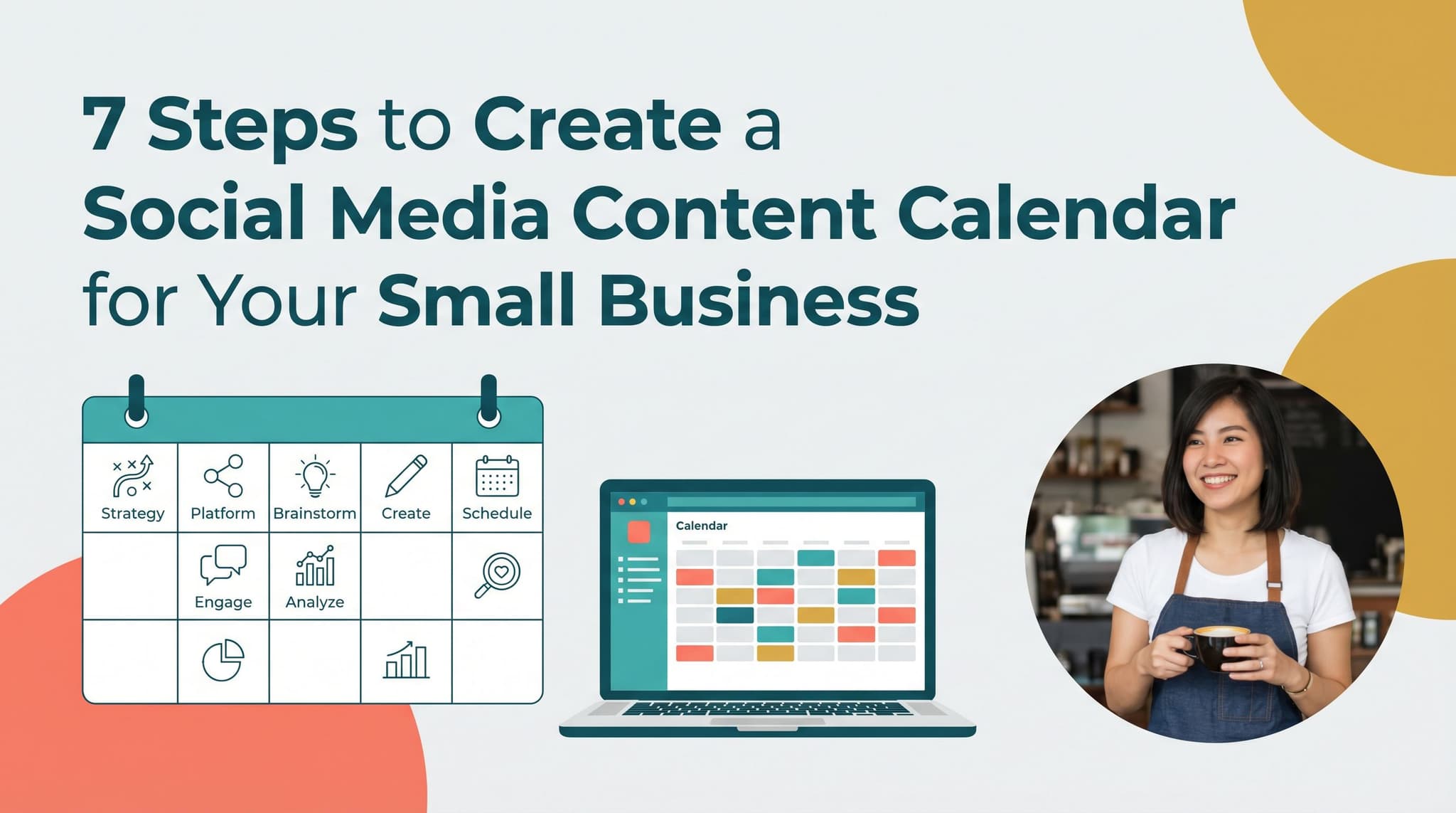
7 Steps to Create a Social Media Content Calendar for Your Small Business
Most small business owners treat a content calendar like a finish line. Build the spreadsheet, fill in the dates, done. But a calendar with no system behind it falls apart by week three. You miss a day, then two, then you're back to posting whatever feels urgent. This guide walks you through seven steps to build a social media content calendar that actually holds up, starting with a clear business goal and ending with a workflow where AI agents handle the repetitive parts for you. Whether you've tried Google Sheets, a basic scheduler, or nothing at all, these steps will help you post consistently without spending hours every week on content. No fluff, no generic advice about posting on Tuesdays. Just a repeatable system built around how small businesses actually work.

By Wilzer Jean-Baptiste
Published 10 min read
Most small business owners have tried a content calendar at least once. They built a Google Sheet, color-coded the columns, mapped out six weeks of posts, and felt great about it for about 10 days. Then life got busy, the sheet got stale, and they were back to posting whatever felt urgent on a random Tuesday afternoon.
The problem isn't discipline. The problem is that most content calendars are built as destinations instead of systems. You fill them in, and then you still have to do all the hard work manually every single week. That's not a system. That's just a fancier to-do list.
This guide walks you through seven steps to build a social media content calendar that actually holds up, one that starts with a clear goal, runs on batched content, and uses agentic AI to handle the repetitive parts so you can focus on running your business. If you've tried spreadsheets or basic schedulers before and found them too manual to stick with, these steps are built for you.
Start With a Goal, Not a Grid
Step 1: Pick One Business Objective Per Quarter
A content calendar without a clear posting goal is just a spreadsheet. That sounds obvious, but most small business owners skip this step entirely. They open a blank calendar, start filling in days, and end up with a random mix of product photos, motivational quotes, and behind-the-scenes shots that don't add up to anything.
Here's how to fix that. Before you touch a calendar, pick one business objective for the next 90 days. Not five. One. Maybe you want to grow your email list by 200 subscribers. Maybe you're launching a new service in March and need to build awareness first. Maybe you want to drive 30% more foot traffic on weekday afternoons.
Once you have that one goal, work backward. Ask yourself what content types actually move people toward that outcome. If you're trying to build an email list, you need content that creates curiosity and sends people to a landing page. If you're pushing a new service, you need posts that explain the problem it solves, show proof it works, and make it easy to book. Every piece of content on your calendar should connect to that goal in some way.
This also helps you decide how often to post. You don't need to post every day on every platform. You need to post often enough to stay visible to the people who are already paying attention. For most small businesses, three to five posts per week on one or two platforms is more sustainable and more effective than daily posting spread thin across six channels.
Think of your content calendar as a quarterly campaign, not a daily chore. When every post has a job to do, planning gets easier and results get clearer.
Step 2: Choose the Right Platforms (Not the Popular Ones)
Platform selection matters more than most guides admit. A restaurant posting on LinkedIn instead of Instagram is wasting time. A B2B consultant posting only on TikTok might be building the wrong audience entirely. The platform you choose should be based on one thing: where your actual customers spend time.
Start by asking yourself a few questions. Are your customers mostly consumers or other businesses? Are they scrolling for entertainment or searching for solutions? Do they respond to visuals, short video, long-form writing, or quick updates? The answers point you to the right one or two platforms pretty quickly.
A local bakery belongs on Instagram and Facebook. A freelance designer probably gets more traction on Instagram and LinkedIn. A career coach targeting professionals in their 30s and 40s will find a warmer audience on LinkedIn than on TikTok. None of this is complicated, but it gets ignored constantly because everyone says you need to be everywhere.
You don't. Pick two platforms where your customers already are. Get consistent there first. You can always expand later once you have a working system.
Step 3: Map Your Content Mix
Once you know your goal and your platforms, decide what kinds of posts you'll actually make. A good content mix for a small business usually includes three types: content that builds trust, content that drives action, and content that shows personality.
Trust content looks like tips, how-tos, client results, or answers to common questions. Action content is your offers, promos, and calls to book or buy. Personality content is the stuff that makes people feel like they know you, behind-the-scenes moments, opinions, or a glimpse of your team.
A rough split that works for most small businesses is 60% trust, 20% action, 20% personality. You don't have to track this obsessively, but having a rough framework stops you from accidentally posting five promos in a row or going two weeks without mentioning what you actually sell.
Build the System That Keeps It Running
Step 4: Batch Your Content Creation
Batch content creation is the single biggest time-saver for small business owners. Planning and creating two to four weeks of content in one sitting, then scheduling it all at once, beats the daily scramble every time. When you sit down to write one post, you spend half the time just getting into the right headspace. When you sit down to write 12 posts, you're already in the zone by post three and the rest flows faster.
Pick one day per month, or one morning every two weeks, and block it off. During that session, you write captions, gather or create visuals, and load everything into your scheduler. That's it. The rest of the month, social media runs in the background while you focus on actually running your business.
The key is having your content mix mapped out before you sit down to batch. If you already know you need four trust posts, two action posts, and two personality posts for the next two weeks, you're not staring at a blank page. You're filling in a template you already built in Step 3.
Some business owners batch by theme. A fitness coach might dedicate one batch session to workout tips and another to client stories. A real estate agent might batch neighborhood spotlights one week and home-buying FAQs the next. Find the rhythm that fits how your brain works and stick to it.
Batching also makes it easier to maintain a consistent brand voice. When you write everything in one sitting, your tone stays the same across all posts. When you write one post at a time over 30 days, the voice drifts. Some posts sound confident, some sound tired, and the inconsistency adds up over a month.
Step 5: Schedule Everything in Advance
Batching only works if you actually schedule the content after you create it. This sounds obvious, but a lot of small business owners batch content and then still post manually because they haven't committed to a scheduler.
A visual content calendar makes this part much easier. Tools like Aidelly give you a drag-and-drop calendar where you can see your entire month at a glance, color-coded by platform and status. You can spot gaps, move posts around, and make sure nothing goes live without a review. That bird's-eye view changes how you plan because you stop thinking post by post and start thinking in campaigns.
When everything is scheduled, you also stop making last-minute decisions under pressure. No more posting a blurry photo because you forgot it was Tuesday and you need to put something up. The content is already there, already approved, already set to go.
Step 6: Post at the Right Time for Your Audience
Posting at the right time can double your reach without changing a single word of the content. Most guides tell you to post on Tuesday at 10am or Thursday at noon. That advice is based on platform averages across millions of accounts. Your audience is not an average.
The only way to find your best time to post is to look at your own platform analytics. Instagram Insights, LinkedIn Analytics, and Facebook Page Insights all show you when your followers are most active. Check those numbers, not a generic chart someone published in 2024.
Start by posting at three different times across a two-week period. Morning, midday, and early evening. Track reach and engagement for each. After two weeks, you'll have real data showing when your specific audience is paying attention. Then shift your schedule to lean toward those windows.
Keep in mind that the best time varies by platform and content type. Your Instagram Reels might perform best at 7pm when people are winding down. Your LinkedIn posts might get more traction at 8am when professionals are starting their day. Treat each platform separately when you're reading the data. Once you know your best windows, lock them into your scheduler so you're not thinking about timing every time you queue a post.
Turn Your Calendar Into an Autonomous Engine
Step 7: Use Agentic AI to Automate the Repetitive Work
Agentic AI tools are changing what a content calendar can do. Instead of manually filling in a calendar, AI agents can draft posts, pick optimal posting times, and publish automatically, turning a passive planning tool into an active content engine that runs on its own.
This is a real shift from what most people think of as social media automation. Old-school automation meant scheduling a post you already wrote. Agentic automation means an AI agent takes your brand voice, your content goals, and your performance data, then creates platform-specific posts for you, schedules them at the right time, and publishes them without you clicking a single button.
Aidelly is built around this idea. Its agentic workflows let AI agents handle the end-to-end process, from drafting a LinkedIn post that sounds like you to scheduling an Instagram caption at the time your audience is most active. You set the parameters. The agent does the work. You review, approve, and move on.
For small business owners who've tried spreadsheets or basic schedulers and found them too manual to keep up with, this is the gap those tools never closed. A spreadsheet can remind you to post. An AI agent can actually post for you, in your voice, at the right time, on the right platform.
The approval workflow matters here too. You don't have to give an AI agent full autonomy on day one. Aidelly's team review gates let you check every post before it goes live. Over time, as you see the agent consistently nailing your tone and content mix, you can loosen the reins and let more of it run automatically. It's a system you build trust in gradually, not a switch you flip once.
The practical result is that your content calendar stops being a to-do list and starts being a pipeline. Content moves through it, gets refined, gets approved, and gets published, with or without you sitting at a desk.
Connect Your Tools and Your Data
A content calendar only gets smarter if you feed it performance data. After your first four weeks of consistent posting, go back into your analytics and ask three questions. Which posts got the most reach? Which ones drove the most clicks or profile visits? Which ones got comments or saves instead of just likes?
Reach tells you what content people see. Clicks and profile visits tell you what content makes people curious enough to take action. Comments and saves tell you what content people found worth keeping. Each metric points to a different kind of value, and you want all three working for you.
Use what you find to adjust your content mix for the next quarter. If your how-to posts consistently outperform your product photos, make more how-to posts. If your Friday posts get twice the engagement of your Monday posts, shift your schedule. Let the data reshape the calendar instead of guessing. Aidelly's cross-platform analytics dashboard pulls all of this into one place so you're not logging into five different apps to piece together what's working.
Make It a Habit, Not a Project
The biggest reason content calendars fail for small business owners isn't strategy. It's maintenance. People build a great system in January, use it for three weeks, and abandon it when things get busy. The fix is to make the calendar part of a recurring routine instead of a one-time setup.
Put your monthly batch session on the calendar right now. Set a 15-minute weekly check-in to review what's going live that week and make any adjustments. Do a 30-minute monthly review of your analytics to see what worked. That's roughly two to three hours per month total, which is far less than the time most small business owners currently spend scrambling to post something every day.
The system works when you work the system. Start simple, stay consistent, and let automation handle the parts that don't need your judgment. A content calendar built this way doesn't feel like a project you maintain. It feels like a machine that runs while you focus on everything else.
A content calendar is only as good as the system behind it. Start with one clear goal, pick the platforms where your customers already are, batch your content so you're not scrambling daily, post at the times your own data points to, and let agentic AI handle the repetitive work that used to eat your afternoons. Those five things together are what separate a calendar that gets abandoned in February from one that actually drives results all year.
The right tools close the gap between planning and execution. When your scheduler can draft posts in your brand voice, suggest the best time to publish, and queue everything automatically, social media stops feeling like a second job and starts running like a background process.
If you're ready to stop filling in spreadsheets and start running a real content system, Aidelly is built for exactly that.
A content calendar is only as good as the system behind it. If you're still manually drafting posts, guessing at posting times, and clicking schedule one by one, the calendar becomes another task instead of a tool. Aidelly's agentic workflows handle the repetitive work for you, from writing platform-specific posts to picking the best time to publish to tracking what's actually working, so you spend your time on strategy, not busywork. See how it works at aidelly.ai.
Compare social scheduling tools
Evaluating software for your content workflow? Use our buyer guides and comparisons to compare scheduling, approvals, analytics, and AI workflow fit.